

Author: Ron Daniel
Best employee apps for construction site communication
Compare six apps that unite field and office: chat, safety alerts, scheduling, forms, and clock‑in for construction teams.
Poor communication on U.S. jobsites costs the industry more than $31 billion a year. I’ve seen why. One update starts as a text, turns into a phone call, gets copied into a spreadsheet, and still misses half the crew.
At Pebb.io, we keep seeing the same problem across field teams: too many apps, too many handoffs, and no clear proof that people saw the message. That gets worse when you add safety alerts, shift changes, forms, and time tracking across more than one site. Cost matters too. A tool that starts at $8.75 to $15 per user/month can get expensive fast when you need it for both crews and office staff.
So I’m going to keep this simple. I’ll walk through Pebb, Slack, Microsoft Teams, Workvivo, Staffbase, and Simpplr, where each one fits, where each one falls short, and which teams in construction should look at them first.
Quick overview
From what I’ve seen, these tools split into three camps:
Pebb: best if you want chat, updates, forms, scheduling, and clock-in in one app
Slack and Microsoft Teams: best if your team leans more office-heavy and already uses other work tools
Workvivo, Staffbase, and Simpplr: best if your main goal is top-down communication across many sites
The short version? If your crew still bounces between texts, paper, and separate apps, the tool you pick needs to do more than send messages. It needs to keep field and office teams in sync without adding more work.
1. Pebb
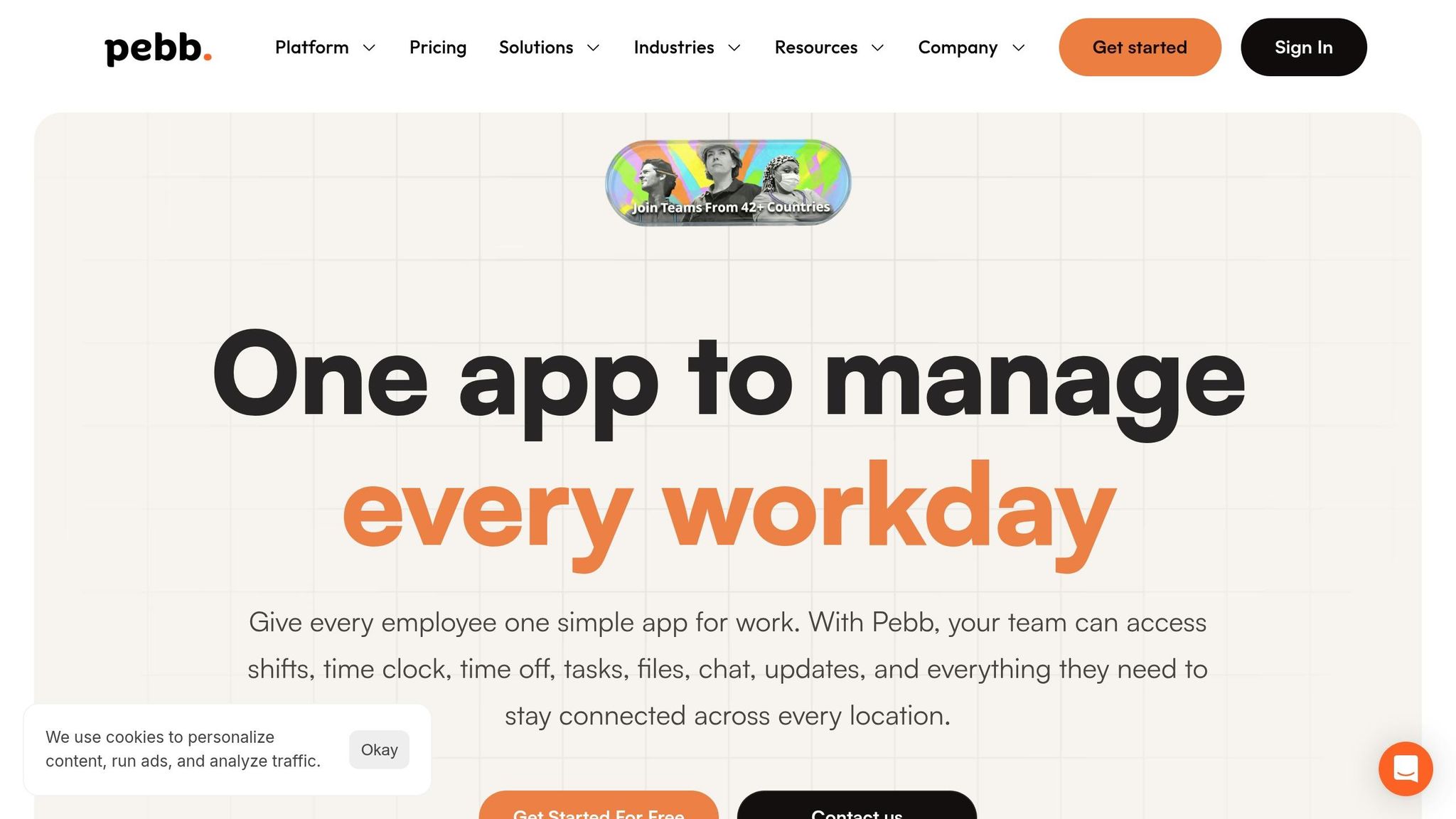
I’ve seen this play out on busy jobsites more times than I can count: one crew is waiting on an update, a foreman is chasing paperwork, and someone in the office is trying to figure out who actually showed up on site. That kind of mess slows everything down.
At Pebb, we built the app to pull those moving parts into one place. We bring jobsite communication, scheduling, forms, and updates into a single app for crews, foremen, subcontractors, and office staff.
Crew messaging
One of the first problems we wanted to fix was scattered communication.
Pebb combines group chat, direct messages, and threaded discussions, so crews, subs, and office staff stay on one thread and keep the full conversation in one place. In plain English, that means fewer lost messages, less backtracking, and way less “I never saw that.”
Here’s the thing: when a field team, a subcontractor, and the office are all talking in separate tools, details slip through the cracks. We wanted one running conversation people could actually follow.
Safety updates and forms
This is where things get serious.
On active jobsites, missed safety updates create real risk. I’ve watched teams deal with last-minute site changes, rule updates, and safety notices that had to go out fast. That’s why Pebb’s news feed works like a jobsite bulletin board. Supervisors can post safety alerts, site rule changes, and schedule updates, and each crew sees only the updates that apply to its site.
That last part matters more than people think. If everyone gets every message, people tune out. If crews only see what affects their site, they pay attention.
Team members can also acknowledge updates, which gives supervisors confirmation that critical messages landed. No guessing. No chasing people down just to ask if they saw the notice.
For field documentation, Pebb’s Digital Forms let crews complete daily JHAs/JSAs, incident reports, near-miss logs, equipment checks, and toolbox talk sign-offs from mobile devices. They can also attach photos and videos, so supervisors get structured information in real time.
Let me tell you what happened next when teams started using this flow the right way: paperwork stopped piling up at the end of the day, and supervisors got cleaner reports without the usual scramble.
Scheduling and clock-in
Scheduling is another area where separate tools tend to create headaches.
Pebb handles shift scheduling and clock-in in the same app. Crews can view their shifts and clock in with geolocation and site validation, which keeps payroll accuracy and site attendance tied to the same system.
I like this because it cuts out a lot of the small mistakes that turn into big payroll problems later. When scheduling and attendance live together, the handoff is much cleaner.
Multi-site control and pricing
If you’re running more than one jobsite, things can get messy fast. We’ve seen that up close.
For contractors managing multiple jobsites, Pebb uses Spaces to keep each site organized separately. Each Space runs its own chat, news feed, tasks, files, forms, and clock-in settings, while regional or company leaders keep full visibility from one admin view.
That setup gives site teams their own lane without leaving leadership in the dark.
On pricing, the Premium plan is $4/user/month and unlocks unlimited Spaces, analytics, voice and video calls, and integrations. At that point, the comparison gets a little tighter because other tools start trading simplicity for broader workplace features.
Pebb isn’t built only for construction, and I think that’s worth saying plainly. But from what I’ve seen, it works best when the goal is one place for every jobsite message, form, and schedule update. That’s why, for jobsite communication, Pebb sets the bar others have to chase.
2. Slack
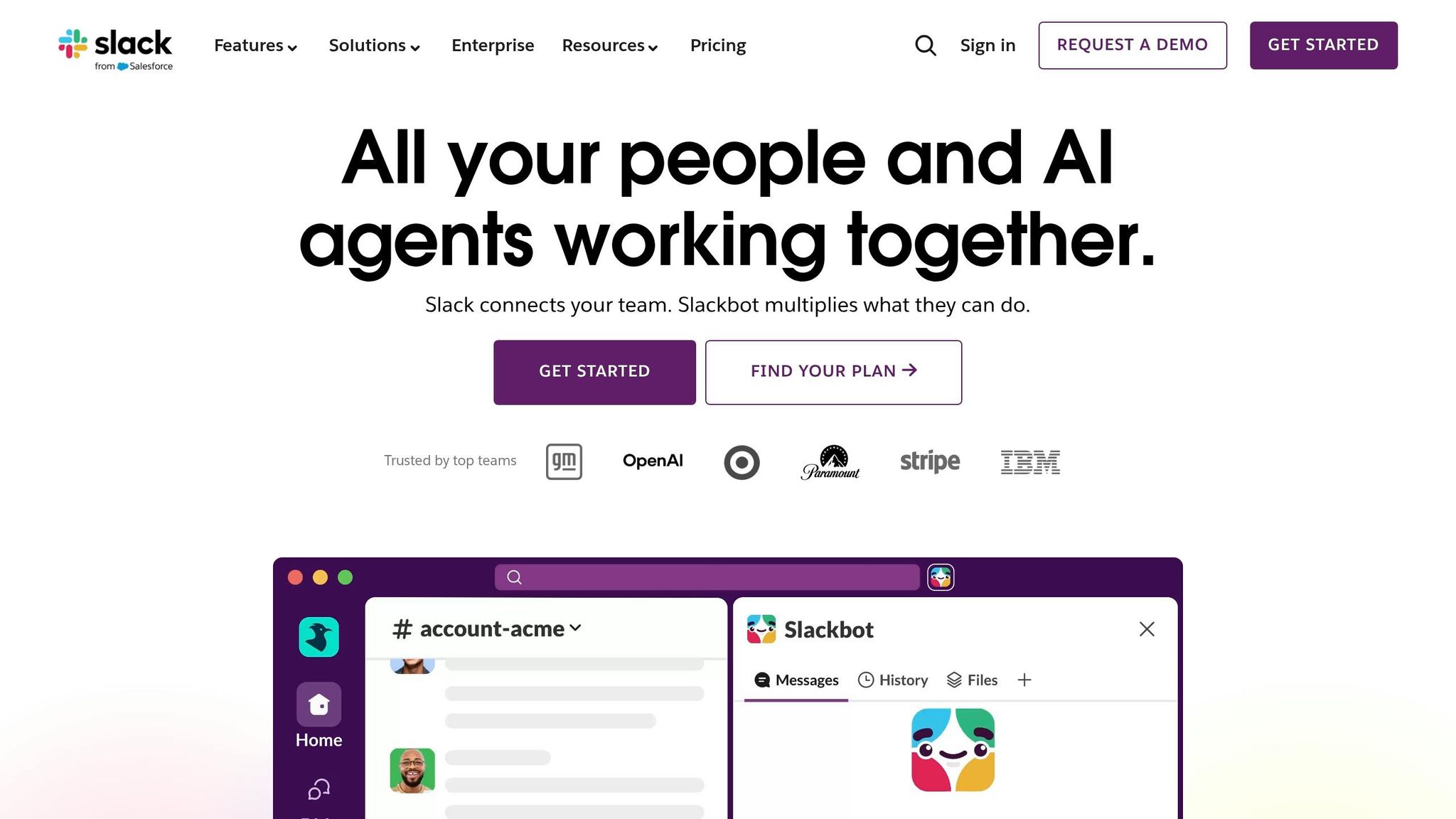
I’ve seen Slack shine when a team needs one place for fast back-and-forth that you can still search later. At Pebb.io, that kind of setup always made sense for teams juggling field updates and office follow-up at the same time. If a foreman drops a note at 6:15 a.m. and someone in the office needs it again at 2:00 p.m., being able to pull it up fast matters.
Here’s the thing: Slack is strong when the main job is messaging. Once you start asking it to handle scheduling, forms, and day-to-day workforce tasks, the cracks start to show.
Crew messaging
Slack’s channel setup is the big draw. It keeps jobsite talk grouped in a way that feels clean and easy to follow. I’d usually think of it like this: one lane for each kind of conversation.
You might have channels like #site-denver, #safety, and #rfis, then use threads when one issue needs its own side trail. DMs help when two people need to sort something out without dragging the whole team into it.
That setup is handy. A project update stays in one place. A safety note doesn’t get buried under random chat. And when someone says, “Didn’t we already talk about that last week?” there’s a decent shot you can find it.
Safety updates and forms
Slack also gives teams a simple way to centralize safety communication. I’ve seen setups where one channel holds hazard alerts, PPE reminders, and incident notices so nobody has to hunt across text chains or email threads.
Safety managers can post toolbox talk summaries, attach photos or PDFs, and pin key messages so they stay easy to spot. That part works well enough.
Where it gets a little clunky is forms. Slack has no native safety form library, so if you want to collect near-miss or incident details, you’re usually piecing it together through Workflow Builder on paid plans and routing it for review. It can get the job done, but it adds admin work, and that extra setup tends to land on someone’s plate fast.
Scheduling and clock-in
This is where I’d slow people down before they commit.
Slack has no native shift scheduling or clock-in. If your team needs those functions, you’re looking at third-party apps. Yes, scheduled messages can help with shift handoffs or early-morning updates, and I’ve seen teams lean on that. But let me tell you what happened next in cases like that: the workaround starts acting like a patch on top of another patch.
It works until it doesn’t. And when people need one clean place to manage labor, that can turn into a headache.
Multi-site control and pricing
For multi-site teams, Slack gives you a couple of ways to set things up. You can keep site-specific channels inside one workspace, or split larger projects into separate workspaces. That gives managers some breathing room, since they can track key updates without jumping into every single conversation.
On pricing, Slack’s Pro plan starts at $7.25 per user/month billed annually, and Business+ is $15 per user/month billed annually. I always tell people to look past the starting price. For construction teams that also need scheduling or time tracking, costs can climb fast once third-party apps enter the picture.
So yes, Slack is strong for messaging. I’d trust it for fast crew communication and searchable updates. But if you need one system for scheduling, forms, and frontline coordination, it feels less complete than a platform built for that from day one. Microsoft Teams takes a similar messaging-first path, but it adds deeper Microsoft 365 integration.
3. Microsoft Teams
I’ve seen this play out a lot at Pebb.io: the moment a company is deep in Microsoft 365, Microsoft Teams starts looking like the obvious pick. And to be fair, I get it. If Slack feels messaging-first, Teams feels Microsoft-first.
That’s the big idea here.
Teams goes past chat and pulls communication into tools like SharePoint, OneDrive, Planner, and Power BI. For some construction firms, that setup feels like everything is under one roof. For others, it can feel like bringing a whole toolbox when all you needed was a hammer.
Crew messaging
Teams organizes communication through threaded channels, 1:1 chats, group chats, @mentions, and file sharing.
In the field, that can be useful. A construction company can set up one team per jobsite and keep site updates, safety notes, RFIs, and subcontractor messages in one searchable workspace. I’ve seen why that matters. When updates are buried across text threads, email chains, and random phone photos, people lose time fast.
With Teams, subcontractors can be added through guest access controls. Field workers can also send photos, videos, and files right from the mobile app. That setup makes it easier to carry the same workspace into safety, scheduling, and reporting instead of splitting everything across separate tools.
Safety updates and forms
This is one area where Teams can do a solid job, but it doesn’t run itself.
Safety communication can live inside dedicated channels built around daily bulletins, incidents, and training records. Managers can post announcements and pin critical updates so crews don’t miss them. They can also collect incident reports and inspection checklists from mobile devices, with submissions stored in SharePoint for recordkeeping.
Here’s the thing: it works, but it takes real admin effort to build and maintain. I’ve seen setups that looked neat on day one and messy by month two because no one owned the structure.
Scheduling and clock-in
Teams also includes the Shifts app, which gives supervisors a way to assign site-based schedules.
Workers can:
request time off
swap shifts
clock in and out from their phones with location controls
On paper, that sounds tidy. In practice, it can help crews stay inside one system instead of bouncing between a chat app and a scheduling tool.
Multi-site control and pricing
For multi-site operations, the Teams admin center gives frontline usage reports by location across the last 7 to 180 days.
That kind of visibility helps if you’re trying to track adoption across many jobsites. Let me tell you what happened next in a few rollouts I’ve watched: leaders liked the reporting, then got hit with the cost math.
Microsoft 365 F3 is about $8 per user/month, M365 E3 is around $36 per user/month, and E5 is about $57 per user/month. Once you apply that across large crews, license costs can climb fast.
From what I’ve seen, Teams makes the most sense for firms already running on Microsoft 365 and ready to deal with the admin load. If a company just wants plain frontline communication without all the setup work, Teams can feel more involved than a construction app built for that job.
4. Workvivo
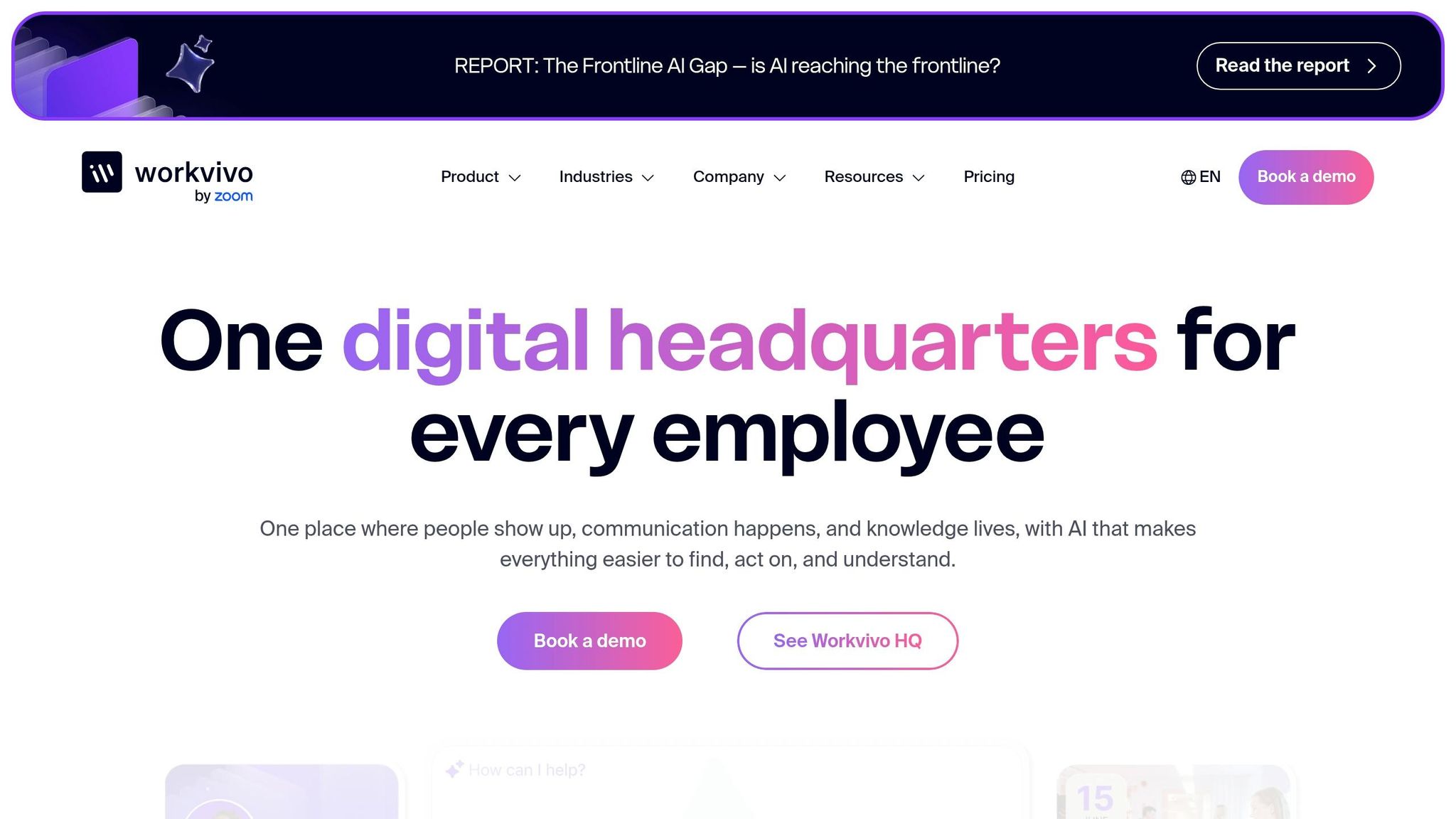
I’ve seen teams buy a platform hoping it will fix field ops, then get frustrated when it turns out to be built for something else. That’s pretty much how I think about Workvivo.
At Pebb.io, when we look at tools like this for construction use cases, we separate communication from jobsite operations fast. Workvivo is built for employee communication and engagement, not for running labor on a jobsite. So if your main goal is announcements, safety updates, and giving crews across sites one place to stay in the loop, it does that job well. If you need labor planning, shift control, or built-in crew tools, it’s a different story.
That makes it a better fit for construction companies that want steady communication software for construction companies across many sites than for teams that need labor tools baked in.
Crew messaging
This is where Workvivo makes the most sense to me.
It uses a social-style feed, Spaces, and chat to send site updates to crews without leaning on email. And let me tell you, that matters more than some office teams think. On job sites, plenty of foremen and field workers don’t live in their inbox. Some don’t even have company email accounts.
So the mobile-first setup helps. Crews can check updates from their phones, see what’s happening on site, and stay connected without jumping through the usual office-tech hoops.
Safety updates and forms
Here’s the part construction teams will likely care about most day to day.
Teams can keep SOPs, manuals, and training materials inside Spaces. They can also push urgent alerts to phones and site screens, which is useful when a message can’t wait until the next meeting. On top of that, mobile forms can be used for pre-start checklists, incident reports, near-miss logs, and shift handovers.
That’s a solid setup for safety communication. In fact, a Forrester TEI report found that top-down communication time dropped by half after implementation.
Still, here’s the thing: this is also where the limit shows up. Communication is its strong suit. Workforce management isn’t.
Scheduling and clock-in
If you’re hoping Workvivo will handle scheduling or clock-in natively, it won’t.
Construction teams usually need a separate workforce management tool for shifts and time tracking. I’ve seen this become a pain point when teams try to stretch a communication platform into an ops system. It can share updates well, but it’s not built to run attendance, labor allocation, or shift coverage.
Multi-site control and pricing
For multi-site construction teams, Workvivo gives managers a way to see which crews are opening safety alerts or site briefings. Its analytics and campaign tools help managers adjust communication by location, which can be useful when one site is engaged and another is missing updates.
Pricing is custom enterprise pricing, so construction firms should plan for rollout and integration costs on top of licensing. That puts Workvivo in the same enterprise tier as Staffbase, though with a lighter focus on operations.
At a glance, I’d frame it like this:
Best at: internal communication, site updates, safety messaging, and engagement across locations
Less suited for: scheduling, clock-in, and labor management
Budget note: enterprise pricing means the total cost can go past the license fee once rollout starts
If Workvivo leans into employee engagement, Staffbase goes even further into enterprise communications and internal publishing.
5. Staffbase
When I first looked at Staffbase side by side with Workvivo, one thing jumped out at me fast: Staffbase leans much more into controlled, top-down communication.
At Pebb.io, we see this a lot with large field-heavy companies. Some teams don’t just want chat. They want a way to push the right message to the right crew, in the right language, across a lot of sites without chaos. That’s where Staffbase tends to fit best.
It works well when a contractor needs controlled communication across many sites and languages, reaching crews, foremen, and subcontractors spread across multiple jobsites. It’s built for large organizations that need to reach frontline workers.
Crew messaging
Staffbase gives field workers a branded mobile app on iOS and Android, and that matters more than it might sound at first.
Here’s the thing: not every subcontractor or trade worker has a company email. I’ve seen that trip up rollouts more times than I’d like. Staffbase gets around that by giving workers app access without requiring a corporate login, which can make adoption much easier for mixed crews.
Managers can segment chats by project, trade, or site. They can also send push alerts when something changes fast, like a schedule update, access issue, or site notice. If you’re trying to reach a framing crew in one place and an electrical team somewhere else, that level of control helps keep noise down.
That same setup carries over into safety communication too.
Safety updates and forms
This is one area where Staffbase has a lot going for it.
Safety managers can publish alerts, policy updates, and toolbox talk materials as mobile-friendly posts with images, PDFs, or video. Emergency push notifications can go out right away to one crew or the full workforce, which is useful when a hazard needs to be shared before the next shift starts.
I’ve worked with teams where paper-based safety processes slowed everything down. Someone fills out a form, someone else scans it, then it sits in an inbox. Staffbase tries to clean that up. Digital forms built in Staffbase Studio can handle incident reports, near-miss logs, JSAs, and daily safety checklists across sites.
The language support also stands out. The platform supports content in 45+ languages with auto-translation in 100+ languages. For multilingual U.S. crews, that’s a big deal. If you’ve got teams across states with different language needs, this can take a lot of friction out of day-to-day communication.
Scheduling and clock-in
This is where I start to see the platform lose a bit of steam.
Staffbase includes shift scheduling as part of its employee app feature set, so crews can see upcoming shifts and site assignments in the app. That’s useful, no doubt.
But native time tracking is still limited. So if your team needs strong clock-in, hours tracking, or payroll-ready time data, you’ll likely still need a separate timekeeping tool. Let me tell you what happened next in a few buyer conversations I’ve had: teams liked the communication side, then hit a wall when they tried to stretch it into a full workforce ops system.
Multi-site control and pricing
For construction firms spread across several states, Staffbase has a nice setup for local control.
Its Spaces feature lets local site supervisors manage their own channels without changing company-wide settings. So corporate can send safety campaigns to everyone, while each site keeps its own daily briefings local. That split makes sense. You don’t want every update blasted to every crew if it only applies to one jobsite.
Analytics can also be filtered by region or site. That means you can see which jobsites are reading safety updates and which ones may need a follow-up. I like that because it turns communication from “we sent it” into “did anyone actually read it?”
Pricing is custom and scales with user count and feature tier.
Staffbase research says 85% of frontline workers report insufficient jobsite communication.
For construction teams, the tradeoff is pretty straightforward: you get stronger communication control, but weaker native scheduling and timekeeping.
6. Simpplr
I’ve seen teams reach for Simpplr when they want order more than nonstop chat. At Pebb.io, we pay close attention to that split because not every jobsite needs a buzzing message stream all day. Sometimes the bigger pain is making sure the right policy, safety doc, or company update gets to the right people without turning everyone’s phone into a siren.
That’s where Simpplr tends to fit best. It works well as a governed intranet for policies, safety docs, and site-wide updates, not as a fast crew chat tool. So if a construction team needs controlled communication more than live back-and-forth, I can see why it ends up on the shortlist.
Crew messaging
From what I’ve seen, foremen can set up group and private messages by site, trade, or project phase and share updates tied to documents or safety SOPs stored in the platform. That setup makes a lot of sense when a drywall crew needs one set of updates and the electrical team needs another.
Admins can also target announcements to the right crews without flooding every site with the same message. That sounds simple, but in practice, it saves a lot of noise. Here’s the thing: a message only helps if people don’t start ignoring it. Simpplr works best when crews open the app often enough for those updates to become part of the daily rhythm.
Safety updates and forms
This is one area where Simpplr feels strong. Safety bulletins can be marked as Must Read, prompting workers to acknowledge critical updates, and crisis alerts can be sent across mobile, SMS, and email until acknowledged. If you’ve ever had to make sure a field team saw a last-minute safety notice, you already know why that matters.
Simpplr can also remind owners to review safety manuals and SOPs on a schedule. On top of that, digital workflows such as incident reports and near-miss logs are supported as well.
In my experience, that kind of structure helps with communication and compliance. But it doesn’t solve everything.
Labor coordination still needs a separate workflow. So while Simpplr handles the communication side well, crews will still need another system for the day-to-day movement of labor.
Scheduling and clock-in
Let me tell you what happened next when I dug into this part: the line between “scheduling” and “timekeeping” mattered more than it first seemed.
Simpplr includes shift scheduling and task management, but not native clock-in or time tracking. That means most construction firms pair it with a separate timekeeping tool and use Simpplr as the communication and scheduling front end.
In plain English, you can plan the work there, but you’re not fully tracking hours there. For some companies, that’s fine. For others, it adds one more handoff.
Multi-site control and pricing
If you’re running many sites at once, this is where Simpplr starts to make its case. It supports multi-site communication through audience-based access control. Admins can target messages by role, location, or shift and organize content by project or region.
Updates can also be targeted with geofencing or QR codes. I like that because it adds another layer of control. A crew on one site doesn’t need every update meant for a crew 40 miles away.
The catch is cost and fit. Pricing is custom and better suited to larger contractors than small crews. I’ve seen that be the sticking point. Bigger firms may like the control. Smaller teams may look at it and think, this is more system than we need right now.
Those tradeoffs become clearer in the feature, pricing, and workflow comparison below.
Feature, pricing, and workflow comparison
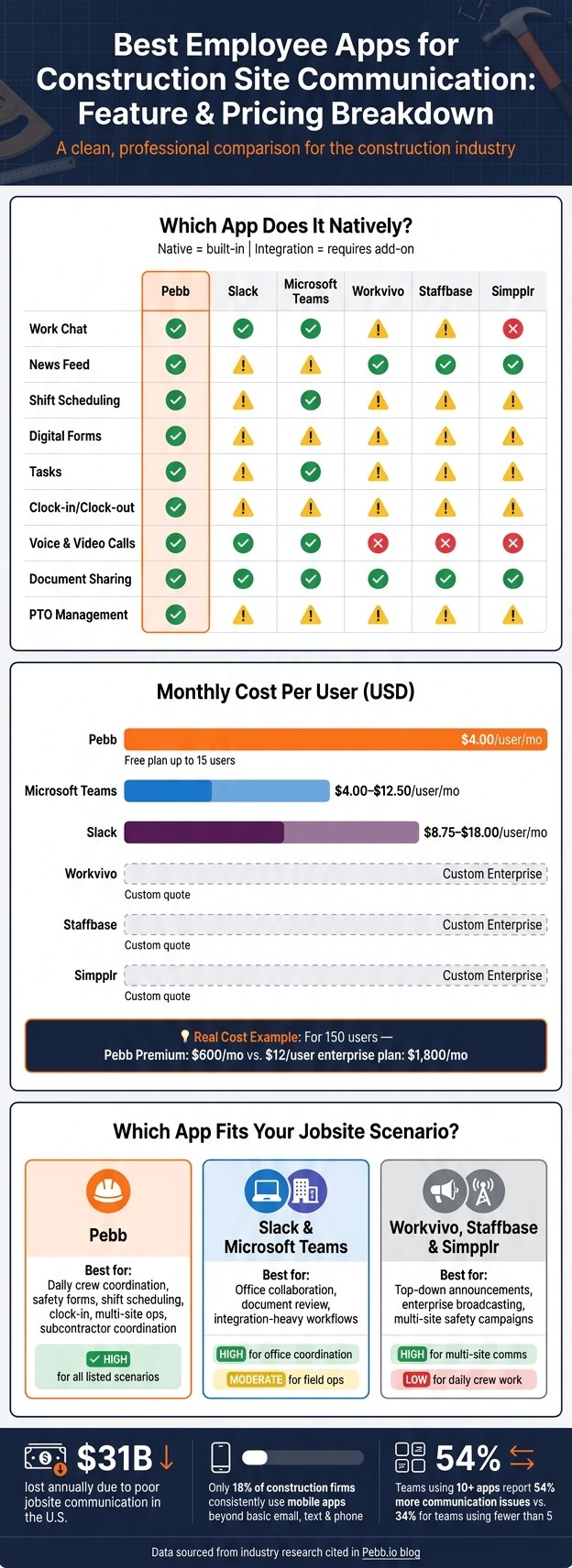
Best Construction Communication Apps Compared: Features & Pricing
I’ve sat in enough crew chats, office handoff threads, and end-of-day scramble sessions at Pebb.io to know one thing: a tool can look great in a demo and still fall apart on a jobsite.
That’s why this part matters.
Below, I’m laying out how these six apps stack up on features, price, and day-to-day construction workflow. We’ve looked at this stuff from the angle of crews in the field, foremen trying to keep everyone aligned, office teams handling paperwork, and subcontractors who need updates without jumping through hoops.
First, here’s the clean, side-by-side feature view.
Core features
Feature | Pebb | Slack | Microsoft Teams | Workvivo | Staffbase | Simpplr |
|---|---|---|---|---|---|---|
Work Chat | Native | Native | Native | Built in, not chat-first | Broadcast-focused | Limited |
News Feed | Native | Channels | Channels | Smart Feed | Branded App | Personalized Feed |
Shift Scheduling | Native | Requires integration | Native (Shifts) | Requires integration | Requires integration | Requires integration |
Digital Forms | Native | Requires integration | Requires integration | Requires integration | Requires integration | Requires integration |
Tasks | Native | Requires integration | Native (Planner) | Requires integration | Requires integration | Requires integration |
Clock-in/Clock-out | Native | Requires integration | Requires integration | Requires integration | Requires integration | Requires integration |
Voice & Video Calls | Native | Native | Native | No | No | No |
Document Sharing | Native | Native | Native | Native | Native | Native |
PTO Management | Native | Requires integration | Requires integration | Requires integration | Requires integration | Requires integration |
Here’s the thing: on paper, a lot of tools seem close. But once a foreman needs chat, forms, scheduling, time tracking, and updates in the same place, the gaps show up fast. I’ve seen teams patch together three or four apps just to cover what should’ve been one simple workflow.
Next, let’s talk money and rollout fit. That’s usually where the short list gets a lot shorter.
Pricing and deployment fit
App | Free Plan | Price (USD/User/Mo) | Best for |
|---|---|---|---|
Pebb | Yes (up to 15 users) | $4.00 | Small to mid-sized crews needing all-in-one communication |
Slack | Yes (90-day history limit) | $8.75–$18.00 | Office-heavy teams with integration-heavy workflows |
Microsoft Teams | Yes (limited) | $4.00–$12.50 | Contractors already running Microsoft 365 |
Workvivo | No | Custom enterprise quote | Large firms focused on culture and engagement |
Staffbase | No | Custom enterprise quote | Enterprise broadcast communication |
Simpplr | No | Custom enterprise quote | Large organizations needing a governed intranet |
One pattern shows up fast. Enterprise tools usually use custom pricing and often sit at $10 to $15 per user per month or higher.
That cost gap adds up in a hurry.
At Pebb.io, we’ve seen how different the math looks when a company moves from a per-user enterprise plan to a simpler setup. Pebb Premium is $100/month for 25 users and $600/month for 150 users, while a $12-per-user enterprise plan costs $1,800/month for 150 users before implementation fees.
Let me tell you what happened next in a few of these pricing conversations: once teams saw the full rollout cost, they stopped asking, “Which app has the most bells and whistles?” and started asking, “Which app can our field team use without extra systems and training headaches?”
And that leads to the part that usually decides the winner anyway: workflow on the ground.
Workflow fit by scenario
Scenario | Pebb | Slack / Microsoft Teams | Workvivo / Staffbase / Simpplr |
|---|---|---|---|
Daily crew coordination | High - native chat, tasks, and forms | Moderate - strong collaboration, but field ops usually need add-ons | Low - not built for day-to-day crew work |
Safety announcements and incident reports | High - news feed + digital forms | Moderate - channels work, but forms usually need integrations | Moderate - strong for top-down safety broadcasts, but incident reporting needs more workflow support |
Shift scheduling and last-minute changes | High - native scheduling + PTO | Moderate - Microsoft Teams has Shifts; Slack needs add-ons | Low - usually needs separate tools |
Multi-site communication | High - spaces and groups by site | Moderate - channels can mirror sites | High - audience targeting and segmentation |
Time and attendance tracking | High - native clock-in | Low - requires separate apps | Low - not supported natively |
Office coordination and document review | Moderate | High - built for this | Moderate - good for policy distribution |
Subcontractor coordination | High - keeps crews, foremen, and office staff in one app | High - Slack Connect, Microsoft Teams guests | Low - enterprise-focused, less flexible |
If I had to boil this down from what I’ve seen, it’s pretty simple:
Slack and Microsoft Teams do a strong job with office collaboration.
Workvivo, Staffbase, and Simpplr lean more toward top-down communication.
Pebb is built more around day-to-day crew coordination across field and office.
That split matters because construction adoption is still a tough nut to crack. Only 18% of construction firms consistently use mobile apps beyond basic email, text, and phone for project data access and collaboration. I think that stat says a lot. It shows how hard field adoption still is, no matter how polished a platform may seem from the office side.
And honestly, I’ve seen that play out over and over: if an app asks too much from the field, people fall back to texting, calling, and chasing updates the old-fashioned way.
The next section breaks down the practical pros and cons of each app.
Pros and cons
I’ve seen this play out over and over at Pebb.io: a team starts with one chat tool, adds one form tool, then a scheduling app, then a clock-in app, and before long the whole setup feels like duct tape on top of duct tape.
Here’s the practical view after the feature-by-feature breakdown: what each app does well on a jobsite, and where it falls short.
App | Pros | Cons | Best For |
|---|---|---|---|
Pebb | Only option here with native chat, news feed, scheduling, forms, clock-in, PTO, and tasks in one app - no add-ons needed; free plan up to 15 users; $4/user/month premium; simple mobile UI built for frontline workers; fast onboarding for crews and subcontractors | Fewer third-party integrations than Slack or Teams | Construction firms that want one app for field and office communication without stitching together separate tools |
Slack | Fast real-time messaging; flexible channel structure that mirrors job sites or trades; strong search and file sharing; broad integration library | No native scheduling, forms, or clock-in; not built for frontline workers; onboarding subcontractors and temporary workers adds admin work | Office-heavy construction teams and project managers running integration-heavy workflows |
Microsoft Teams | Deep Microsoft 365 integration; built-in video and audio conferencing; strong security and compliance; often included in existing M365 licenses | Busy mobile interface that can overwhelm field workers; guest access for subcontractors requires admin setup; limited offline performance | Mid-to-large contractors already on Microsoft 365 who need document collaboration and compliance built in |
Workvivo | Mobile-first design with multilingual support; strong company-wide announcements and recognition across multiple sites; good engagement features | Construction workflows need manual setup; integrates less deeply with construction project tools; not built for daily crew coordination | Large construction firms focused on top-down communication and engagement across dispersed job sites |
Staffbase | Purpose-built for frontline communication; strong segmentation by site or trade; acknowledgment tracking for safety bulletins; branded mobile app | Focused on content distribution, not project collaboration; implementation is more involved; typically sits alongside chat tools rather than replacing them | Large, geographically dispersed contractors that need targeted, auditable communication to field employees |
Simpplr | Strong central hub for policies and updates; AI-powered search and content personalization; good for centralizing safety manuals and SOPs | Not a real-time messaging tool; requires significant setup and content governance; field adoption depends on mobile UX quality | Larger construction organizations that need structured information management and plan to pair it with separate tools for live crew coordination |
Here’s the thing: on paper, a lot of these tools look close. But on an actual jobsite, the gaps show up fast.
I’ve watched field teams do fine with chat, then hit a wall the second they need shift scheduling, PTO requests, safety forms, or time tracking in the same place. That’s usually where an all-in-one setup starts to make more sense. At the same time, if a company already runs deep inside Microsoft 365 or depends on a stack of connected office tools, I get why they lean toward Slack or Microsoft Teams.
There’s also a cost to app sprawl that people tend to brush off until it becomes a daily headache. Research shows that using more than 10 apps increases reported communication issues to 54%, compared to 34% for teams using fewer than five.
Let me tell you what happened next in a few of the conversations I’ve had with prospects: once they mapped out how many tools their crews were bouncing between, the problem wasn’t just software cost. It was missed updates, slower onboarding, and field workers simply giving up on tools that felt built for desk teams instead of crews in hard hats.
So the trade-off is pretty plain. Some platforms work best as a communication layer tied to other systems. Others, like Pebb, are better suited for all-in-one frontline coordination without piecing together separate apps.
Conclusion
A while back, I was talking with a team that was juggling Slack for messages, another tool for updates, and a patchwork of texts for field issues. It looked fine on paper. On the jobsite, it was a mess. Messages got buried, crews missed updates, and managers spent too much time chasing people down.
That’s the part a lot of software comparisons miss.
For construction teams, the real test is simple: does the app keep every crew aligned without piling on one more tool? From what I’ve seen at Pebb.io, the split is pretty clear. Slack and Teams work best for office collaboration. Workvivo, Staffbase, and Simpplr fit enterprise broadcasting.
But the jobsite plays by different rules.
Out there, speed and simplicity decide whether a message gets seen at all. For small to mid-size U.S. construction teams, the biggest communication issues usually happen in the field, not at a desk. Crews need one mobile app for:
chat
safety alerts
scheduling
forms
clock-in
Here’s where Pebb stands out. It’s the only app in this comparison that brings those frontline needs into one place, with a free plan for teams up to 15 users and a premium tier at just $4 per user/month - the lowest price in this group.
I’ll be straight with you: if missed messages, scattered texts, and too many tools are slowing your jobsites down, Pebb is the most practical place to start.
FAQs
How do I choose the right app for my jobsites?
I learned this the hard way after watching one crew use three apps just to get through a normal day. One app for chat. Another for schedules. A third for forms. On paper, it seemed fine. In practice, it was chaos.
What worked better for us at Pebb.io was much simpler: pick a communication app that starts with mobile use, works even when the signal gets shaky, and pulls daily work into one place. When your team is out in the field, bouncing between job sites, that stuff matters fast.
Here’s the thing: the best option depends on a few plain factors:
your team size
your budget
whether you need built-in tools like shift scheduling, task management, and digital forms
If you only look at chat, you’ll miss the bigger picture. A good app should help your team talk and get work done without jumping across tabs all day.
At Pebb.io, we built Pebb for exactly that kind of setup. It fits well if you want one platform for both field crews and office staff. Our free plan covers up to 15 employees, and the Premium plan costs $4.00 per user per month. That all-in-one setup makes it much easier to keep teams connected across sites without piling on extra software.
Can one app replace chat, forms, scheduling, and clock-in?
I’ve seen this play out up close at Pebb.io: teams get tired of bouncing between five different apps just to get through one workday. That’s where Pebb helps.
Yes. Pebb combines work chat, digital forms, shift scheduling, and clock-in in one platform.
Here’s the thing: when crews in the field and people in the office use disconnected tools, small gaps turn into big headaches. A missed message becomes a missed shift. A buried form turns into a delay. PTO tracking gets messy fast.
By replacing disconnected tools, Pebb helps field crews and office staff stay in sync for tasks, PTO tracking, and safety updates. I’ve watched teams use it to keep daily work moving without the usual back-and-forth or app switching.
Its premium plan costs $4 per user.
What should I budget for a construction communication app?
I’ve seen this trip teams up more than once: the sticker price looks fine at first, and then the extras start piling on.
That’s why I always tell people to budget for a platform with clear per-user pricing. It saves a lot of grief later. You don’t want hidden costs creeping in through add-on modules or fees tied to where your team is based. We’ve had plenty of talks at Pebb.io about this, because once costs get muddy, planning gets messy fast.
Here’s what we did at Pebb.io. We kept it simple.
Pebb offers a free plan for up to 15 employees. When teams need more, the Premium plan is $4.00 per user per month. That includes work chat, shift scheduling, digital forms, and task management in one place.
Here’s the thing: when those tools live under one roof, you’re not paying for a chat app here, a scheduling tool there, and a forms tool somewhere else. That can cut total spend and make life a lot easier for the team using it every day.
