
Author: Ron Daniel
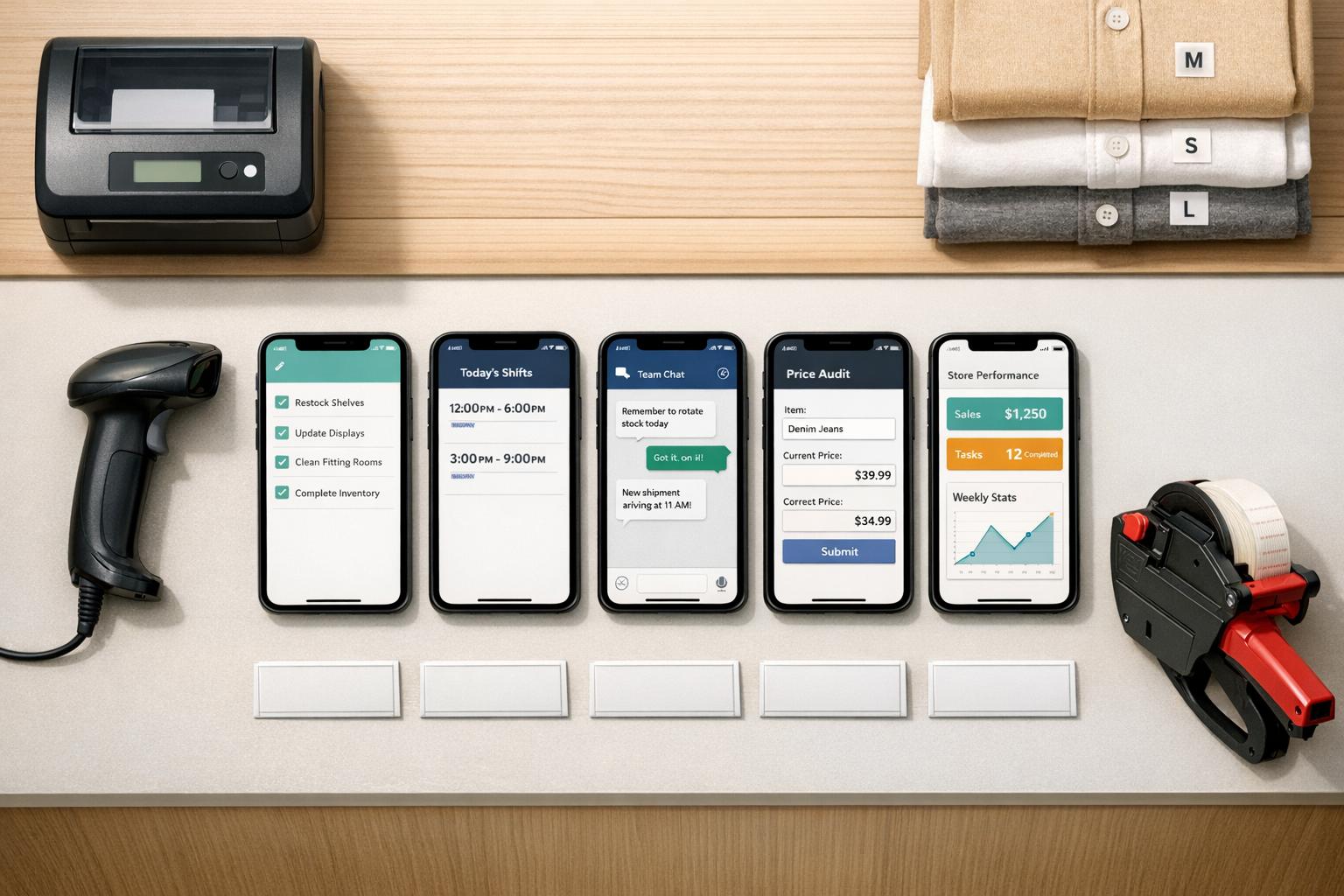
Best digital task management tools for retail floor staff
Compare five mobile-first task tools for retail floor teams, covering features, pricing, communication, and scalability.
It looks like you want me to craft an engaging introduction for the article about digital task management tools for retail floor staff, written in the style of a Pebb.io team member. Here's the introduction:
Running a retail floor is chaos - plain and simple. I remember my first shift as a store manager - juggling paper checklists, shouting across aisles, and praying that tasks didn’t get lost in the shuffle during shift changes. It felt like trying to hold sand in my hands. And let me tell you, when you’re managing multiple locations, that chaos multiplies fast.
Here’s the kicker: outdated methods like group texts and paper forms don’t just waste time - they cost money. Retailers like Boots cut $9.4 million in labor hours, and Michaels hit 98% compliance by switching to digital task systems. Those numbers don’t lie. The right tools don’t just save time - they transform how teams work.
So, what’s the solution? Digital task management tools that are built for the fast pace of retail. In this article, I’m breaking down five of the best options, including why we built Pebb to tackle this exact problem. Whether you’re managing one store or a hundred, I’ll show you what works, what doesn’t, and how to make your team’s life easier. Let’s dive in.
1. Pebb
At Pebb.io, we created Pebb with one specific goal in mind: to make life easier for teams that are always on their feet, like retail floor crews. These are the folks who don’t have the luxury of sitting at a desk, juggling multiple tools, or wasting time on complicated tech. Pebb is an all-in-one mobile platform that pulls together task management, communication, and operations into a single app. No more switching between five different tools just to get through a shift.
Task Management Features
Let’s talk about tasks. With Pebb, managers can assign tasks to individuals, roles, or even entire shifts. They can set due dates, prioritize tasks, and schedule recurring ones - perfect for those daily routines like opening/closing procedures, price audits, or BOPIS (buy online, pick up in-store) pickups. Staff can update tasks in real time and even attach photos. Think about it: a quick snap of a perfectly stocked shelf or an end-cap display means instant verification - no back-and-forth needed.
What about all those paper forms? Gone. Pebb replaces them with digital templates for everything from store walk-throughs to safety checks, maintenance logs, or incident reports. These forms can include photos, checkboxes, signatures, and even numeric inputs. For instance, a grocery store could use a temperature log to record cooler readings in °F, and Pebb will send automatic alerts if something’s off. Every submission is timestamped and stored centrally, making audits a whole lot less stressful.
But Pebb doesn’t just stop at task tracking - it also steps up team communication.
Communication Tools
Communication is where Pebb really shines. It combines 1:1 chat, group channels, a news feed, and even voice/video calls - all in one app. Channels can be set up by location or department, so a quick message like, “Can someone cover register 3 for 10 minutes?” reaches only the people who need to see it. No unnecessary noise.
The news feed is a game-changer for announcements. Corporate or district leaders can post updates - think promo details or policy changes - and track who’s seen them with read receipts and acknowledgments. Managers can rest easy knowing that critical updates aren’t slipping through the cracks. And for remote coaching or visual merchandising, voice and video calls mean you don’t have to pull everyone into the backroom for a meeting.
"Pebb has entirely redefined our communication. It feels like Facebook, but for work." - Loren Tekoah, Consulting Firm
Scalability for Multi-Location Retail
Here’s where Pebb gets super practical for multi-location businesses. It structures tasks and communication by store, using what we call “Spaces” - essentially organizing everything by location, department, or team. Let’s say a regional manager needs to roll out a holiday merchandising reset. They can assign the task chain-wide, track completion rates for each store, and even drill down into photos, forms, and task threads - all from one dashboard.
District leaders get a bird’s-eye view of what’s working and what’s not. They can see which stores are on track, which need a nudge, and even tailor tasks or messages based on store format or local conditions. For instance, a mall location and a standalone store might have different needs, and Pebb ensures neither gets overwhelmed with irrelevant info.
Pricing and Accessibility
Let’s talk numbers. Pebb’s Standard plan is completely free and covers the essentials: task assignments, checklists, digital forms, shift scheduling, and basic messaging. It’s more than enough to run a pilot and see how it works for your team.
If you’re ready to scale, the Premium plan costs $4.00 per user per month. This unlocks advanced analytics, more detailed permissions, voice and video calls, and integrations designed for multi-location operations. For example, a 10-store chain with 15 staff per store (150 users total) would pay about $600.00/month or $7,200.00/year. When you think about the time saved on manual reporting and the reduced risk of compliance issues, it’s a pretty straightforward investment.
Pebb is available on iOS, Android, and web browsers, so your team can access it however they prefer - on personal phones, shared store tablets, or back-office computers. It’s easy to roll out and even easier to use.
2. Homebase
Homebase is designed to simplify scheduling, time tracking, and task management for small to mid-sized retail teams. It’s tailored for hourly workers, making it a great choice for retail floor staff. While Pebb provides a free all-in-one solution, Homebase offers extra features through add-ons, which are particularly useful for smaller teams. For example, task management is available as an add-on rather than part of the standard package.
Task Management Features
With Homebase, managers can assign tasks to individuals, roles, or departments - perfect for organizing duties among cashiers, stockers, or closing crews. Recurring checklists streamline opening and closing procedures, eliminating the need for printed forms. Staff can also leave notes on tasks, making it easy to flag issues for the next shift and keep everyone in the loop. According to Homebase, managers save over 5 hours per week on team management tasks by using the platform. However, the Task Manager is a separate add-on, costing $13.00 per month per location, and isn’t included in any of the base plans.
Next, let’s take a look at how Homebase handles team communication.
Communication Tools
Homebase includes direct messaging and group chat features, complete with read receipts. There’s also a Manager Logbook, which serves as a digital replacement for the old-school physical binder. Managers can use it to document incidents, track labor data, and share shift notes. Another standout feature is "shout outs", which lets team members recognize each other’s efforts - a simple way to boost morale on the retail floor.
"The biggest make-or-break for a team can be communication, and having a schedule that everyone can share on their phone is incredible." - Jane Wild, Jane and the Lion
Scalability for Multi-Location Retail
For retail chains looking to grow, scalability is a key consideration. Homebase can support multiple locations, but the costs add up quickly because each paid plan is billed per location. For example, a chain with 10 stores would need to multiply the subscription cost by 10. On the plus side, Homebase offers a centralized dashboard for managing schedules and communication across all locations. Features like GPS-enabled time clocks and custom manager permissions for each site help keep things organized. Standardized checklists can also be replicated across stores to maintain consistent operations. While it works well, it’s not specifically designed for large-scale retail chains, unlike some enterprise-level tools.
Pricing and Accessibility
If you’re trying to figure out how Homebase fits your budget, here’s a quick breakdown of its pricing:
Plan | Price | Key Limits |
|---|---|---|
Basic | Free | 1 location, up to 20 employees |
Essentials | $24.95/location/month | Unlimited employees, team chat |
Plus | $59.95/location/month | PTO controls, AI scheduling |
All-in-One | $99.95/location/month | HR compliance, onboarding |
Task Manager Add-on | $13.00/location/month | Required for full task features |
The free plan is generous for single-location retailers with up to 20 employees. But as soon as you need task management or want to expand to multiple locations, the costs can rise quickly. On the bright side, the mobile app is highly rated, with a 4.8/5 score on the Apple App Store from over 84,000 reviews. Homebase is available on iOS, Android, and the web, ensuring a smooth experience for day-to-day operations.
3. Zipline
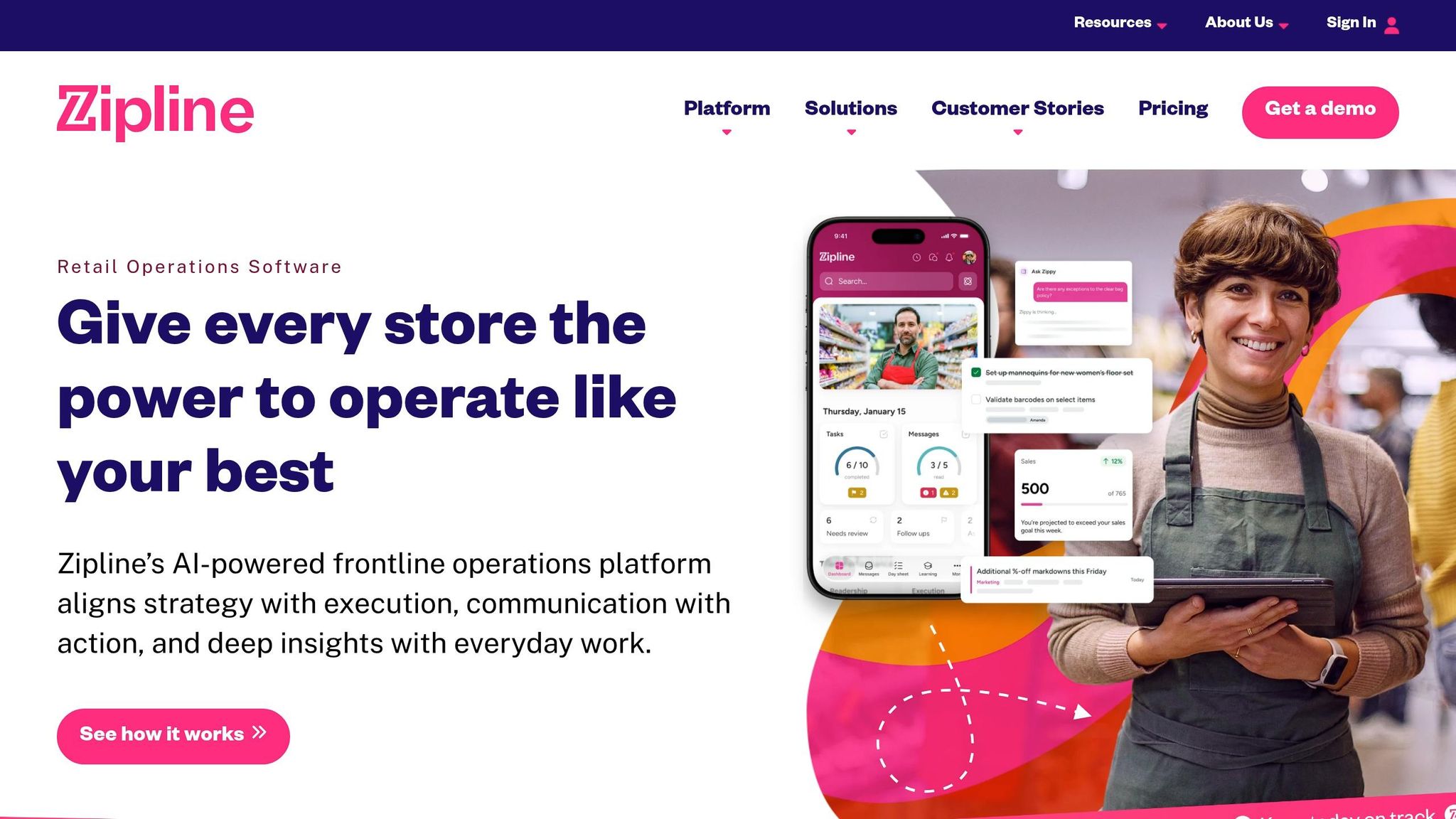
Zipline isn’t just another project management tool - it’s designed specifically for retail. That’s a game-changer when you’re dealing with the fast-paced, unpredictable nature of a retail floor. Its mobile-first approach ensures that tasks and updates land directly on employees' phones, keeping them where they’re needed most: on the floor.
Task Management Features
Zipline takes a different approach to task management, focusing on context. Instead of just listing tasks, it explains why they matter. And let me tell you, that "why" makes all the difference. Melissa Wong, Zipline’s CEO, nailed it when she said:
"Frontline employees who don't know why a task matters will deprioritize it when things get busy."
Here’s an example that stuck with me: Uncle Giuseppe's Marketplace used Zipline during a new egg sandwich rollout. Staff had to upload photos of updated labels and ingredients, ensuring 100% compliance across departments. That’s not just thorough - it’s impressive.
And the numbers back it up. Retailers using Zipline have reported a 35% boost in task completion rates and a 40% cut in administrative reporting time.
Communication Tools
Retail communication can be chaotic - emails, texts, sticky notes. Zipline simplifies all that by consolidating everything into one hub. HQ can send targeted messages by location, role, or even region. That means a cashier in Portland won’t get a message meant for the stockroom team in Denver.
One standout feature is "Zippy", their AI assistant. It’s like having a walking, talking policy manual. Zippy answers employee questions based on your brand’s unique guidelines and even allows feedback to flow back to HQ.
"Zipline AI in action is mind blowing! It gets the nuance of what we're asking and hits back with speedy, spot-on answers, all rooted in our own brand policies and procedures." - Eric Wardian, Senior Manager of Store Communications, PacSun
Scalability for Multi-Location Retail
Zipline shines when it comes to scaling. District and regional managers can monitor task completion in real time across all locations - no need for constant store visits. Here’s a great example: D&B Supply, a home improvement retailer with 15 locations, made the switch to Zipline. Under Kevin Lundergan, their Director of Operations, they eliminated over 550 company emails, saving about $87,000 annually and cutting 40 hours of labor per week. That’s a serious win for efficiency.
"Moving to Zipline ended up being a bit of a culture shock... because it has essentially changed the way we communicate as far as the flow from the stores to headquarters." - Kevin Lundergan, Director of Operations, D&B Supply
Pricing and Accessibility
Zipline offers tiered pricing based on the size of your operation:
Plan | Estimated Cost | Best For |
|---|---|---|
Basic | ~$3/user/month | Fewer than 50 locations |
Professional | ~$5–$7/user/month | 50–200 locations |
Enterprise | Custom pricing | 200+ locations or 10,000+ users |
The Basic plan covers task management and in-app communication. Professional adds analytics and mobile learning, while Enterprise includes API access and 24/7 premium support.
Zipline’s ratings show how well it’s received: 4.7/5 on the Apple App Store (15,400+ ratings) and 4.8/5 on G2 (94 reviews). However, Android users have raised some concerns, with a 2.8/5 on Google Play (265 reviews). One thing to note: Zipline doesn’t include workforce scheduling, so you’d need another tool for that. Still, its retail-focused features make it a powerful addition to any retailer’s toolkit.
4. SafetyCulture (iAuditor)
SafetyCulture, previously known as iAuditor, focuses on simplifying compliance by transforming inspections and workflows into digital processes. It’s particularly effective for retail floor teams juggling daily inspections, maintaining brand standards, and meeting regulatory requirements.
Task Management Features
SafetyCulture shines by replacing outdated paper checklists with digital ones, paired with automated workflows. Staff can log observations in real time, which instantly triggers follow-up tasks or escalations right on their mobile devices. The platform also includes retail-specific templates for tasks like visual merchandising checks, setting up promotions, and preparing for seasonal events. When one task is completed, the system can automatically kick off the next step, cutting down on unnecessary back-and-forth. Users have even reported a 60% boost in audit efficiency thanks to these streamlined processes.
Communication Tools
One of the standout features of SafetyCulture is its ability to keep teams connected through real-time reporting and instant notifications. Managers can immediately see when an issue is logged or an inspection is completed, speeding up the resolution process. On top of that, the platform includes built-in training tools to deliver updates on standard operating procedures or merchandising guidelines as easy-to-access digital courses.
"Using paper checklists, no one could see results of audits or the risks associated with poor processes. SafetyCulture allows us to see the results immediately and identify where we need to focus." - SafetyCulture
Scalability for Multi-Location Retail
For retailers managing multiple locations, SafetyCulture provides the flexibility to customize workflows for individual stores while still maintaining centralized control. A great example of this is a rollout that successfully reached over 760 shops in just a few weeks.
"Getting SafetyCulture platform out to 760+ shops, with so many employees was surprisingly easy. It's not often you get that in a rollout of this magnitude. We rolled it out in a matter of weeks." - SafetyCulture
This efficient rollout mirrors Pebb’s own commitment to creating tools that simplify processes and enhance collaboration across retail environments.
Pricing and Accessibility
SafetyCulture offers a free tier, making it easy for businesses to test the platform without any upfront commitment. For those looking for advanced features or enterprise-level functionality, pricing details are available by reaching out to their team. The free option is particularly appealing for smaller retailers taking their first steps toward digitization, while larger chains can benefit from the paid plans that offer more robust compliance and analytics tools.
5. Microsoft Teams with Planner/Tasks
When it comes to digital task management tools for retail floor staff, Microsoft Teams with Planner and Tasks is an interesting option, especially given its corporate reputation. Let’s see how it stacks up against retail-first solutions.
Task Management Features
One feature that stands out is Task Publishing. This allows operations managers at HQ to create a task list and distribute it to thousands of store locations in one go. Tasks can be set up in two ways: as a Standard Task List (a shared copy that any team member can complete) or "For Everyone to Complete" (individual copies for each staff member, perfect for things like safety training or policy sign-offs). To ensure tasks are completed, managers can require photo uploads or form submissions. Recurring tasks, like weekly audits or daily closing checklists, can also be scheduled to publish automatically, which is a real time-saver.
But Teams doesn’t stop at task management - it also brings some solid communication tools to the table.
Communication Tools
With Teams, frontline workers get access to voice, video, and instant messaging, making communication smoother. The Walkie Talkie feature, which works through a smartphone and supports wired headsets on Android, is particularly handy for employees who need to stay hands-free. Viva Engage handles company-wide announcements, while pre-configured templates like "Manage a Store" come with ready-to-use channels such as "Shift Handoff" and "Store Readiness." This eliminates the need to set everything up from scratch.
"Microsoft Teams is uniquely positioned to equip retailers... with a single platform to transform their store team's operations and deliver first-in-class customer experiences." - Nicole Herskowitz, Corporate Vice President, Microsoft 365 and Copilot
Scalability for Multi-Location Retail
One of Teams' strengths is how well it scales for multi-location operations. Regional managers can distribute tasks to stores based on attributes like geography or store size (e.g., "Large Layout" stores in the Northeast). Real-time reporting lets corporate leaders track task completion across all locations, while store managers can focus on their own team’s progress. Companies like La Vie en Rose and Domino's have already adopted Teams to streamline their store operations. For those using Dynamics 365 Commerce, Teams even syncs task statuses directly with the point-of-sale system, allowing updates to be made right at the register.
Pricing and Accessibility
Teams’ frontline plans include Microsoft 365 F1 at $2.25 per user/month and F3 at $8.00 per user/month. However, full access to Planner and Task Publishing requires a Microsoft 365 Business Standard license or higher, along with Microsoft Entra accounts. This can add complexity for smaller retailers. Teams Phone for Frontline Workers is available as an add-on for $4.00/user/month.
Here’s the thing: while Microsoft Teams offers a strong enterprise solution, it comes with extra licensing costs and administrative hurdles. On the other hand, Pebb provides an all-in-one platform with everything retail teams need - task management, communication, and operations - at no cost for the basic plan, with a premium option priced at just $4.00 per user.
Pros and Cons
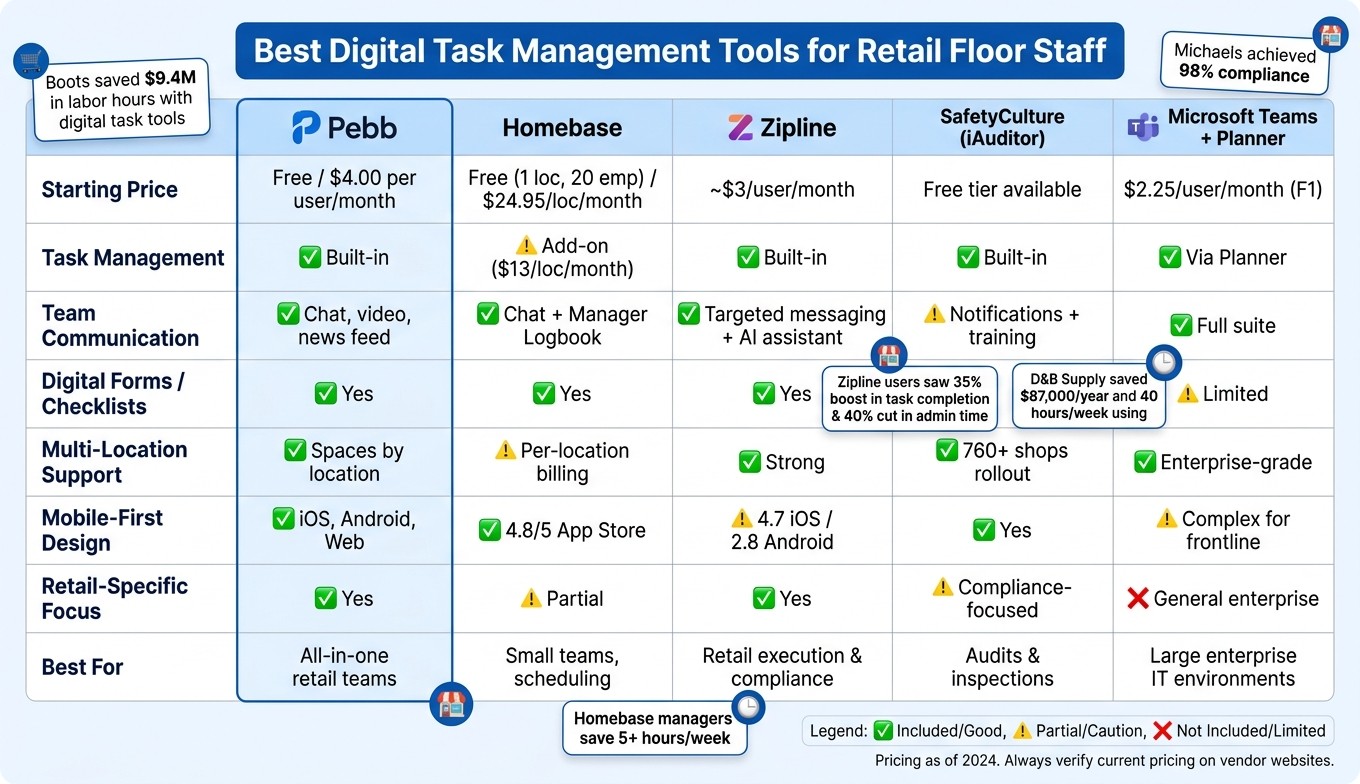
Best Digital Task Management Tools for Retail Staff: Side-by-Side Comparison
Let me break down the strengths and weaknesses of each tool so you can see how they stack up.
Tool | Strengths | Weaknesses |
|---|---|---|
Pebb | Free plan available; native tasks, digital forms, GPS clock-in; all-in-one communication and operations; mobile-first UX | - |
Homebase | Great for scheduling and time-tracking with small teams; smooth onboarding | Limited task management and basic communication features |
Zipline | Designed for retail execution; strong task compliance tracking | Pricey for smaller retailers; lacks broader communication tools |
SafetyCulture (iAuditor) | Perfect for audits, inspections, and safety checklists | Overwhelming for daily task management; costs rise with scaling |
Microsoft Teams | Scalable for enterprise; integrates with Planner/To Do | Complex licensing; cluttered interface for frontline workers; needs IT oversight |
Each tool brings something different to the table. Zipline and SafetyCulture are tailored for compliance-heavy tasks - great for audits and tracking but not ideal for everyday communication. Microsoft Teams is an enterprise powerhouse but feels cumbersome for retail staff, especially with its licensing headaches and busy interface. Homebase shines for small teams focused on scheduling but struggles to keep up when task management grows more complex.
Now, here’s where Pebb stands out. It’s the only platform offering a free, all-in-one solution that combines task management, digital forms, shift scheduling, PTO tracking, work chat, and a news feed - all in a mobile-first design. For retail teams on a budget, it’s a no-brainer. Floor staff actually use it because it’s simple, effective, and doesn’t feel like a chore to navigate.
For multi-location retailers looking for a cost-effective, retail-friendly app, Pebb delivers unmatched value and functionality in one seamless package. It’s everything your team needs, wrapped into a single, easy-to-use platform.
Wrapping It Up
Finding the right tool for your retail challenges can feel overwhelming, but it doesn’t have to be. Each platform shines in its own way - whether it’s managing large-scale campaigns or handling specific needs like compliance or scheduling for smaller shops. That’s why an all-in-one solution can simplify your day-to-day operations.
Let me share why Pebb might be the answer you’re looking for. If you want to give your retail floor staff a single app for everything - daily task tracking, digital forms, shift scheduling, and team communication - without juggling multiple subscriptions or IT headaches, Pebb checks all the boxes. Plus, it’s budget-friendly. Their free tier is a game-changer, and the premium plan? It’s just $4 per user per month, tailored specifically for U.S. retail teams, from frontline workers to office staff.
Here’s the thing: the best tool is the one that delivers real results. Ask yourself this - are you struggling more with consistent execution on the floor or managing massive campaigns? If it’s the former, Pebb is likely your go-to. A simple, easy-to-learn platform can do more for your team than a feature-packed system that no one fully uses. In today’s retail world, digital task management isn’t just nice to have - it’s the standard for helping teams work smarter and faster.
FAQs
How fast can we roll Pebb out to store teams?
Rolling out Pebb couldn’t be simpler - its mobile-first design makes sure of that. Employees can jump right in using their smartphones through the progressive web app, skipping the hassle of app store downloads. For retail managers, creating weekly schedules takes just a few minutes, and those old paper checklists? They’re out the window, replaced instantly with digital forms. Whether you’re managing one store or juggling several locations, Pebb’s easy-to-use platform lets your team start coordinating tasks from day one.
Do employees need company phones to use Pebb?
No, employees don’t need company-issued phones to use Pebb. The platform is built to run smoothly on personal devices, whether through the web app or the Pebb mobile app. This means employees can easily handle tasks like checking their schedules or submitting Digital Forms right from their own phones. It’s all about keeping things simple and convenient for frontline teams.
How do we track task completion across multiple stores?
Tracking tasks across multiple retail locations can feel like juggling too many balls at once. That’s where a centralized digital system comes in handy, offering real-time visibility to keep everything on track. With Pebb, you can assign tasks, set deadlines, and monitor progress for all your stores - all in one place.
What I love about Pebb is how its digital forms and dashboards make life so much easier for managers. Need to check task statuses or review reports? It’s all there, instantly accessible. No more sifting through scattered emails or wrestling with outdated spreadsheets. It’s a game-changer for maintaining consistency and ensuring accountability across the board.
