

Author: Ron Daniel
How to build an internal knowledge base for SOPs and training
Audit files, prioritize repeat questions, use SOP templates, assign owners, link docs to workflows, and pilot the system.
The average employee spends 9.3 hours a week looking for internal information. I’ve seen that cost show up in plain sight at Pebb.io: repeat Slack questions, old SOP links, and new hires waiting on answers that should have been one search away.
When SOPs, training notes, and policy updates live across email, chat, drive folders, and random PDFs, teams slow down and mistakes creep in. On the flip side, companies with one clear source for process docs can cut onboarding time by up to 50%, which is a huge shift for busy teams with frontline staff.
So let’s get into what this looks like in practice. I’m going to walk through the setup I’d use at Pebb.io to sort messy docs, build a simple structure, and keep the whole system accurate after launch.
A few lessons changed how I think about this:
Start with repeat questions, not every file you own.
Write for tasks and roles, not department folders.
Keep most content open, so people don’t hit walls when they need help.
Link docs to forms and workflows, so employees can act right away.
Assign one owner per page, with a review date people can see.
I learned fast that a knowledge base fails when it turns into a storage closet. What works is a clean, searchable place inside the tools employees already use each day.
When we approached it that way, a few results stood out:
fewer “where is that doc?” messages
less version confusion
smoother onboarding
less manager time spent re-answering the same questions
My biggest takeaway is simple: don’t build a library first; build an answer system. If employees can find the right step in seconds on their phone, during a shift, the knowledge base starts doing its job.

How to Build an Internal Knowledge Base: 4-Step Process
Step 1: audit your content and decide what to build first
When we started cleaning up our knowledge base at Pebb.io, I learned this the hard way: the mess is usually bigger than people think.
At first, I assumed our docs were "mostly fine." Then I looked across Google Drive, Notion, Confluence, Dropbox, Slack, email, and Loom. It was chaos. The same process lived in three places. Old files sat beside newer ones. A manager had one version, support had another, and new hires were stuck guessing which one to trust.
So before I built anything, I had to figure out what we were actually working with.
I put together a simple audit spreadsheet with four columns:
Source Location
Topic Covered
Priority
Owner
That sounds basic, and it is. But here's the thing: this step isn't just about collecting files. It's about deciding which answers belong in the searchable system employees will use every day.
One of the biggest red flags I see is conflicting versions of the same doc. "Onboarding v2" sitting next to "Onboarding FINAL" on two different platforms tells me one thing fast: employees are getting different instructions depending on who they ask.
Let me tell you what happened next when we looked at team chat. I reviewed the last 30 days of Slack messages and kept seeing the same "how do I" questions pop up. That pattern matters. Every repeated question is a missing document, a buried document, or a document nobody trusts.
And that cost adds up. Employees spend roughly 9.3 hours per week searching for internal information. That's more than a full workday every month, gone. In my view, if someone needs more than five minutes to find a critical procedure, the system is already broken.
The mistake I almost made was trying to move everything at once. Don't do that. Start with the 20 documents that answer most repeat questions. In most teams, that first batch looks pretty familiar:
opening and closing procedures
PTO rules
customer escalation steps
safety checklists
new hire onboarding tasks
Those are your Tier 1 priorities. Everything else can wait for round two.
Once the inventory is done, I rank content by two things: how often people need it and how much damage it causes when they get it wrong. That gives me a much clearer view of what to build first.
Map tasks, roles, and the most common questions
One lesson we've learned at Pebb.io is that people don't think in folders. They think in tasks.
That's why I organize content by how people work, not by where files used to live. I group docs by role and workflow instead of by department name. If I dump everything under broad team labels, people have to dig through noise. If I sort by what someone is trying to do right now, the answer is much easier to find.
I also look for anything that only one person knows how to do. Those single-owner processes are risky. If that person leaves, the process leaves with them.
I've seen this more than once. A manager says, "Oh, Sarah handles that", and there's no written process anywhere. That's a flashing warning sign. If a process lives only in someone's head, it should jump near the top of the documentation list, even if it doesn't come up every day.
For the first wave, I keep the focus tight: high-frequency and high-risk topics. That usually means daily opening and closing procedures, safety steps, PTO rules, customer escalation paths, and onboarding tasks.
Why those first? Because they're the questions managers answer again and again. They're also the ones most likely to create confusion when nobody has written them down in one clear place.
Create a standard template for every SOP
I've watched good documentation projects fall apart for a simple reason: every SOP looked different.
One file had long paragraphs. Another had bullet points. Another skipped ownership details. Another had no date at all. That kind of inconsistency slows everyone down. Employees can't scan the page fast, and managers can't keep the docs up to date without extra effort.
The fix is simple: use one standard template for every document.
At Pebb.io, I push for a format that includes the same fields in the same order every time:
Purpose - one sentence on why this process exists
Scope - who this applies to and when
Owner - the person responsible for keeping it accurate
Last Verified - in U.S. date format, like Jul 8, 2026
Step-by-step instructions - numbered, plain language
The Owner and Last Verified fields are not nice-to-haves. They're how I keep a knowledge base alive. Without them, docs go stale fast, and then nobody knows who to ask when something looks off.
If a document reaches its review date and nobody has checked it, I flag it as outdated right away. That saves a lot of confusion later.
And there's another upside people tend to miss: when every SOP follows the same format, the whole system becomes easier to search and scan. That matters a lot when someone is in the middle of a busy shift and just needs the answer, fast.
Step 2: organize the knowledge base so employees can find answers fast
I’ve seen this happen more than once at Pebb.io: a team spends weeks building a knowledge base, fills it with solid content, and then wonders why nobody uses it. The problem usually isn’t the content. It’s the maze around it.
Here’s the thing: if people can’t find an answer in seconds, they won’t keep digging. They’ll ping a manager, ask a coworker, or just guess. And then the whole system starts to fall apart.
That’s why I always come back to one simple idea: the goal is search speed, not a prettier folder tree.
Use categories, tags, and role-based sections
One mistake I’ve watched teams make is rebuilding the same messy folder setup they already hated, just inside a new platform. It looks organized at first. Then a month later, nobody knows where anything lives.
What’s worked better for us is keeping categories shallow. Two levels is usually enough, and three is the outer limit. So something like Operations > Opening Procedures or HR > PTO Policy makes sense. Once you go past three levels, articles start disappearing into the weeds. A good rule is that any article should be reachable within three clicks from the homepage.
Naming also does a lot more work than people think.
I’ve seen titles like Finance Policy v3, and honestly, that tells an employee almost nothing. Compare that to How do I submit an expense report? Now the answer is obvious before they even click. That’s why we write article titles as the exact question employees ask.
Tags are the backup plan. They help people find the same content from different angles, which matters a lot in busy teams where everyone uses different words for the same thing. We use tags for:
synonyms
internal acronyms
common misspellings
status
role labels
If a piece of content touches more than one team, like a safety checklist or onboarding task, I tag it for every role involved. Let me tell you what happened next when we started doing that more consistently: fewer duplicate articles, fewer “where do I find this?” messages, and a lot less cleanup later.
Choose the right format for each type of instruction
This part sounds small, but it changes whether people use the content or ignore it.
At Pebb.io, I’ve learned that the wrong format can make a good answer feel useless. If someone is on the floor, mid-shift, checking a safety step on their phone, they do not want a wall of text. They want something they can scan in a few seconds and trust right away.
We usually match the format to the job:
Written SOPs for multi-step processes that need detail
Checklists for repeat tasks, safety audits, and onboarding
Short videos when showing is better than telling, like hardware setup, software walkthroughs, or physical tasks
That last one matters more than people think. A short video can save time when a task is visual. But for routine work, checklists often win because they’re faster to use in the moment.
Set permissions without making access complicated
I get why teams want to lock everything down. Sensitive information needs limits. No debate there.
But I’ve also seen the other side. If employees run into a permission wall every time they search for something basic, they stop trusting the system. And once that happens, usage drops fast.
So my rule is simple: keep most content open by default, and only restrict the stuff that needs it, like pay data, legal docs, security procedures, and financial reports. Then use role-based access to separate what managers see from what frontline staff see, while keeping general SOPs easy to reach.
That balance matters. You want people to feel guided, not blocked.
With the structure set, the next step is putting it inside the tool employees already use.
Step 3: build the system inside a tool employees already use
I’ve seen this go wrong more than once at Pebb.io.
A company spends weeks building a knowledge base, fills it with SOPs, onboarding docs, and policy pages, then puts the whole thing in a separate wiki that employees barely touch. On paper, it looks organized. In practice, nobody opens it when they’re in the middle of a shift or trying to solve a problem fast.
Here’s the thing: a knowledge base breaks down when it lives somewhere outside the flow of work. The fix is much simpler than most teams think. Put SOPs and training inside the same tool employees already use to get their work done.
Set up your knowledge base in Pebb
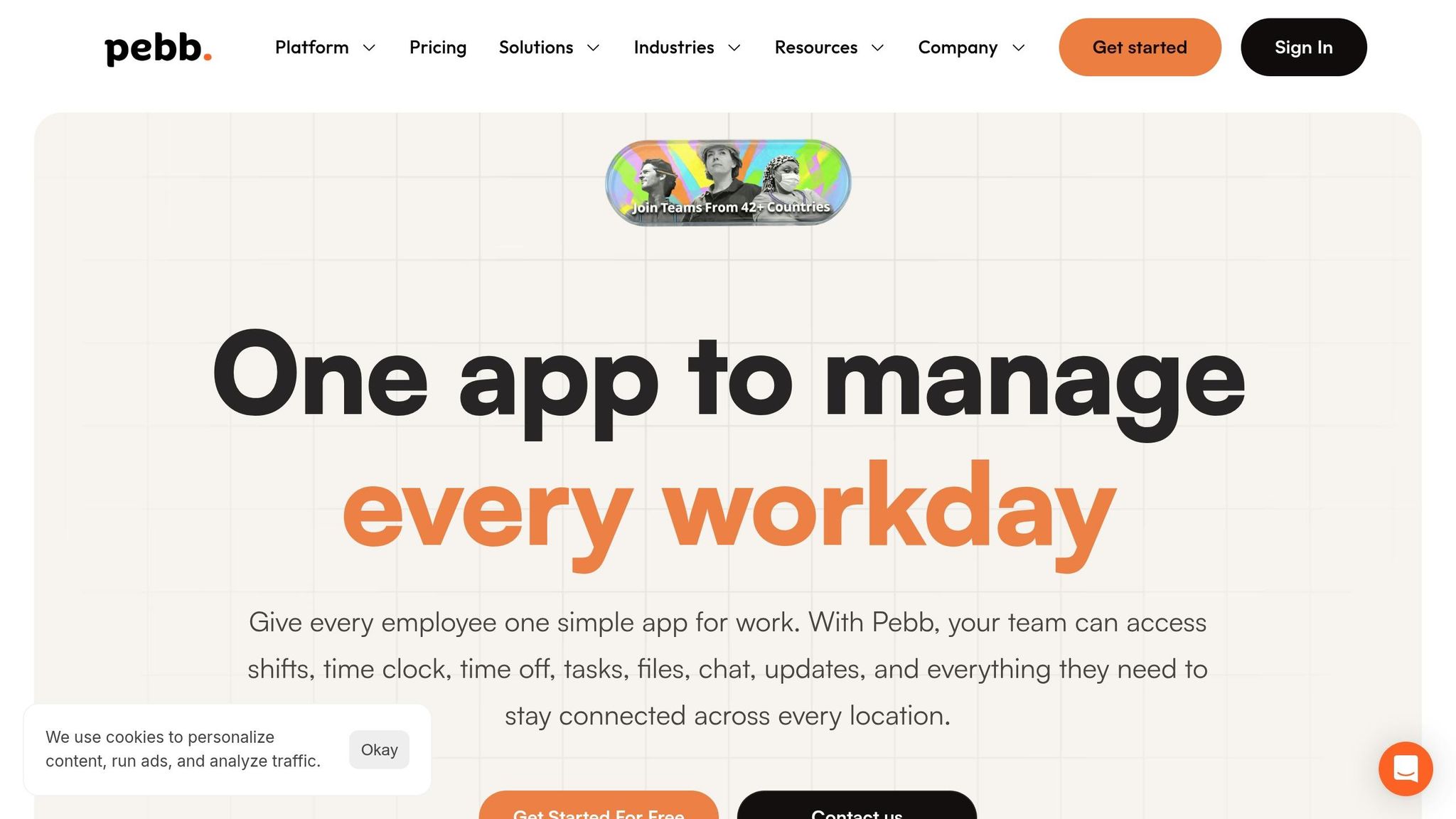
That’s exactly how we built it at Pebb. We put the knowledge library inside the same app where employees check shifts, message their team, and submit time-off requests.
Let me tell you what happened next when teams started using it this way. People stopped bouncing between apps just to find one answer. They didn’t have to dig through a separate system, open five tabs, or ask the same question again in chat. Their SOPs sat right next to work chat, the people directory, and digital forms.
That one change cut a lot of friction.
When answers live where work already happens, employees are far more likely to use them during the workday. That’s what helps trim repeat questions and keeps SOPs and training in one place instead of scattered across tools.
Link SOPs to action tools like forms, schedules, and policy pages
I’ve learned that the best knowledge bases don’t stop at answering a question. They help people take the next step right away.
A PTO policy page shouldn’t just explain the rule. It should link straight to the time-off request form. A new-hire onboarding guide should connect to the first-week checklist and the right team chat. A safety SOP should place the incident reporting form one click away.
That part matters more than it seems.
If a process ends at information and never points to the next action, employees are still stuck. They know what to do, but now they have to hunt for where to do it. And that’s usually where the drop-off happens.
At Pebb.io, we try to turn the knowledge base from a reference library into a working system. The article explains the process, and the linked tool helps the employee act on it right away.
A simple setup like this can include:
A policy page linked to the correct form
An SOP linked to a schedule, checklist, or team space
An onboarding doc linked to the next task the employee has to finish
Once those articles connect to the right actions, test them with one team before you push the setup across the whole company.
Start with a pilot team before rolling out company-wide
This is one of those steps teams skip when they’re in a rush, and I get it. Everyone wants the big launch. But I’ve found that a small pilot saves a lot of cleanup later.
Pick one department first, ideally a team that deals with the same questions over and over. HR, Operations, or Customer Success usually makes sense. Run a focused pilot there and watch how people use the system in real life, not how you think they’ll use it.
Pay close attention to search on mobile. That’s where rough spots show up fast. Then look at the questions still coming through chat. Those gaps usually tell you what’s missing, what’s hard to find, or what needs a clearer title.
If employees don’t open the system during the workday, the rollout will stall. I’ve learned that lesson the hard way. Adoption doesn’t come from announcing a tool. It comes from making the tool the easiest place to get an answer and take action.
Step 4: keep content accurate, used, and up to date
I’ve seen this happen more than once at Pebb.io: a team works hard to launch a knowledge base, everyone celebrates, and then six months later half the SOPs are stale. That’s when the trouble starts. People follow old steps, training gets messy, and the same questions pop up again in chat.
After launch, the job changes. We’re not just building the knowledge base anymore. We’re keeping it accurate so people can trust what they read.
Assign owners and review dates for every document
Here’s the thing: the best sign that a knowledge base will stay useful is having one named owner for each document, not a team or department.
We learned this the hard way. When a page belongs to “Operations” or “HR,” it usually belongs to no one. But when one person’s name is on it, updates happen.
At Pebb.io, I’ve found it helps to set review dates based on risk and frequency of change. Review safety SOPs, onboarding checklists, and compliance policies every 90 days. Review general policies every 180 days.
If your process includes approvals, let subject matter experts draft the content, then have compliance officers or senior managers verify it before publishing. And when a process, tool, or policy changes, update the document that same week. Waiting longer is where confusion creeps in.
A simple setup usually works best:
Use scheduled reviews for most content
Use trigger-based updates when a process changes
Send automated reminders 7–14 days before each review date
I also like using status tags so employees can tell, at a glance, what they should trust. Mark reviewed content as "Verified" and overdue pages as "Outdated". It sounds small, but it saves people from second-guessing every article.
Once owners and review dates are in place, the next move is to make the knowledge base part of how people learn every day.
Build onboarding and refresher training around the knowledge base
One shift made a huge difference for us: we stopped treating the knowledge base like a backup and started using it as the default training hub.
For new hires, I like giving them a first task that forces them into the system right away. That could mean finding a specific SOP or writing their first documentation entry. It’s a simple way to build the habit from day one.
For day-to-day questions, managers and peers should reply with a link to the right article instead of typing the same answer again in chat. Let me tell you what happened next when we started doing this more often: people stopped relying on memory and started relying on the source of truth.
And if the same question comes up twice, that’s usually your sign to add the answer to the knowledge base.
For existing staff, keep process-change announcements short. Link to the revised article and move on. I’ve noticed that when leaders use the knowledge base instead of retyping answers, everyone else starts doing the same. Habits spread fast.
One more habit that’s worth building: every month, review zero-result search queries to see what employees are trying to find but can’t. Those gaps tell you what needs work next, plain and simple.
Conclusion: the simplest way to standardize training and reduce repeat questions
From what I’ve seen at Pebb.io, this works best when you keep it simple: build the knowledge base around your most common SOPs, organize it so people can find things fast, connect it to daily work tools, assign owners, and keep reviewing it. That’s the simplest way to standardize training and cut repeat questions.
FAQs
How do I know which SOPs to document first?
I learned this the hard way: if you try to document everything at once, you end up with a messy pile of half-finished pages that nobody uses.
At Pebb.io, we got better results when we started small. We pulled the top 20 questions employees asked again and again, then worked from there. That meant digging into our support inbox, recent onboarding checklists, and the same repeat questions showing up in Pebb, Slack, and Microsoft Teams.
Here's the thing: patterns show up fast when you look in the right places. A new hire asks where to find payroll details. Someone else asks how time-off approval works. Then another person asks the same thing two days later. That’s your signal.
When I helped sort our internal docs, I didn’t just look at what people asked most. I also looked at what caused the biggest slowdowns or mistakes. We used a simple filter:
Frequency - does this come up every day or every week?
Complexity - does it take more than a quick reply to explain?
Risk - could a mistake cost time, money, or trust?
Knowledge concentration - is this process stuck in one person’s head?
If a process happened daily, carried high complexity or financial risk, or was known by only one person, we documented it first.
That last one matters more than most teams think. Let me tell you what happened next on one of our projects: one teammate owned a key process almost alone. They knew every step, every workaround, every little exception. Then they took time off. Work didn’t stop, but it definitely slowed down, and a bunch of people suddenly realized how much we were relying on memory instead of clear documentation.
That’s when it clicked for us. Good documentation isn’t busywork. It saves time, cuts repeat questions, and keeps the team from getting stuck when one person is out or swamped.
What should every SOP template include?
I learned this the hard way at Pebb.io.
Early on, we had SOPs that looked fine at a glance, but once people started using them, the cracks showed. One doc had the process name at the top. Another buried the owner at the bottom. A third didn’t even show the latest version. Let me tell you what happened next: people followed old steps, asked the same questions twice, and lost time hunting for basic context.
That’s why I’m a big fan of keeping every SOP template in one consistent format.
Every SOP should start with a clear header. I always make sure ours includes the process name, document ID, version number, last updated date, owner, review cycle, and status. It sounds simple, and it is. But that small bit of structure saves a lot of back-and-forth when a team is moving fast.
The main body should then cover the core context people need before they even begin. In our docs at Pebb.io, that usually means:
Purpose: why this process exists
Scope: what the SOP covers, and what it doesn’t
Prerequisites: anything someone needs before starting, like tool access, required knowledge, or physical materials
Here’s the thing: if those parts are missing, the SOP becomes harder to trust. People shouldn’t have to guess whether they’re in the right document or whether they’re ready to follow it.
I’ve seen a clear template cut confusion almost right away, especially when new team members are onboarding or when another department needs to step in and help. A solid format doesn’t just make the document look neat. It makes the process easier to follow under pressure.
How do I keep a knowledge base up to date?
I learned this one the hard way at Pebb.io.
Early on, we treated our docs like a cleanup sprint. We’d block time, polish a bunch of pages, feel good for a week, and then watch things drift out of date all over again. A process changed, a tool got swapped, a policy got tweaked, and suddenly people were reading old instructions like they were current.
Here’s the thing: maintenance has to be an ongoing process, not a one-time project.
What helped us was getting very clear about ownership. We assigned a specific owner to each document or content category, so there was no mystery about who needed to keep it current. That one move cut down a lot of the “I thought someone else had it” problem.
We also kept the review cycle simple. At Pebb.io, a monthly check of top articles worked well because it was easy to stick with. No giant audit. No bloated workflow. Just a regular pass through the content people use most.
And when a process, policy, or tool changed, we updated the document right away. Not next quarter. Not “when we have time.” Right then, while the change was still fresh and before bad info had a chance to spread.
One more thing made a big difference for us: we reviewed search analytics to spot missing content. If people kept searching for something and not finding a good answer, that was a signal. It usually meant we had a gap to fill or a page that needed work.
