

Author: Ron Daniel
Best tools for real-time kitchen and front-of-house coordination
Compare 8 tools for live FOH–BOH messaging, scheduling, tasks, and alerts to prevent missed updates during service.
Most service problems don’t start with food. They start with one missed message.
I’ve watched a Friday dinner shift go sideways over a single update: an allergy note missed on a changed ticket, a host seating a 10-top too soon, or BOH not seeing that FOH just sold the last short rib special. In restaurants, even a 60-second delay can snowball into remakes, table waits, and comps.
At Pebb.io, we spend a lot of time looking at where communication breaks during service. The pattern is pretty clear: teams don’t just need chat. They need one place for live messages, shift updates, task status, and urgent alerts. When those pieces live in separate apps - or worse, in texts and memory - service gets messy fast.
So I pulled together the tools that come up most in these conversations: Pebb, 7shifts, Toast, Slack, Microsoft Teams, When I Work, Restaurant365, and Jolt. I’ll keep this simple and focus on what each one does best, where it falls short, and which setup makes sense based on how your restaurant runs.
1. Pebb
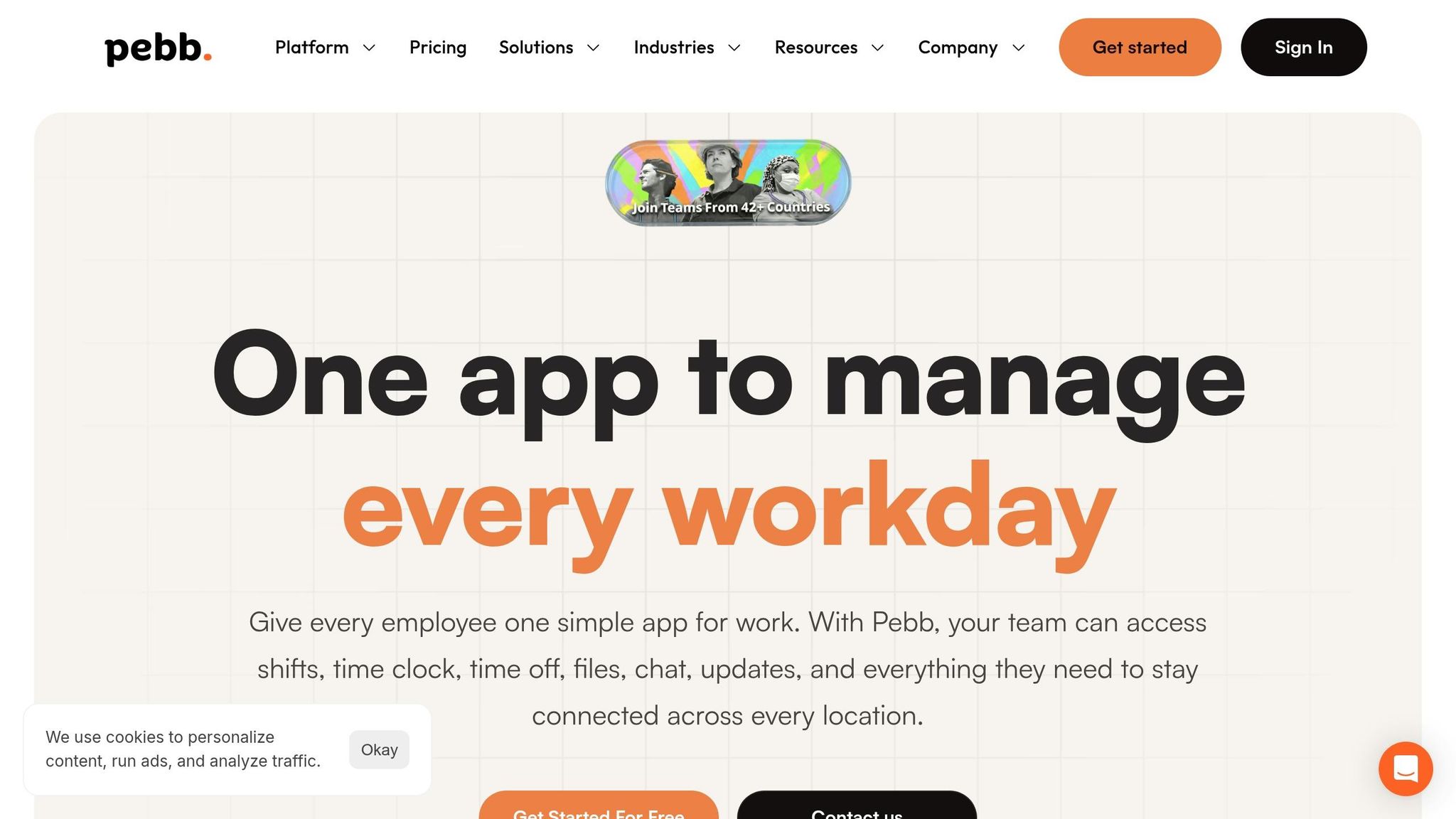
I’ve seen this play out more times than I can count at Pebb.io: service is humming along, the dining room is packed, the kitchen is buried, and one missed update turns into a chain reaction. A server doesn’t catch an allergy note. The host stand seats a large party without enough warning. Expo is trying to fix timing on the fly. That’s exactly the kind of FOH-BOH mess we built Pebb to help fix.
Pebb is built to close the FOH-BOH gap with chat, announcements, scheduling, and mobile alerts in one tool. Standard is free for teams up to 15 employees; Premium is $4 per user per month. And honestly, that starts to matter most when service picks up and every second counts.
Service-time communication
Here’s the thing: during service, one giant group chat becomes chaos fast. That’s why Pebb uses Spaces - dedicated channels you can set up for FOH, BOH, expo, or management - so updates stay organized instead of getting buried in one thread.
Let me give you a simple example. During a dinner rush, your expo lead can flag a pacing change in the Kitchen Space while the host stand gets a separate note about a large party arriving soon. I like this setup because it keeps FOH and BOH lined up without forcing everyone to dig through messages that don’t apply to them.
And when timing gets tight, typing can feel too slow. If a server needs to verify an allergy with the chef, the built-in voice and video call feature connects them in seconds without leaving the floor. That can save a lot of back-and-forth when the room is full and the line is moving.
The News Feed helps before service even starts. Managers can post specials, 86'd items, and menu changes so every team member sees the same update at the same time. No “I didn’t hear that” excuses. No version mismatch between the kitchen and the floor.
When the floor changes mid-shift, the schedule has to move just as fast.
Live shift visibility
This is one of those areas where small delays create big headaches. Pebb schedules sync across devices instantly. If someone calls out before service, managers can reassign or fill the gap right away, and affected staff get a push notification immediately - no phone tree, no confusion.
I’ve seen teams lose precious minutes just trying to figure out who’s covering what. With live schedule updates, that scramble gets a lot shorter.
Employees also clock in via GPS on their phones, so managers can see who’s on the clock at a glance. That gives a fast read on staffing without chasing people down or checking three different systems.
But let me be honest - messages and schedules only get you so far if tasks fall through the cracks.
Order/task status updates
This is where Pebb's digital checklists come in. They cover prep, cleaning, and opening/closing tasks in real time, which makes it much easier to track what’s done and what’s still hanging out there.
A manager can check completion status from anywhere on-site without interrupting the kitchen mid-service. I like that part a lot, because nobody wants to stop a cook in the middle of a rush just to ask whether side work got finished.
Completed items are logged automatically for clear accountability. So if something was missed, you can spot it. If it was done, you can prove it. Simple.
When a problem is urgent, though, it has to hit the right people fast.
Issue escalation and alerts
Not every update should go to the whole team. That just creates noise. Critical updates - equipment failures, allergy flags, and 86s - go out as instant push notifications to the right group, not the whole staff.
That matters a lot in restaurants. If the fryer goes down, the line needs that update now. If there’s an allergy flag, the kitchen and service team need to move on it right away. Sending those alerts only to the people involved keeps the signal clean.
A dedicated VIP & Events Space also keeps large-party context visible to FOH and BOH at the same time, so expo, line cooks, servers, and bartenders all adjust together. I’ve found that this kind of shared visibility cuts down on the classic “wait, nobody told me” moment that can derail a busy shift.
2. 7shifts

I’ve seen this play out a lot at Pebb.io: some teams want one place for everything, while others care most about staffing, coverage, and getting through a slammed shift without chaos. That’s where 7shifts usually enters the chat.
If Pebb is the all-in-one communication hub, 7shifts is the operations-first option. It’s restaurant-first scheduling software built around team communication, time tracking, labor forecasting, and task management.
Service-time communication
What I noticed right away is that 7shifts handles manager updates in a clean, practical way. Managers can send announcements with attachments, up to three files per post, including photos, videos, audio clips, or PDFs. So if a manager needs to share a menu change, a plated photo, or a last-minute prep note, it’s easy to push that out.
That kind of setup helps keep service-day updates more consistent. We’ve seen tools like this work well when the goal is, “Everyone needs the same update before the shift starts.” But here’s the thing: it feels stronger for announcements than for back-and-forth chat in the middle of a rush.
Live shift visibility
This is the part restaurant operators tend to like most. Managers get a real-time dashboard that shows who is scheduled and who is actually on the clock.
Let me tell you what happened next in a scenario like this. BOH comes up short, FOH has one cross-trained employee free, and the manager needs to move fast. In 7shifts, that person can be reassigned and the team can be notified right away. That matters most when a callout lands right before a rush.
When a gap opens, managers can reassign coverage before service starts slipping. And when schedules change, affected employees get SMS, push notification, and email alerts right away. For dinner service, that speed can save a team from a bad night.
Issue escalation and alerts
I also like that 7shifts handles some of the chasing for you. It sends missing-punch alerts, schedule changes, and late-arrival notifications automatically.
If someone misses a clock-in, managers can spot it fast and deal with it before it turns into a service issue. In a restaurant, those small misses stack up fast. One late arrival or one missed punch can turn into a messy shift if no one catches it early.
Pricing starts at $149.99 per location per month, plus $6 per employee. If a restaurant is already deep into scheduling and labor control, the communication features feel like a useful add-on.
From what I’ve seen, that’s the best way to think about 7shifts. It does a strong job with staffing control and shift visibility. But for live kitchen-floor chat, it works better as a scheduling layer than a full communication hub.
3. Toast
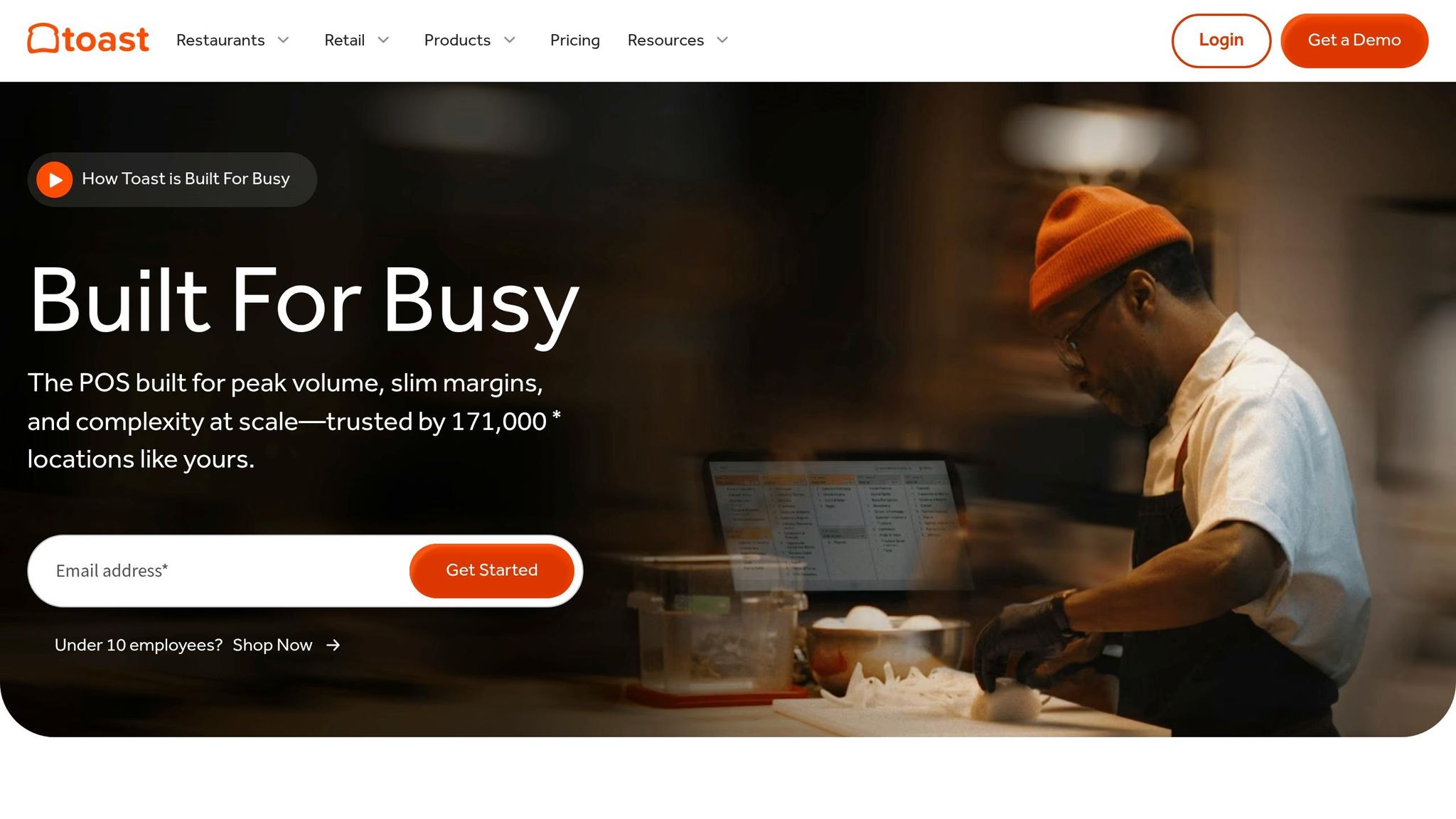
I’ve seen this play out a lot with restaurant teams at Pebb.io: one tool keeps people in sync, and another keeps service from going off the rails. That’s how I think about Toast.
Compared with Pebb’s communication-first model, Toast is a POS-first system that keeps orders, tickets, and staffing aligned during service. If Pebb handles the people side, Toast handles the order flow beneath it.
Order flow and menu sync
The heart of Toast is its Kitchen Display System (KDS). And honestly, this is where things get a lot smoother in a busy shift. Instead of paper tickets stacking up on a rail and turning into chaos, cooks get a live digital queue sorted by station, timing, and priority.
I’ve watched teams cut down confusion fast with this setup. Servers can use handheld POS devices to enter orders right at the table, and those orders hit the KDS right away. That speed matters most when things change mid-service. A modifier changes. An item gets 86’d. A table wants the pace adjusted. In those moments, every second counts.
Here’s the thing: when a menu item gets 86'd or a modifier changes, Toast syncs that update across dine-in, online, and delivery channels at the same time. That keeps FOH and BOH working from the same data instead of arguing over which screen, ticket, or app has the latest version.
Live shift visibility
This is another area where Toast does its job well. Managers can see staffing, labor, and sales in one dashboard, which makes it easier to catch coverage gaps before service starts to drag.
Let me tell you what happened next on one team I worked with: they thought they had enough people on the floor, but the dashboard showed labor was on target while actual coverage at peak hours was thin. That small gap was enough to slow tables and put pressure on the kitchen. With Toast’s labor modules tied to scheduling and clock-ins in the same POS-linked workflow, service pacing stays connected to real staffing levels, not just what the schedule said that morning.
Issue escalation and alerts
Toast is also strong when something urgent hits the line. It can flag urgent tickets and help balance station load, which gives the dining room a better read on kitchen capacity. That means staff can set guest expectations with more accuracy instead of guessing and hoping the kitchen catches up.
Where it falls short is team chat. And I think that’s an important distinction. Toast is strong for workflow control, not team-wide communication.
From what I’ve seen, Toast works best when you want tight service execution. But for broader staff messaging, updates, and day-to-day team communication, it usually works better alongside a dedicated communication tool.
4. Slack
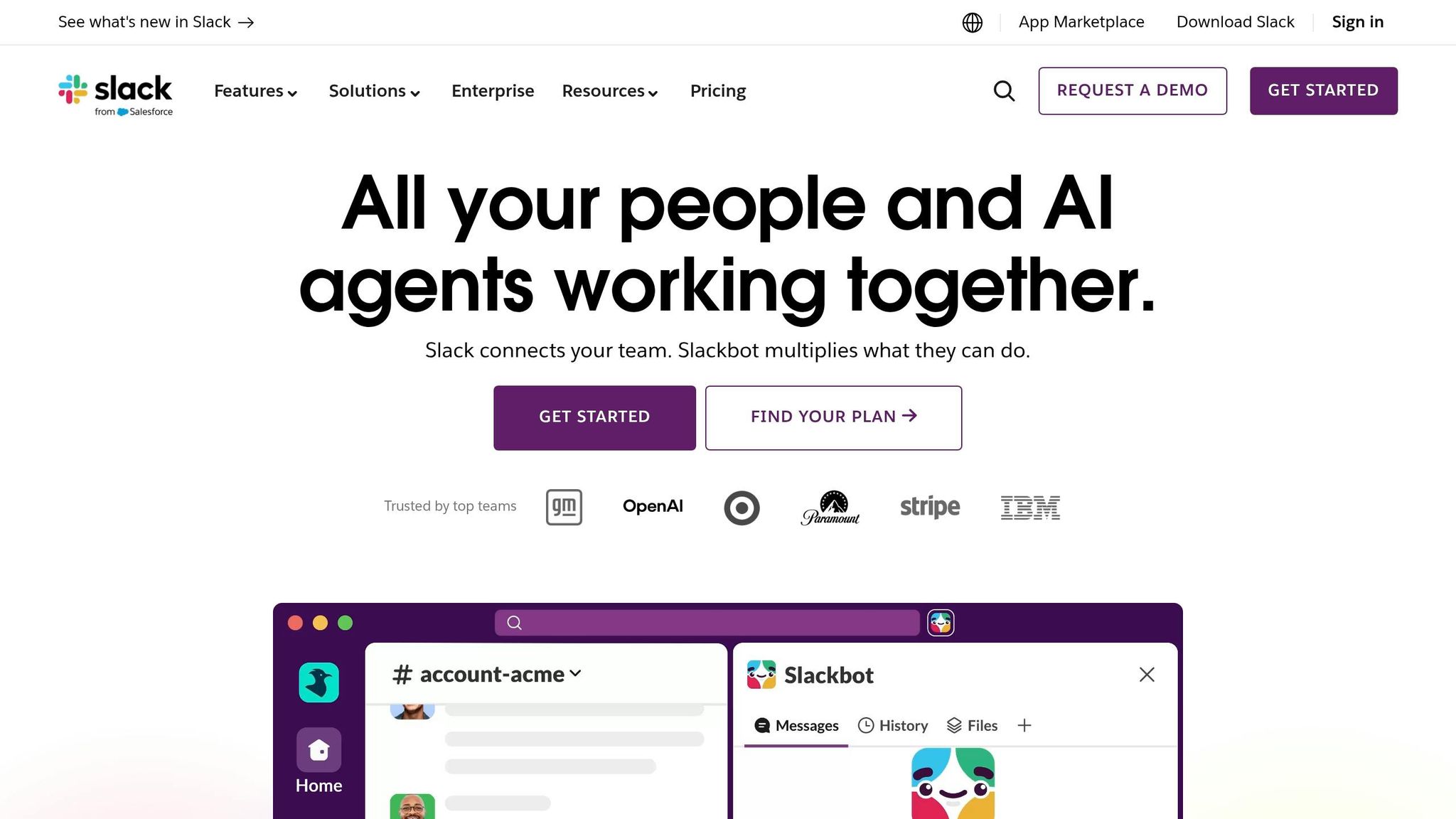
I’ve seen Slack show up in a lot of restaurant stacks for one simple reason: teams already have a POS, already have a scheduling tool, and still need a fast place to talk when service gets messy.
That’s where Slack tends to fit. It’s not built just for restaurants, but it often becomes the chat layer sitting on top of everything else. At Pebb.io, we’ve watched teams lean on it when they want quick coordination without ripping out the tools they already use.
Service-time communication
Where Slack works well is threaded replies and channel-based coordination during service. In plain English, it helps keep the chaos from turning into total noise.
I’ve seen restaurants set up channels like #foh, #kitchen, and #expo so each group has one spot for live updates. FOH can drop a request into the right channel, BOH can reply in a thread, and the main feed doesn’t get buried under side conversations. That matters a lot when tickets are flying and nobody has time to scroll through a wall of messages.
For time-sensitive updates, like 86'd items or rush warnings, user groups such as @boh or @foh help narrow the message to the people who need it right then.
Live shift visibility
Here’s the catch: Slack has no native scheduling or time tracking.
So what do teams do? I’ve seen staff use active statuses like On: Line – Grill when they clock in. It’s a decent workaround, but only up to a point. Slack’s online status shows app activity, not who is actually on the floor and working a shift.
That gap matters during a rush. If a manager needs real coverage visibility before service or halfway through dinner, they still need a separate scheduling tool. Slack can support communication, but it can’t replace that part of the stack.
Issue escalation and alerts
This is another place where Slack can pull its weight.
When something goes wrong mid-shift, Slack works best as the place to route the issue fast and keep a written record of what happened. I like the logic of a dedicated #urgent-ops channel because it gives staff one clear place to flag problems, whether that’s a downed POS lane or a missing allergy note. Managers can respond in threads, and now you’ve got decisions and timestamps sitting in one place instead of scattered across texts or calls.
Let me tell you what usually happens next: once a team sees that record in action, they stop relying on memory and start relying on the thread.
With integrations like PagerDuty or Zapier, teams can also send alerts from monitoring tools straight into Slack. That cuts down the back-and-forth when speed matters.
Slack does a good job with fast messaging and threaded escalation, but scheduling, time tracking, and order flow still need other tools. And at $7.25 per active user per month on the Pro plan, that cost is worth putting on the table before you commit.
If a team wants a similar chat setup with more office-focused workflows, Slack and Microsoft Teams are the top options for teams wanting this chat setup.
5. Microsoft Teams

I’ve seen Microsoft Teams work best in restaurant groups that already live inside Microsoft 365. In that setup, it pulls chat, scheduling, and task tracking into one frontline workspace without making managers jump between a bunch of apps.
At Pebb.io, we’ve looked at a lot of tools like this, and here’s the thing: Teams usually makes the most sense when the back office is already deep in Microsoft. If that’s not the case, it can feel like bringing in a whole system when you only needed part of one.
Service-time communication
During a busy service, speed matters. Teams uses team channels for group messaging, so kitchen, floor, and bar teams can stay in sync. The Walkie Talkie feature helps updates move fast during service, and frontline announcements push urgent changes to the top of staff mobile home feeds.
That kind of setup can help when the dinner rush gets messy. A quick update about an 86’d item or a sudden floor change doesn’t get buried as easily.
Live shift visibility
This is where Teams gets more useful for frontline managers. Shifts lets managers publish schedules, and staff can view shifts, swap coverage, request time off, and clock in or out from mobile.
I like one detail here more than most people expect: shift-based tags. Managers can @mention only the employees who are currently scheduled, which cuts down on extra pings to people who are off shift. If you’ve ever watched staff mute a work app because it buzzes at all hours, you know why that matters.
Order/task status updates
For task management, Microsoft Planner handles prep lists, opening and closing checklists, side work, and ready-for-service tasks.
That said, there’s a limit. Teams does not manage POS-linked tickets or table status. If your team needs live table tracking or direct POS flow, this won’t cover that part.
Urgent alerts
Team tags like Servers or Line Cooks help managers send urgent updates to the right people fast. That’s handy for break coverage and incident reporting.
I’ve found that targeted alerts beat blasting the whole staff every time. People pay more attention when the message is meant for them and not for 40 other people.
Microsoft offers frontline plans at lower prices, while standard Teams plans range from $4 to $22 per user per month. But let me be straight about it: if Microsoft 365 isn’t already part of your setup, the admin work can be harder to justify.
If Teams fits office-heavy operations, the next tool is the more scheduling-first option.
6. When I Work
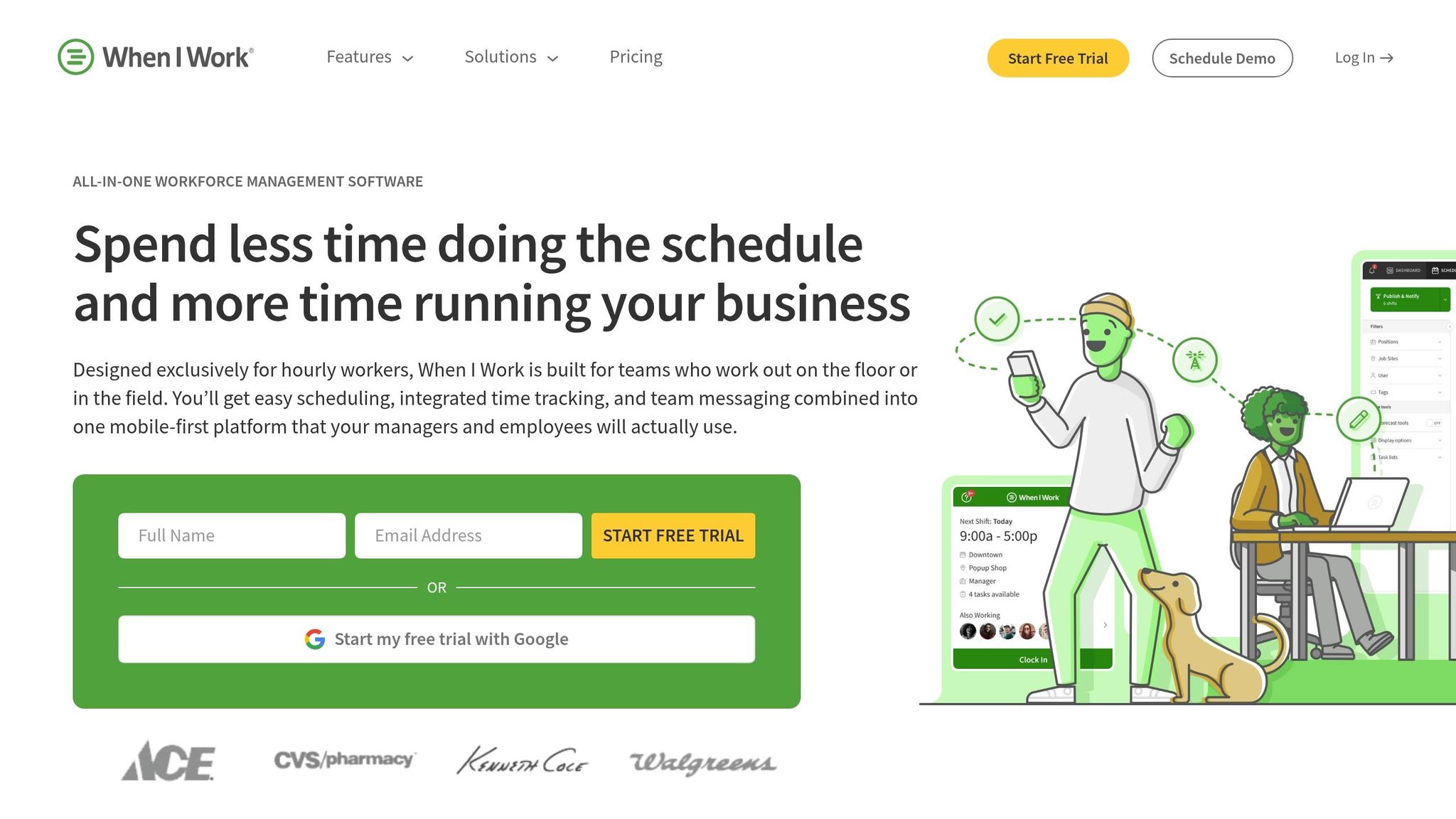
I’ve seen this play out a lot with restaurant teams at Pebb.io: sometimes the problem isn’t chat overload or task chaos. It’s much simpler. You just need to know who’s working, who’s late, and who’s covering the gap.
That’s where When I Work fits.
If Teams handles the big-picture workplace messaging side, When I Work is the leaner pick for shift coverage and schedule control. It’s built for hourly restaurant teams, and in my experience, it works best when the main headache is coverage, not ticket flow.
Service-time communication
One thing I like here is how the app keeps schedule-linked messages and announcements in one place, so managers can reach the right people fast.
Let me tell you what happened next in a situation like this: the dinner rush was about to start, someone called out right before service, and the manager didn’t have time to dig through scattered messages. Because communication was tied to the schedule, they could alert the right person on shift fast. In a restaurant, those few minutes matter.
Live shift visibility
This is where When I Work stands out most. Managers get real-time alerts for late clock-ins, overtime risk, and open shift gaps.
That kind of live visibility can save a shift before it goes sideways. Instead of finding out too late that someone never clocked in, you get the alert while there’s still time to fix it. GPS clock-ins and geofencing also help verify that staff are on-site and clocking in from the right location.
Here’s the thing: if you run an hourly team, that’s not a small detail. It cuts down on guesswork.
Order/task status updates
This is also where the limits show up. When I Work does not manage order flow, table status, or prep tracking, so it can’t replace a POS or KDS.
I think that’s worth saying plainly because I’ve seen teams expect too much from a scheduling tool. It helps with staffing. It does not run the floor.
Issue escalation and alerts
Push notifications cover schedule changes, shift reminders, late arrivals, and overtime alerts.
If a BOH employee no-shows, managers get an alert and can reassign coverage fast. That’s the kind of use case where the tool earns its keep. Pricing starts at $2.50 per user per month for Standard and $6 per user per month for Advanced, which keeps it accessible for smaller restaurant teams.
If your restaurant needs broader ops control beyond staffing, the next tool goes wider.
7. Restaurant365
I’ve seen this pattern a lot at Pebb.io: a restaurant team gets staffing under control, but service still feels messy. Not because people don’t care. Usually, it’s the handoff, the missed task, or the alert that gets buried when the shift gets slammed.
That’s where Restaurant365 tends to help. It works like an operations hub, with communication built right into logs, tasks, and alerts. In plain English, it gives managers one place to keep the shift from drifting off track.
Service-time communication
One part that stands out is its Logbook & Chat. Instead of relying on paper handoffs that get lost, smudged, or skipped, shift leads can send direct and group messages during service right from mobile.
Here’s the thing: when the dinner rush hits, nobody wants to hunt for a notebook in the back office. A fast note on a phone is a lot more likely to get seen.
Live shift visibility
I like that managers get a centralized, searchable view of shift trends, manager notes, and flagged issues across locations. If you’re running more than one store, that matters. A lot.
Restaurant365 also gives operators real-time visibility into labor data, including actual vs. target labor costs. That means they can spot overtime early instead of finding out after payroll damage is already done.
Let me tell you what happened next in teams I’ve watched use systems like this: once labor visibility gets easier, managers stop guessing and start acting during the shift, not after it.
That same visibility carries into task tracking.
Task status updates
Managers can create, assign, and monitor task lists with real-time progress tracking. Digital checklists can also include photo proof and exact readings, like fridge temperatures, so prep accountability is documented instead of left to memory.
That may sound small, but in restaurant ops, small misses stack up fast. A cooler check that lives only in someone’s head is risky. A cooler check with a time stamp and photo is a lot harder to argue with.
There’s also a clear business angle here. A Zullee Mediterranean Grill case study reports labor costs falling from 40%–46% to 35%–38%.
Issue escalation and alerts
The Logbook also lets managers tag teammates for fast follow-up on issues like maintenance problems or customer complaints. That’s useful during a busy shift, when a problem can sit too long just because no one knows who owns it.
Restaurant365 also sends real-time alerts for customer issues, maintenance needs, and operations updates, so managers can step in before problems drag through the rest of the shift.
From what I’ve seen, that makes it a strong fit for multi-unit operators who need clean visibility and accountability across labor, inventory, and accounting.
8. Jolt
I’ve seen teams assume every restaurant tool needs to be a chat app. Jolt takes a different route. It leans hard into task follow-through and food safety, not back-and-forth messaging.
At Pebb.io, we pay close attention to that distinction because it changes how teams work on the floor. Jolt turns checklists and labels into trackable workflows. While Restaurant365 stretches across labor and accounting, Jolt stays focused on checklist discipline, safety checks, and shift handoffs.
Task status updates
This is where Jolt feels very dialed in. Its digital checklists cover prep, line checks, cleaning, and open/close tasks. Staff can scan a QR code on-site before marking a task complete. That small step matters more than people think. It adds a layer of proof, which helps when managers need to know a task was done in the right place, not just tapped complete from somewhere else.
I’ve watched restaurant teams struggle most during shift changes. That’s usually when details slip through the cracks. Jolt’s Team Handoffs gives FOH and BOH a shared shift-change checklist that shows what’s finished and what still needs attention. When the rush hits and one crew is clocking out while another is stepping in, that kind of clarity can cut down on missed notes fast.
That same setup becomes even more useful when safety or compliance is on the line.
Issue escalation and alerts
Here’s where Jolt stands out most. Its strongest alert use case is food safety. Bluetooth probes and sensors monitor walk-ins and freezers around the clock. If readings go out of range, managers get instant phone or email alerts off-site.
Let me tell you what happened next in one case that stuck with me: one restaurant owner reported saving approximately $10,000 in inventory after Jolt flagged a rising freezer temperature in real time. That’s not a small win. That’s the kind of alert that can save a rough day from turning into a brutal one.
Missed checklist items can trigger similar notifications. So it’s not only watching equipment. It can also nudge managers when routine work falls through.
Live shift visibility and service-time communication
Jolt also gives managers a clear window into task progress from afar. They can confirm who completed each task and when. I like that part because it removes some of the guesswork. If something was skipped, delayed, or done late, there’s a record.
Its Communication Manager is more about pushing information than hosting live conversations. Managers can send announcements and daily updates with read receipts, which makes it a better fit for one-way notices like menu changes or allergy alerts than live chat.
That’s an important tradeoff. If your team needs active, fast-moving conversation, Jolt isn’t trying to be that. But if the goal is to get a must-read update in front of the floor team and confirm they saw it, it does that job well.
Limits and pricing
Jolt isn’t perfect. One drawback I’d flag for multi-unit operators is reporting. It’s separate by location, so teams managing several stores may need to review each site one by one. I’ve seen how that can slow things down when leaders want a fast cross-location view.
Pricing is also à la carte and usually depends on location and feature set. So the final cost can shift based on how much of the platform you want in play.
Pros and cons by restaurant type
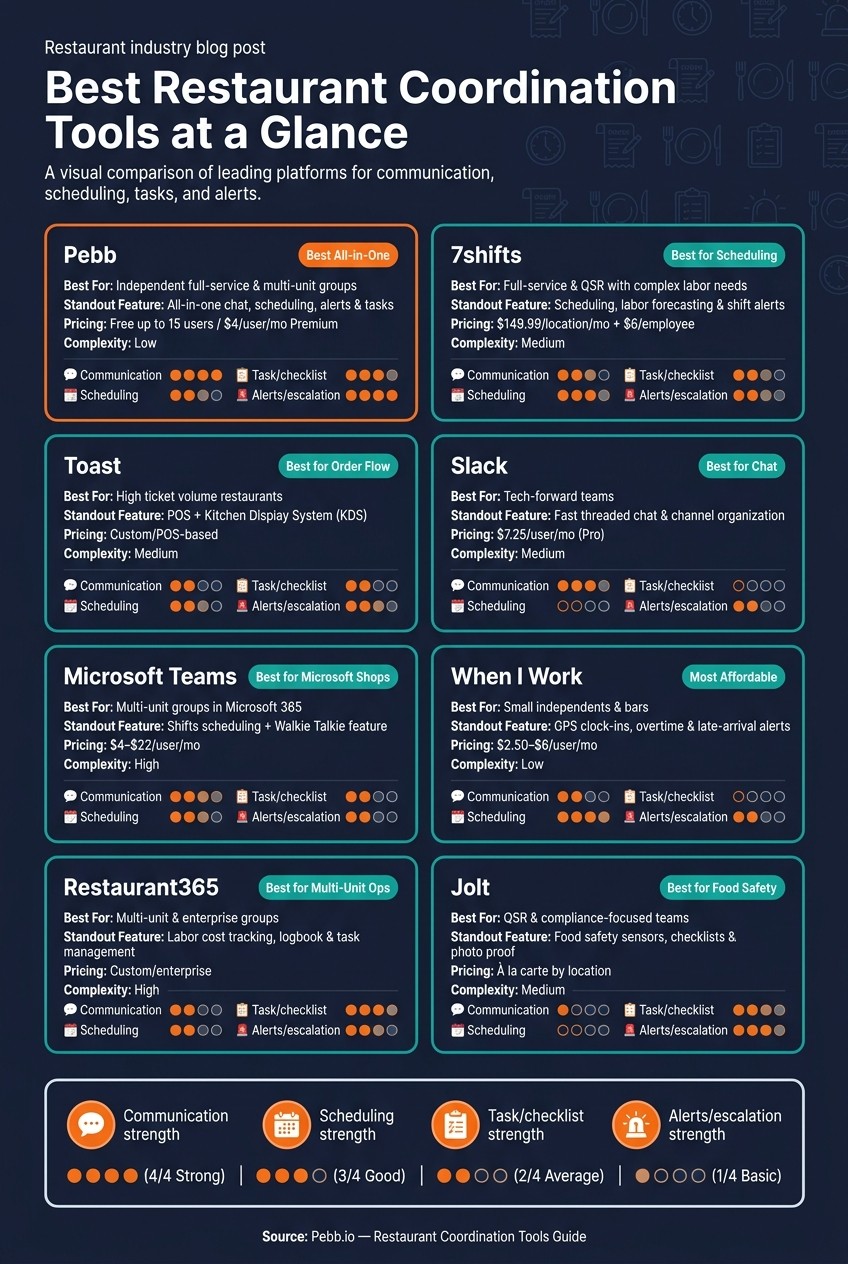
Best Restaurant Coordination Tools Compared: Features, Pricing & Fit
I’ve seen this part trip people up more than once. A restaurant team compares five or six tools, reads every feature page, then still ends up asking, “Okay, but which one actually fits my setup?”
That’s why I like a simple matrix like this. At Pebb.io, we’ve had plenty of talks with operators who didn’t need another giant software project. They just needed a fast way to match the right tool to the right kind of restaurant.
Tool | Best For | Pros | Cons | Best Used With |
|---|---|---|---|---|
Pebb | Independent full-service & multi-unit groups | All-in-one chat, scheduling, alerts, and tasks | Less depth in labor analytics than dedicated scheduling tools | Standalone |
7shifts | Full-service & QSR with complex labor needs | Strong scheduling and labor control | Per-location pricing adds up fast | POS |
Toast | Any format running high ticket volume | POS/KDS for live ticket flow | Not a full staff messaging platform | Pebb or 7shifts |
Slack | Tech-forward teams comfortable with setup | Fast chat, but no scheduling | No native scheduling, clock-ins, or restaurant workflows | Scheduling app |
Microsoft Teams | Multi-unit groups already in Microsoft 365 | Best for Microsoft 365-heavy groups | Hard for frontline staff to use; not restaurant-native | POS/scheduling |
When I Work | Small independents and bars | Simple scheduling and shift alerts | Limited beyond scheduling | POS |
Restaurant365 | Multi-unit and enterprise groups | Back-office ops for multi-unit groups | Complex to implement; overkill for single-location operators | Scheduling app |
Jolt | QSR and multi-unit focused on compliance | Checklist and food-safety focus | Reporting is separate by location; can slow multi-location visibility | Scheduling app |
Here’s the thing: the choice usually comes down to depth versus simplicity.
I’ve watched POS-first and back-office tools go deeper on operations, especially for teams that need tight control over labor, ticket flow, or finance. But I’ve also seen chat and scheduling apps win because they’re faster to roll out and easier for staff to use on day one. The catch is that many of those tools still need help from other systems.
That’s where Pebb feels different to me. Inside our own world, we built it to cover communication and the main frontline workflows in one place, instead of asking managers to stitch together chat, scheduling, tasks, and alerts across separate apps.
Let me tell you what happened next in a lot of these buyer conversations: once the feature comparison was done, the real debate wasn’t about one tool being “better” in every case. It was about whether the team wanted one system or a stack of separate tools.
For independent restaurants and growing multi-unit groups, that answer often gets practical fast. Pebb keeps chat, scheduling, tasks, and alerts in one free platform, with premium starting at $4 per user.
Conclusion
I’ve seen this play out more than once at Pebb.io: a team doesn’t have a “people problem” or even a “tools problem.” They have a handoff problem. And during a lunch rush or Friday night push, that small gap turns into a mess fast.
After comparing the eight tools above, the choice comes down to the bottleneck that slows service most.
If your team is always dealing with fragmented information, you’ll feel it everywhere. A server sells an 86'd item. The kitchen has no clue a large party was just seated. A manager ends up walking the floor just to repeat updates that should’ve hit everyone at once. I’ve watched those missed updates snowball into remakes, comps, and missed handoffs when the pace picks up. That’s where an all-in-one platform like Pebb makes the most sense. We built it so chat, scheduling, tasks, and alerts live in one place, which helps FOH and BOH stay in sync during service.
If scheduling and coverage are the main pain points, 7shifts is the leaner fit.
Here’s the thing: sometimes order flow is already handled. If Toast already covers ticket flow, then the gap usually isn’t orders. It’s staff communication. In that case, pairing Toast with Pebb makes a lot of sense because it adds the team communication layer Toast can’t cover.
From what I’ve seen, the goal is simple: get the right update to the right person before service slips. That’s what separates a tight shift from a chaotic one. And if a team wants chat, scheduling, tasks, and alerts without stitching together separate tools, Pebb is the strongest all-in-one choice. It’s also free for teams with up to 15 employees.
FAQs
Which tool is best for a small restaurant team?
I’ve seen a lot of small restaurant teams try to duct-tape their day-to-day work together with chat apps, spreadsheets, and a scheduling tool that nobody likes using. It gets messy fast. That’s one reason Pebb stands out to me.
Pebb is the best choice for a small restaurant team because it brings communication and daily operations into one place, without the price tag or headache that often comes with other tools.
Here’s the thing: restaurant work doesn’t happen at a desk. It happens on the move, in the middle of shift changes, lunch rushes, call-outs, and last-minute updates. That’s exactly why we built Pebb to fit the fast-paced, mobile way restaurant teams work.
For small teams, the free plan covers up to 15 employees, which is a big deal when every dollar counts. It includes:
Shift scheduling
Task management
Team chat
PTO tracking
A company news feed
I like this setup because it cuts down on app-switching. Instead of bouncing between one tool for messages, another for schedules, and another for time-off requests, the team can handle it all in one platform.
And unlike Slack or Microsoft Teams, Pebb wasn’t made for office-first work. It was built with frontline teams in mind, including restaurants where speed, clarity, and mobile access matter every single day.
Do I need one all-in-one app or multiple tools?
I’ve seen this play out more than once at Pebb.io. A team starts with one app for scheduling, another for chat, and a third for tasks. At first, it feels fine. Then the cracks show.
A shift update lives in one tool. A manager message sits in another. A task gets buried somewhere else. Before long, people miss updates, managers do double the follow-up, and work feels more scattered than it should.
Here’s the thing: one all-in-one platform usually works better than stitching together a stack of separate tools.
That’s exactly why we built Pebb the way we did. We put work chat, shift scheduling, news feeds, PTO management, and task lists in one place. It cuts down on the back-and-forth and helps teams stay on the same page without hopping between tabs all day.
I’ve also seen what happens with multiple apps. You get siloed communication, repeat work, and those annoying “I didn’t see that” moments that slow everyone down. For managers, that often means more chasing, more checking, and more room for things to slip.
With Pebb, small teams can use that unified setup for free, and teams that need more can move to the premium plan for $4 per user per month.
How can I improve FOH and BOH handoffs during service?
I’ve seen this go sideways more times than I’d like to admit. A manager leaves a note on paper, someone else drops an update in a group chat, and by the next shift, half the team is working off old info. That’s how small misses turn into a messed-up handoff.
At Pebb.io, we built around that exact problem. Instead of relying on sticky notes and scattered chats, we use one central place for the stuff teams need every day. Pebb gives us a single hub for shift notes, prep lists, and live task tracking, so people aren’t hunting for updates across five different places.
Here’s the thing: handoffs get smoother when the right people see the right message at the right time.
With a setup like this, we can tighten the whole flow:
role-based chat groups for each team or shift
a shared news feed for urgent updates like menu changes
digital task completion with timestamps
instant push alerts for special orders or allergy notes
Let me tell you what happened next when teams moved away from paper and random chat threads: fewer missed details, less back-and-forth, and a much cleaner shift change. Everyone could see what was done, what still needed attention, and what had changed since the last handoff.
