
Author: Ron Daniel
Best Free Employee PTO Tracker App for Small Businesses (2026)
Compare the top free PTO tracker apps for small businesses in 2026 — features, user limits, and pros to help you choose the right tool.
Managing PTO shouldn’t feel like herding cats. Yet, for years, that’s exactly what it felt like for me. Back when I worked with spreadsheets and email chains to track time-off requests, it was chaos. One employee would forget to update their vacation days, another would send a last-minute email, and before I knew it, we’d have overlapping schedules and frustrated team members. Sound familiar?
Here’s the kicker: this wasn’t just a headache - it was costing us. Payroll errors, compliance risks, and wasted hours fixing mistakes all added up. And don’t even get me started on the employee morale issues. That’s when I realized we needed a better system. Fast forward to today, and I’m part of the team at Pebb.io, where we’ve built a PTO tracking solution that’s saving small businesses time, money, and headaches.
In this article, I’m going to walk you through the best free PTO tracker apps for 2026. We’ve tested six of them - Pebb, Day Off, Connecteam, Clockify, Jibble, and Zoho People - and I’ll share what works, what doesn’t, and how to find the right fit for your team. Let’s dive in.
1. Pebb
At Pebb, we’ve built a platform that takes the headache out of managing communication, scheduling, and PTO tracking. On January 25, 2026, we introduced our Time Off Management module, and it’s already making life easier for over 10,000 customers across the globe.
Free User Limit
Here’s the deal: our Standard plan is totally free for teams of up to 15 employees. And when I say free, I mean it - no hidden fees, no credit card required, and no sneaky paywalls. This plan comes packed with features like PTO management, shift scheduling, work chat, news feeds, and more. If your team grows beyond 15 people, you can upgrade to our Premium plan for just $4 per user per month.
Core PTO Features
Let me walk you through how PTO works on Pebb. Employees can submit their time-off requests digitally, specifying the dates and hours they need. For managers, it’s a breeze to review, approve, or deny these requests - all within the app. Plus, everything is synced with shift scheduling and clock-ins, so you always have a clear picture of who’s available in real time.
But here’s the best part: Pebb isn’t just about PTO tracking. It’s designed to improve how teams work together, making collaboration smoother and more efficient.
Additional Features
Pebb isn’t just a PTO tool; it’s an all-in-one platform for communication and operations. You get chat, voice and video calls, news feeds, task management, digital forms, a people directory, and even a knowledge base. We’ve tailored it for frontline teams in industries like retail, restaurants, warehouses, and healthcare. Onboarding is as simple as sharing a single invite link, and because it’s mobile-first, your team can handle everything - from requesting PTO to checking schedules or chatting with coworkers - right from their phones.
Limitations
Now, let’s be honest - while Pebb is powerful, it does have a few limitations. Since the Time Off Management feature is relatively new, it might not yet meet the advanced accrual rules or complex compliance needs of larger enterprises. But for small businesses with straightforward PTO policies, it covers all the basics without piling on unnecessary features you’ll never use.
2. Day Off
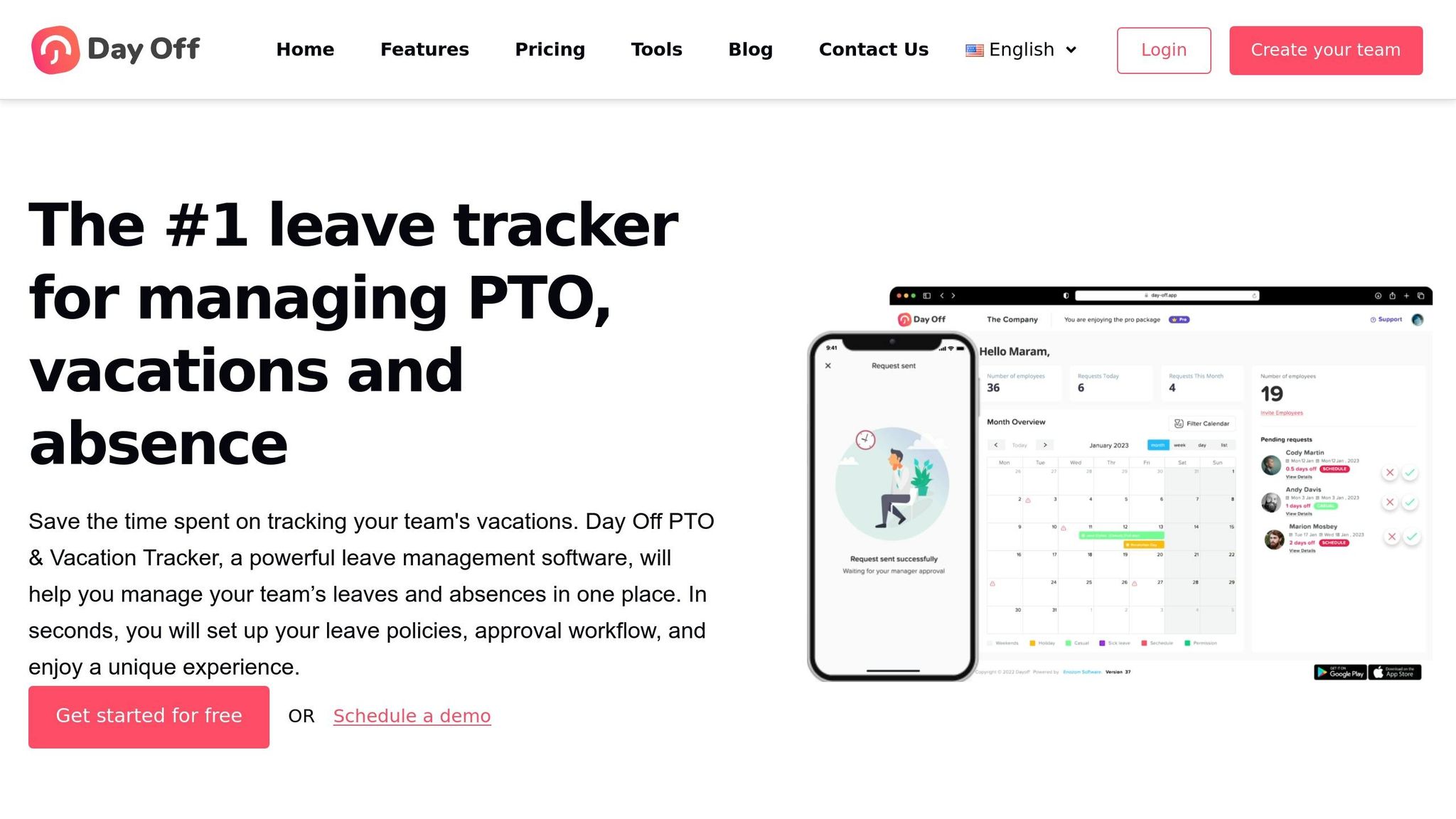
Day Off has carved out a niche among small businesses with its straightforward approach to PTO tracking. The company proudly advertises its free plan as "free forever" with unlimited employees, though some fine print suggests it's best suited for teams of up to 10 users.
Instead of trying to do everything, Day Off focuses exclusively on PTO management. Let’s take a closer look at how this focus benefits smaller teams.
Free User Limit
The free plan covers all the basics of PTO tracking at no cost. You can track unlimited leave types - like vacation, sick days, maternity leave, or compensatory time - and employees can submit their requests directly through iOS or Android apps. If your team outgrows the free tier, the Pro plan kicks in at $2 per employee per month. This upgrade includes perks like multi-level approvals and more advanced accrual rules.
Core PTO Features
Day Off delivers the essentials without overcomplicating things. Employees can check their leave balances in real time and submit requests right from their phones. Managers, meanwhile, get a shared calendar that shows who’s out and when, helping avoid scheduling headaches. The platform also takes care of accruals and carryover rules automatically, so there’s no need for manual math.
"I love it. We're a small company and it's easy to let time off get way off track if not monitored", said Stephanie B., an Operations Manager, highlighting how well it works for smaller teams.
Additional Features
Day Off doesn’t stop at the basics. It integrates with tools like Slack, Microsoft Teams, Google Calendar, and Outlook, so managers can approve PTO requests without disrupting their usual workflows. You can also export data in CSV or PDF formats, which is handy for syncing leave records with payroll systems. Plus, Day Off emphasizes privacy as a "tracker-free" solution, keeping your data secure.
Limitations
While the free plan is appealing, it does come with some restrictions. You’re limited to one administrator account, one leave policy, one team, and one location. That’s a potential roadblock for businesses managing multiple departments or offices. Another downside? The platform requires an active internet connection - there’s no offline mode for submitting or approving requests. And while the free plan offers some integrations, many of the more advanced features are locked behind the Pro plan, meaning free users will need to handle most tasks directly within the Day Off app.
3. Connecteam
Connecteam is a mobile-first platform tailored for teams that are always on the move. If your small business relies on field workers, retail staff, or employees who rarely sit behind a desk, this tool might feel like it was made just for you. With over 80,000 companies already on board, it’s clear that Connecteam has figured out how to tackle the challenges of managing deskless teams.
Free User Limit
The free plan is generous for small teams, supporting up to 10 users with full access to features like PTO tracking, GPS-enabled time clocks, geofencing, shift scheduling, secure chat, and even a company newsfeed. But once you grow beyond 10 users, you’ll need to upgrade to the Basic plan, which costs $29/month and covers up to 30 users.
Core PTO Features
Connecteam makes managing time off straightforward. You can set up leave policies for vacation, sick days, or unpaid leave and customize them based on state laws, roles, or employment types to ensure compliance. The platform automatically handles accruals and carryover rules, so there’s no manual tracking. Employees can submit their PTO requests directly through the app, and managers can approve them on the fly. Plus, approved time off syncs seamlessly with work schedules to avoid any overlap or conflicts.
But Connecteam doesn’t stop at PTO - it’s designed to simplify other daily tasks, too.
Additional Features
This platform goes beyond just leave management. Its time clock feature uses GPS tracking and geofencing to confirm employees are clocking in at the right location. Other tools include task management, digital forms, onboarding processes, training modules with quizzes, and even a recognition system where you can send digital gift cards. Everything runs through a single mobile app, so your team won’t need to juggle multiple platforms. For teams looking for a one-stop solution for communication and operations, Pebb offers a compelling alternative with its free plan for up to 15 users, which includes chat, scheduling, and PTO management.
Limitations
The biggest drawback? The free plan’s 10-user limit. If your team is growing, jumping from $0 to $29/month might feel abrupt. Some users have also mentioned occasional delays in data syncing and a desire for more third-party integration options. While the mobile-first design is perfect for field teams, office-based businesses already using tools like Slack or Microsoft Teams might find Connecteam doesn’t quite fit into their existing workflows. On the other hand, Pebb’s free plan offers a more unified experience, catering to both frontline and office teams with ease.
4. Clockify
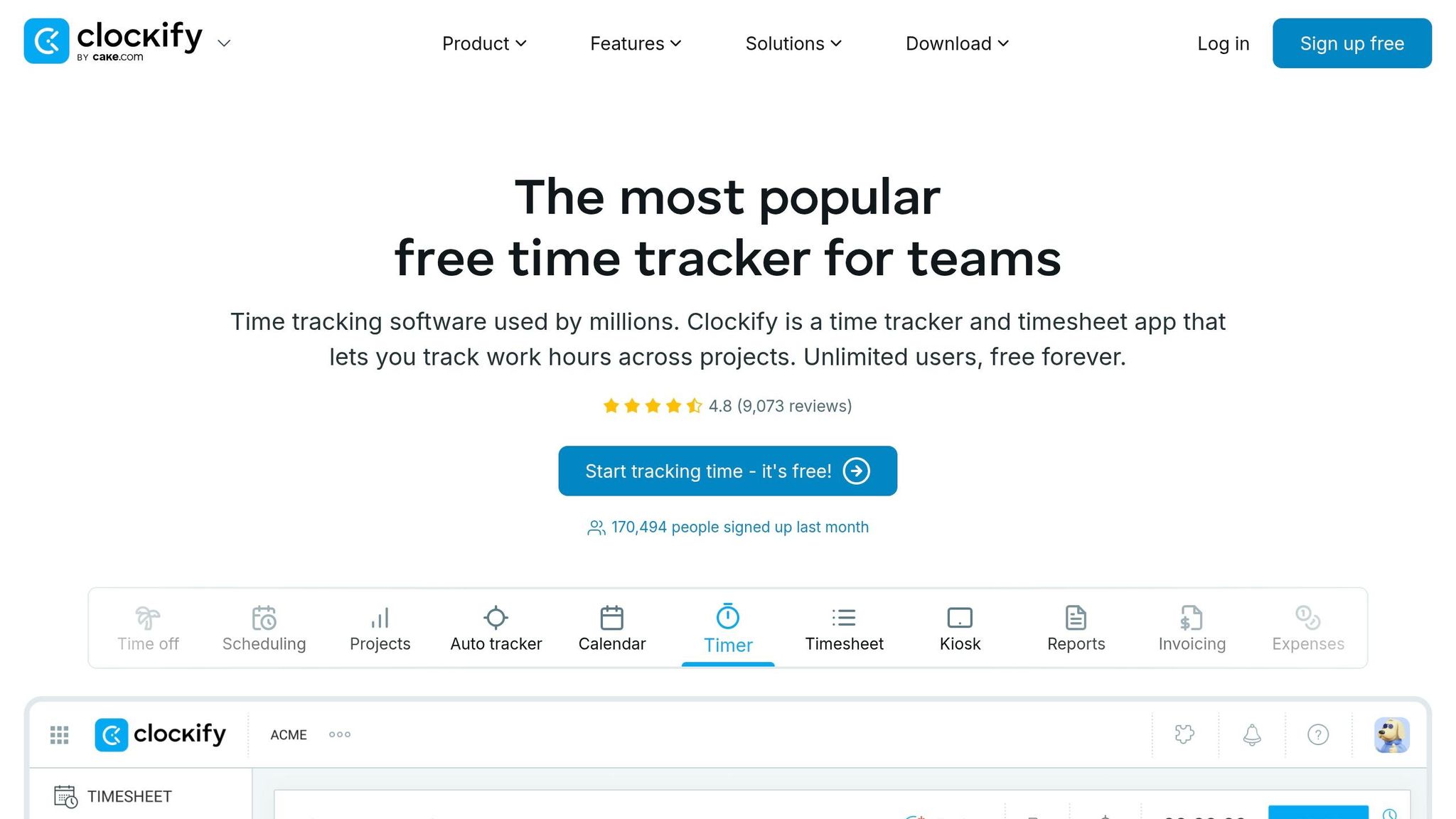
Clockify has made a name for itself as a go-to time-tracking tool, boasting over 5 million users worldwide and maintaining an impressive 99.99% service uptime. Just last month, more than 170,000 new users signed up. But while Clockify promotes itself as a free solution, its PTO tracking features tell a slightly different story.
Free User Limit
Here's the deal: the free plan does allow for unlimited users. That sounds great, right? But there’s a catch. If you’re looking for PTO management - tracking leave policies, handling time-off requests, or monitoring accruals - you’ll need to upgrade to their Standard plan, which costs $5.49 per user per month. The free version covers unlimited time tracking, but PTO features are strictly off-limits unless you pay.
Core PTO Features
Once you’re on the Standard plan, though, Clockify steps up with some solid PTO tools. You can create unlimited custom policies for things like vacation, sick leave, bereavement, or sabbaticals, and assign them to specific employees or groups. Employees can request time off in days, hours, or even minutes, and managers get notifications to approve or deny requests.
The Timeline view is particularly handy - it lays out upcoming leaves and holidays for the entire team, helping you sidestep scheduling conflicts. Plus, the system automatically calculates earned time off based on the rules you set. Employees also get access to a Balance tab, where they can check their current PTO balance, accrual history, and pending requests.
It’s a well-rounded offering, but it’s worth comparing to platforms like Pebb, which provide an even more integrated experience.
Additional Features
Clockify isn’t just about PTO; it packs in plenty of extras to streamline your workflow. Here’s a quick rundown of what else it offers:
Clock-in kiosk and GPS tracking for monitoring employee hours
Scheduling and timesheet approvals to keep everyone on track
Labor cost analysis for smarter budgeting
Integration with QuickBooks for seamless payroll syncing
With a 4.8/5 rating from over 9,000 reviews, it’s clear that many users appreciate the platform. Zachary Gaskill, a Sales Manager, shared his experience, saying:
"Works great for startups. We grew from a couple people to almost 80 and it worked perfectly the whole time!"
Limitations
Despite its strengths, Clockify’s "free" label can feel misleading when it comes to PTO tracking. At $5.49 per user per month, the cost for PTO features is notably higher than Pebb’s $4 per user pricing, which includes PTO management alongside chat, scheduling, and more - all in one platform.
Another downside? Some users have flagged slow data export speeds and confusing navigation between panels. If your team already uses tools like Slack or Teams, adding Clockify could mean juggling yet another platform. By contrast, Pebb consolidates everything into one seamless system, making it easier to manage.
Clockify delivers on time tracking, but when it comes to PTO and all-in-one convenience, it’s worth weighing your options.
5. Jibble
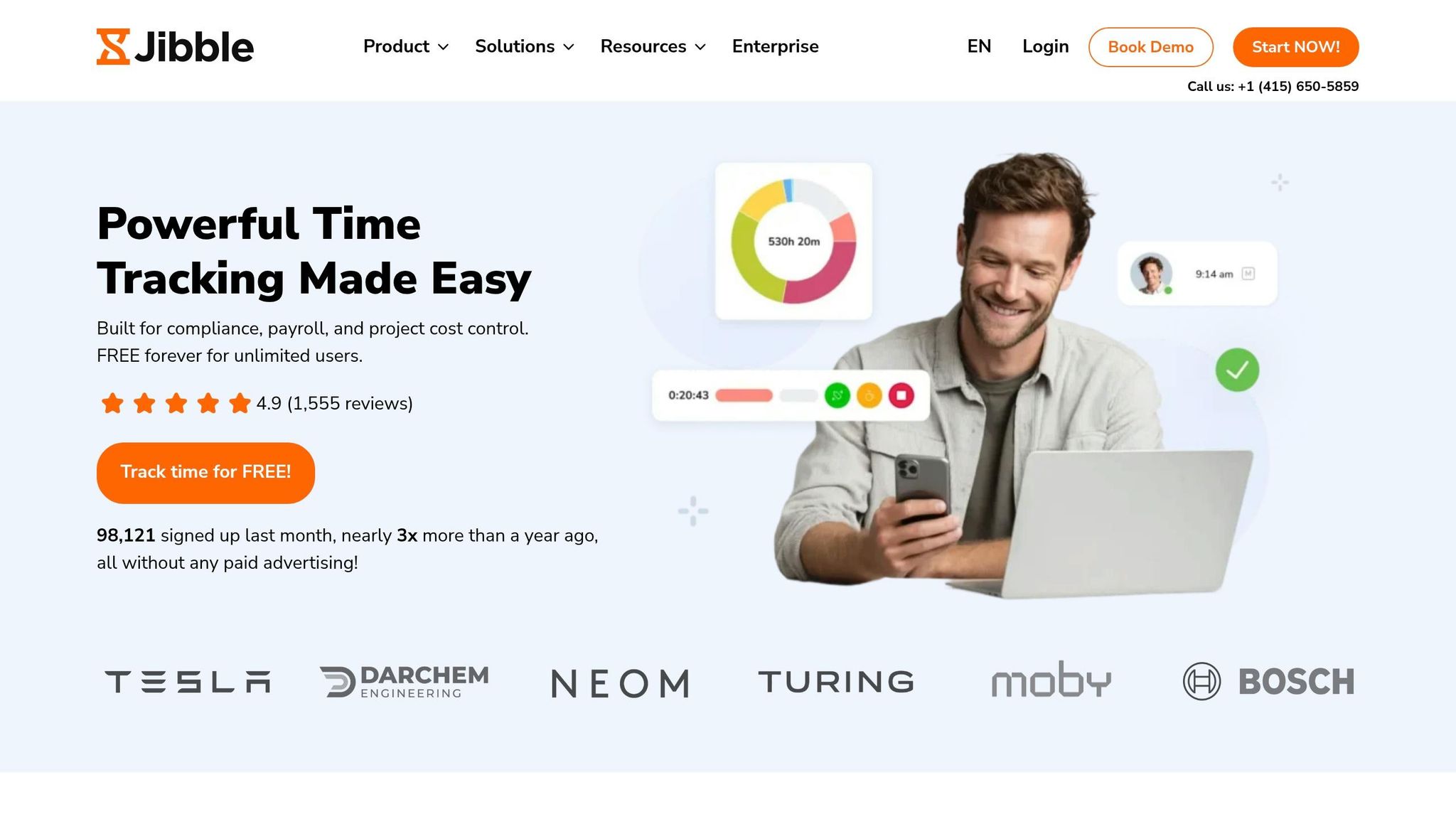
Jibble stands out with its completely free plan that supports unlimited users and includes full PTO features. With an impressive 4.9/5 rating from 1,555 reviews, it even earned the title of "Best Time Clock Software of 2025" from Forbes.
Free User Limit
What makes Jibble unique is its truly unlimited free plan. Unlike many tools that lock essential features behind a paywall, Jibble offers full PTO tracking, leave requests, approvals, and balance management without any user cap. Plus, new users get a 14-day trial of Premium and Ultimate features before automatically transitioning to the free plan.
Core PTO Features
Jibble's PTO features are designed to handle the complexities of leave management with ease. You can customize leave policies for vacations, sick days, and medical leave. The system automates leave accruals - whether monthly, yearly, or based on an employee’s start date - and enforces carry-over limits for unused time off. Employees and managers always have real-time visibility into balances as requests are processed.
The approval workflow is seamless, with instant notifications sent to managers across devices. For businesses with more intricate needs, Jibble supports multi-level approvals, ensuring requests can pass through multiple sign-off stages. Employees can also attach supporting documents, like medical certificates, directly to their requests.
Ashley P., a Herd Manager, shared her experience:
"The free version has everything we need and more! They could have charged me for the time and attendance software, and I would have paid it!"
With such robust features, Jibble proves itself as a strong option for PTO tracking.
Additional Features
Jibble doesn’t stop at PTO management. It incorporates advanced features like AI-powered facial recognition, GPS tracking, and geofencing to prevent buddy punching and ensure accurate clock-ins. Even if the internet goes down, the offline mode ensures data syncs once connectivity is restored.
Beyond time tracking, users can monitor time spent on specific projects, tasks, or activities. The system also calculates overtime and breaks automatically based on preset rules. Other handy tools include Kiosk Mode for shared devices and integrations with platforms like Slack, Microsoft Teams, QuickBooks, Xero, and Asana. These features make Jibble more than just a PTO tracker - it’s a comprehensive workforce management tool.
Limitations
While Jibble’s free plan is extensive, some users mention that setting up complex, company-specific policies can be tricky at first. Although day-to-day operations run smoothly, the initial configuration might take some extra effort.
For businesses looking for an all-in-one solution that includes PTO, chat, and scheduling, Pebb’s $4-per-user plan might be worth exploring. Still, for small businesses focused on time tracking and PTO, Jibble remains a cost-effective and reliable choice.
6. Zoho People
Zoho People provides a free HR suite tailored for micro-businesses. With this free plan, you can support up to five users and one administrator. Impressively, it’s trusted by over 45,000 businesses worldwide, which speaks volumes about its reach and utility. The mobile app has earned mixed reviews, with a 3.7/5 rating on Google Play and a more favorable 4.4/5 on the App Store.
Free User Limit
The free plan is capped at five users, including one administrator. If your team grows beyond that, you’ll need to upgrade to a paid plan, which starts at $1.25 per user per month (billed annually). Zoho also offers a 30-day trial for exploring the extra features that come with paid plans.
Core PTO Features
Even in its free version, Zoho People covers the basics of PTO management. You can set up customizable leave types with accrual rules, and leave requests are automatically sent to managers via email or push notifications for quick approval. However, more advanced features are only available in the paid plans. To simplify compliance, Zoho includes preconfigured leave policies for various countries, which is a big plus for businesses operating across borders.
Here’s what Surajit Banerjee, Head of HR at SpiceJet Limited, had to say about Zoho People:
"Whether it's tracking time off or managing shifts, the aviation industry requires extreme precision and we were able to accomplish that with Zoho People."
But Zoho People isn’t just about PTO - it offers a range of other HR tools as well.
Additional Features
One standout feature is the Zia AI chatbot, which allows employees to request time off or check holiday schedules using simple conversational commands. The mobile app, with over a million downloads on Google Play, also makes it easy for employees to check their leave balances and submit requests while on the go.
For those on paid plans, Zoho People steps it up with tools like:
Calendar integrations for Google Calendar and Office 365
Attendance tracking with facial recognition
Timesheets and performance management
Leave grants and compensatory off tracking
Integrations with QuickBooks, Zoho Books, and Microsoft 365
That said, the free version does come with a few limitations.
Limitations
The biggest drawback is the strict five-user cap, which makes the free plan best for very small teams. It also lacks advanced features like leave grants, compensatory off tracking, and calendar integrations. If you need attendance tracking, you’ll need to bump up to the Professional plan at $2 per user per month. Some users have also mentioned occasional issues with the mobile app, including connectivity problems and inefficiencies in the time log interface after recent updates.
For those looking for a more comprehensive solution, Pebb’s $4 per user plan offers PTO management, chat, and scheduling in one package. However, if you’re a team of five or fewer and primarily need HR and leave management tools, Zoho People’s free plan is still worth considering.
Pros and Cons Comparison
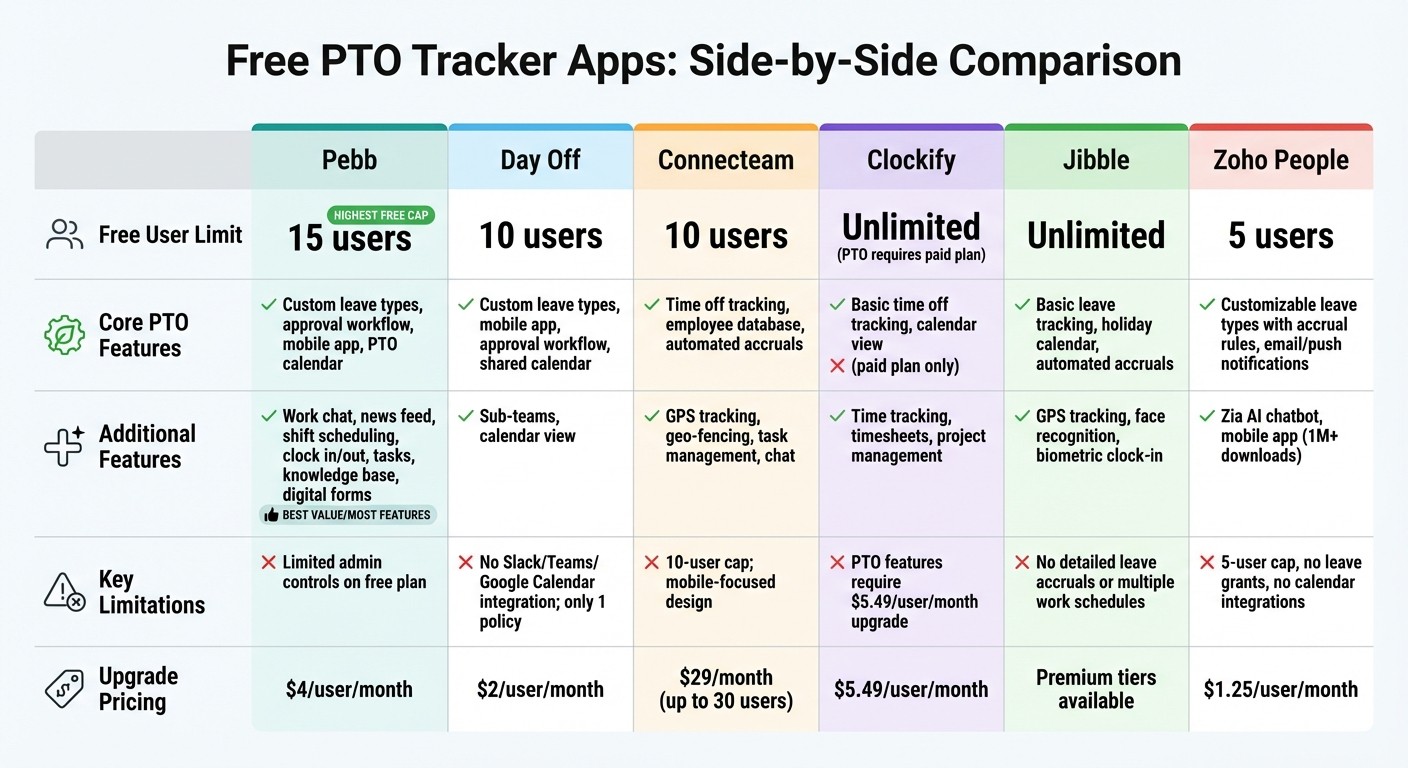
Free PTO Tracker Apps Comparison: Features, User Limits & Pricing for Small Businesses 2026
When it comes to small businesses, picking the right PTO tracker can make a world of difference. It’s not just about saving time - it’s about cutting down on those pesky administrative headaches too. To make things easier, we’ve pulled together a side-by-side comparison of the free plans for some popular PTO tools. This includes user limits, core features, extra goodies, and any restrictions you should know about.
Here’s how they stack up:
App | Free User Limit | Core PTO Features | Additional Features | Limitations (Free Plan) |
|---|---|---|---|---|
Pebb | 15 users | Custom leave types, approval workflow, mobile app, PTO calendar | Work chat, news feed, shift scheduling, clock in/out, tasks, knowledge base, digital forms, people directory | Limited admin controls and data depth |
Day Off | 10 users | Custom leave types, mobile app, approval workflow, shared calendar | Sub-teams, calendar view | No Slack, Teams, or Google Calendar integration; supports only one policy |
Connecteam | 10 users | Time off tracking, employee database | GPS tracking, geo-fencing, task management, chat | 10-user cap; mobile-focused, may not suit office teams |
Clockify | Unlimited | Basic time off tracking, calendar view | Time tracking, timesheets, project management | PTO takes a backseat to time tracking; limited leave customization |
Jibble | Unlimited | Basic leave tracking, holiday calendar | GPS tracking, face recognition, biometric clock-in | Doesn’t support detailed leave accruals or multiple work schedules |
Zoho People | 5 users | Customizable leave types with accrual rules, email/push notifications | Zia AI chatbot, mobile app (1M+ downloads) | 5-user cap, no leave grants, no calendar integrations |
Now, let’s talk about the highlights and what really sets these tools apart.
Pebb’s free plan shines with its ability to support up to 15 users while offering an all-in-one solution. You’re not just getting PTO tracking - you’re also getting built-in communication tools like work chat, news feeds, and even shift scheduling. That’s a lot of value in one package.
On the flip side, some apps like Day Off and Connecteam cap their free plans at 10 users, while Zoho People limits you to just 5. If your team is growing, that’s something to keep in mind.
Unlimited-user options like Clockify and Jibble sound great, but there’s a catch. Their PTO features are pretty basic, and they lack the flexibility you might need, like detailed leave accruals or multiple work schedules.
Integration gaps can be a real pain. For example, Day Off doesn’t connect with Slack, Teams, or Google Calendar on its free plan, and Zoho People skips calendar integrations unless you upgrade. Compare that to Pebb, which offers seamless integration across your tools without any hidden fees.
At the end of the day, Pebb’s free tier stands out as a well-rounded choice for small businesses looking for more than just a PTO tracker. It’s like getting a Swiss Army knife of workplace tools - without breaking the bank.
Wrapping It Up
After diving into the top free PTO trackers, one thing is clear: small businesses thrive with a solution that simplifies everything. Picking the right tracker boils down to your team’s needs. With Pebb’s free plan, you can manage up to 15 users while combining PTO tracking, shift scheduling, work chat, digital forms, and more - all in one place. It’s not just a PTO tracker; it’s a tool that streamlines communication and daily operations. And if your needs grow, Pebb’s upgrade options are budget-friendly.
Of course, every business is different. For industries like construction, retail, or healthcare - where deskless and mobile teams are the norm - Connecteam offers features designed for on-the-go workers. Smaller teams with unique needs might find Clockify or Jibble appealing, especially if they want unlimited users on a free plan and are okay with basic functionality.
The truth is, while there are plenty of options out there, many come with limitations that Pebb avoids. With its all-in-one design, Pebb replaces the chaos of spreadsheets and disconnected tools, giving small businesses a single app to handle communication, operations, and collaboration. It’s a solution that works the way your business does - simple, efficient, and built to keep everything running smoothly.
FAQs
How do I choose the right free PTO tracker for my team size?
When you're picking a free PTO tracker, it's all about matching your team's size and feature requirements. For smaller teams, Vacation Tracker is a solid option - it allows unlimited users, though it comes with fewer features. If you're managing a very small group and need stricter user limits, LeaveBoard or AttendanceBot might be a better fit.
Now, let me tell you about Pebb. It's a standout choice if you're looking for a free, all-in-one solution. Not only does it handle PTO management, but it also integrates communication tools seamlessly. Best of all, it works for teams of any size. And if you ever need more advanced features, premium upgrades are available for just $4 per user.
Does the app automatically manage PTO accruals, carryover, and approvals?
The app takes care of PTO accruals, carryovers, and approvals automatically. This makes managing time off much easier, cutting down on manual work and helping businesses maintain accuracy.
Can PTO requests sync with schedules, calendars, and payroll exports?
Managing PTO requests doesn’t have to be a headache. The great thing is, these requests can sync effortlessly with schedules, calendars, and even payroll exports. Tools like Vacation Tracker make this process smoother by integrating directly with platforms like Slack, Microsoft Teams, and Google Workspace. This means you can handle leave data in one place and export it without breaking a sweat.
