
Author: Ron Daniel
Top 10 Apps for Employee Shift Scheduling in 2026 (Free & Paid Options)
Compare 10 top shift-scheduling apps (free & paid) with features, pricing, and best-fit industries for restaurants, retail, healthcare, and frontline teams.
Most businesses think they’ve nailed scheduling until they’re drowning in no-shows, last-minute swaps, and overtime chaos. I’ve been there. A few years back, before we built Pebb, I was managing a team of 25 at a bustling café. Every week, I’d spend hours on spreadsheets, only to have half the shifts fall apart by Wednesday. Sound familiar?
Here’s the kicker: 40% of businesses still rely on spreadsheets for scheduling, and it’s costing them - big time. Missed shifts, errors, and miscommunication add up to lost revenue and frustrated teams. But here’s the good news: the right scheduling app can turn that mess into a well-oiled machine.
In this guide, I’ll walk you through the 10 best shift scheduling apps of 2026, including what they’re great at, what they cost, and who they’re best for. Whether you’re running a small coffee shop or managing a team of 200+ across multiple locations, there’s an option here that fits your needs. Let’s dive in and find the tool that’ll save you time, money, and headaches.
1. Pebb
Let me tell you about Pebb - a platform we poured our hearts into creating. It’s our all-in-one employee app for communication and operations, designed to simplify operations without breaking the bank. Think of it as the Swiss Army knife for managing your team.
Shift Scheduling Functionality
Picture this: instead of spending hours on complicated spreadsheets or juggling multiple apps, you can build and publish your team’s weekly or monthly schedules in just minutes. Our drag-and-drop scheduler makes it that easy. And here’s the best part - employees are instantly notified via push notifications when schedules are published or updated. No more "I didn’t see the memo" excuses.
What makes Pebb stand out is how it blends scheduling and communication seamlessly. For example, if someone needs to swap their Thursday evening shift, they can start a conversation right on the schedule itself. No more scrolling through endless group chats trying to figure out who’s available. Employees can also mark availability, request time off, and propose shift swaps - all within the app. Managers get built-in approval tools to keep everything transparent and organized.
And that’s just the tip of the iceberg. Once the schedule is set, Pebb’s advanced communication tools take over.
Employee Communication Tools
Here’s where Pebb really shines: our "Spaces" feature. It’s like a command center where your team’s schedule, chats, task lists, calendar events, digital forms, and even your knowledge base all live together. Imagine a last-minute schedule change - Pebb doesn’t just send a calendar notification; it ties the update to a conversation about that shift. No more lost context or confusion.
Beyond scheduling, we’ve packed in extras like a company news feed, a people directory, calendar events, digital forms, and even voice and video calls (available on our Premium plan). And here’s the kicker: you get unlimited chat history, even on the free plan. Jessica S., a resort manager, put it best when she said Pebb is "Connecting Our Staff Across Multiple Resort Locations".
But we didn’t stop at features. We also made sure Pebb is affordable and scalable for businesses of all sizes.
Pricing and Scalability
We wanted Pebb to be accessible, so we offer a free plan for teams of up to 15 employees. This includes work chat with unlimited history, news feed, knowledge library, tasks, digital forms, calendar, clock in, shift scheduling, PTO management, apps, and more - no credit card required. If you need to scale up, our Premium plan is just $4 per user per month. That unlocks analytics, unlimited admins, permissions control, advanced work chat, advanced posts, voice and video calls, integrations, and enterprise SSO. It’s a small price for a lot of power.
Industry-Specific Suitability
Whether you’re managing a boutique in Austin, a healthcare clinic, or a chain of hotels, Pebb is built to adapt. It’s perfect for industries like retail, hospitality, and healthcare - anywhere frontline staff need to stay connected. We support multiple locations and offer the platform in five languages: English, French, German, Italian, and Spanish. Plus, our automatic reports track hours, attendance, and time-off trends, giving you insights without the headache of spreadsheets.
If you’re looking for a tool that simplifies scheduling, boosts communication and operations, and grows with your business, Pebb checks all the boxes. It’s all about making your workday smoother and your team more connected.
2. Agendrix
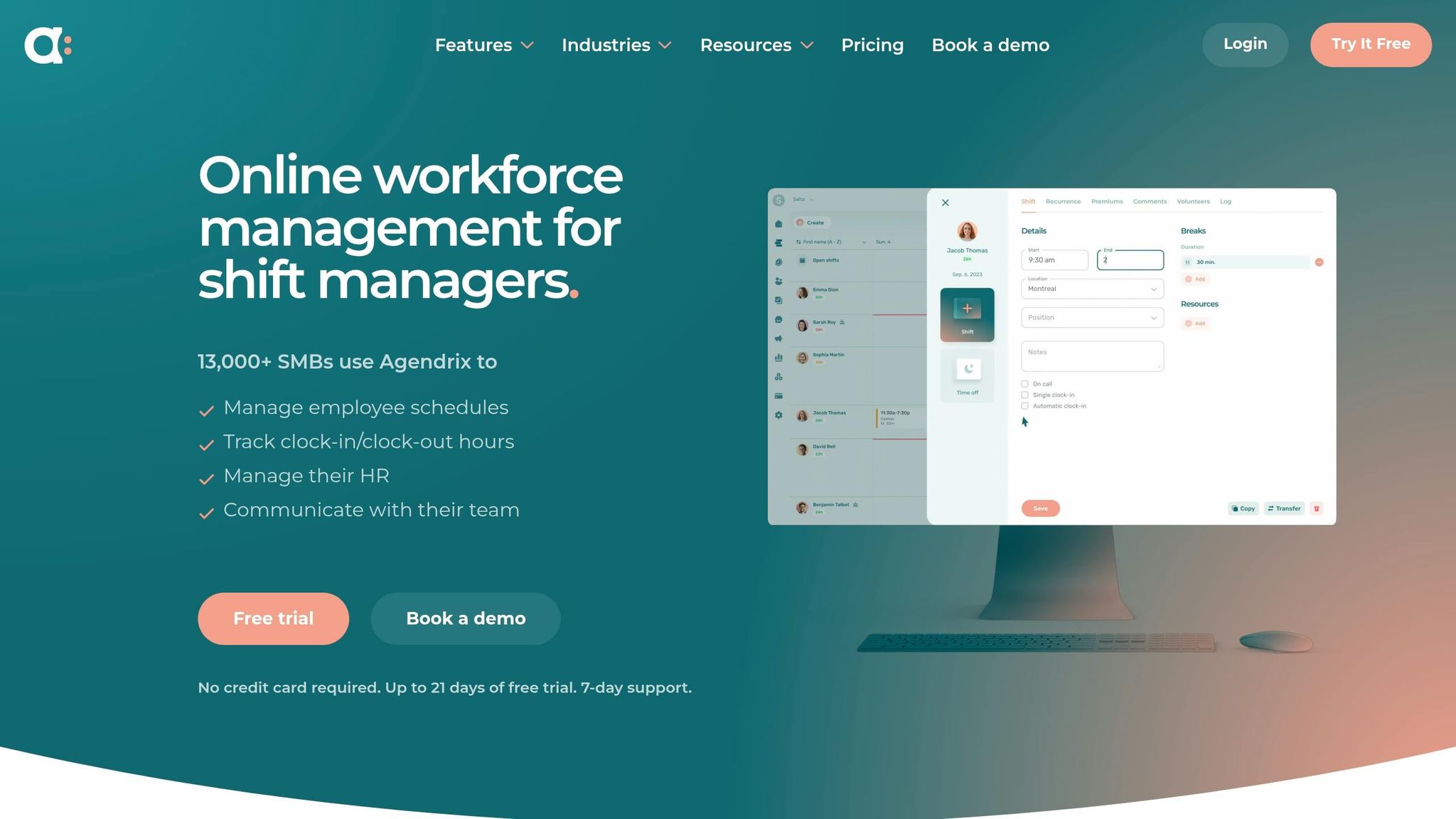
Agendrix has earned the trust of over 13,000 small and medium-sized businesses (SMBs) for its shift scheduling capabilities. Its bilingual support in English and French makes it particularly popular in Canada and Europe, offering a practical option for managing multilingual teams across different regions. Let me walk you through how Agendrix simplifies scheduling and communication.
Shift Scheduling Made Simple
Agendrix stands out for its intuitive scheduling tools. With a drag-and-drop planner, you can visually create schedules, set up recurring shifts, and save templates for future use. Employees can manage their shifts on the go - swapping or claiming open ones directly through the mobile app. The system also automatically flags potential conflicts, like double-bookings or overlaps with approved time off, which is a huge time-saver.
One feature that grabbed my attention is the digital time clock. It uses geolocation and a "photo punch" feature to prevent buddy punching, ensuring accurate time tracking. Plus, timesheets sync seamlessly with the scheduler, making payroll prep a breeze.
Communication Features: The Basics Covered
Agendrix provides essential communication tools, though it doesn’t quite match the depth of all-in-one platforms like Pebb. It includes private and group messaging, voice notes, and read receipts - handy for ensuring everyone stays on the same page about schedule changes. The mobile app also sends real-time notifications for shift updates, so employees never miss a beat. While it offers tools for team recognition and feedback surveys, these feel more like extra perks than core features.
Pricing That Grows With You
Agendrix keeps its pricing straightforward, starting at $3.25 per user per month (or $2.93 per user per month with annual billing). There’s also a 21-day free trial that doesn’t require a credit card, which is great for testing the waters. Its per-user pricing model is flexible enough to scale as your team expands, and the multi-location dashboard lets you manage multiple sites without breaking a sweat. Just keep in mind that advanced features, like custom roles and onboarding checklists, are only available on higher-tier plans.
Best Fit for Certain Industries
Agendrix is particularly well-suited for industries with rotating shifts, such as retail, hospitality, healthcare, and construction. It boasts a 4.7/5 rating on Capterra, backed by over 1,200 reviews. Users often highlight its easy-to-use interface and responsive customer support. That said, if your business needs more advanced communication tools or an all-in-one platform, you might find Agendrix a bit limited.
3. Deputy
Deputy has earned its place as a go-to solution for shift-based businesses, serving over 385,000 workplaces worldwide. Its standout feature? Using AI to simplify the often time-consuming task of scheduling.
Shift Scheduling Functionality
Deputy's AI-driven auto-scheduling is a game-changer. By analyzing sales data, syncing with POS systems like Square and Toast, and even factoring in weather trends, it predicts staffing needs with impressive accuracy. As Chloe Goodshore from Business.org put it:
Deputy impressively uses AI to autocomplete employee schedules... while it might not be the only scheduling software to offer smart scheduling, Deputy does it best.
Another handy feature is micro-scheduling, which divides shifts into smaller chunks based on location or tasks, ensuring everyone knows their role. It even tracks staff qualifications - like first aid certifications or food prep skills - so only the right people handle specialized tasks.
Real-time labor costing is another standout. It lets managers monitor wage expenses against sales as they happen, helping businesses stay on budget. Many companies report slashing their scheduling time by up to 50% thanks to these tools.
Employee Communication Tools
Deputy takes communication seriously. It offers built-in messaging, a news feed for announcements, and instant notifications via push, email, or SMS. Employees can easily swap shifts or find replacements using the mobile app, with managers deciding whether to approve changes automatically or manually.
The Shift Pulse™ feature is a thoughtful touch, gathering feedback from employees immediately after their shifts to keep tabs on team morale. For businesses looking for even more, the Messaging+ add-on (priced at $1.95 per user per month) includes shift-aware actions and role-based permissions. While these tools are effective, they don’t quite match the all-in-one communication capabilities offered by Pebb.
Pricing and Scalability
Deputy’s pricing structure is flexible, catering to businesses of all sizes. Here’s a quick breakdown:
Lite Plan: $5.00 per user per month, covering basic scheduling and time clocking.
Core Plan: $6.50 per user per month, adding AI auto-scheduling and demand forecasting.
Pro Plan: $9.00 per user per month, which includes advanced analytics and 24/7 live chat support.
Keep in mind, there’s a $30 minimum monthly spend on all paid plans as of September 1, 2025.
Deputy works well for businesses of various sizes. About 85% of its users are small to midsize companies with 2 to 200 employees, but it also offers Enterprise plans for teams over 250. One standout example is Juice Press, which reportedly saved over $200,000 annually by optimizing labor costs with Deputy’s smart scheduling.
Industry-Specific Suitability
Deputy shines in industries like retail, hospitality, and healthcare - sectors that often juggle complex shift patterns and strict compliance rules. Features like geofencing and labor law alerts help businesses avoid wage violations and buddy punching. Plus, integrations with payroll providers like ADP, Gusto, and Xero can cut payroll processing time by up to 50%.
With a 4.6/5 rating on Capterra from 756 reviews, Deputy’s users often highlight its intuitive mobile interface and the ease of shift swapping. However, some mention a bit of a learning curve with its advanced automation features. Overall, it’s a solid choice for businesses looking to streamline their scheduling process.
4. Homebase
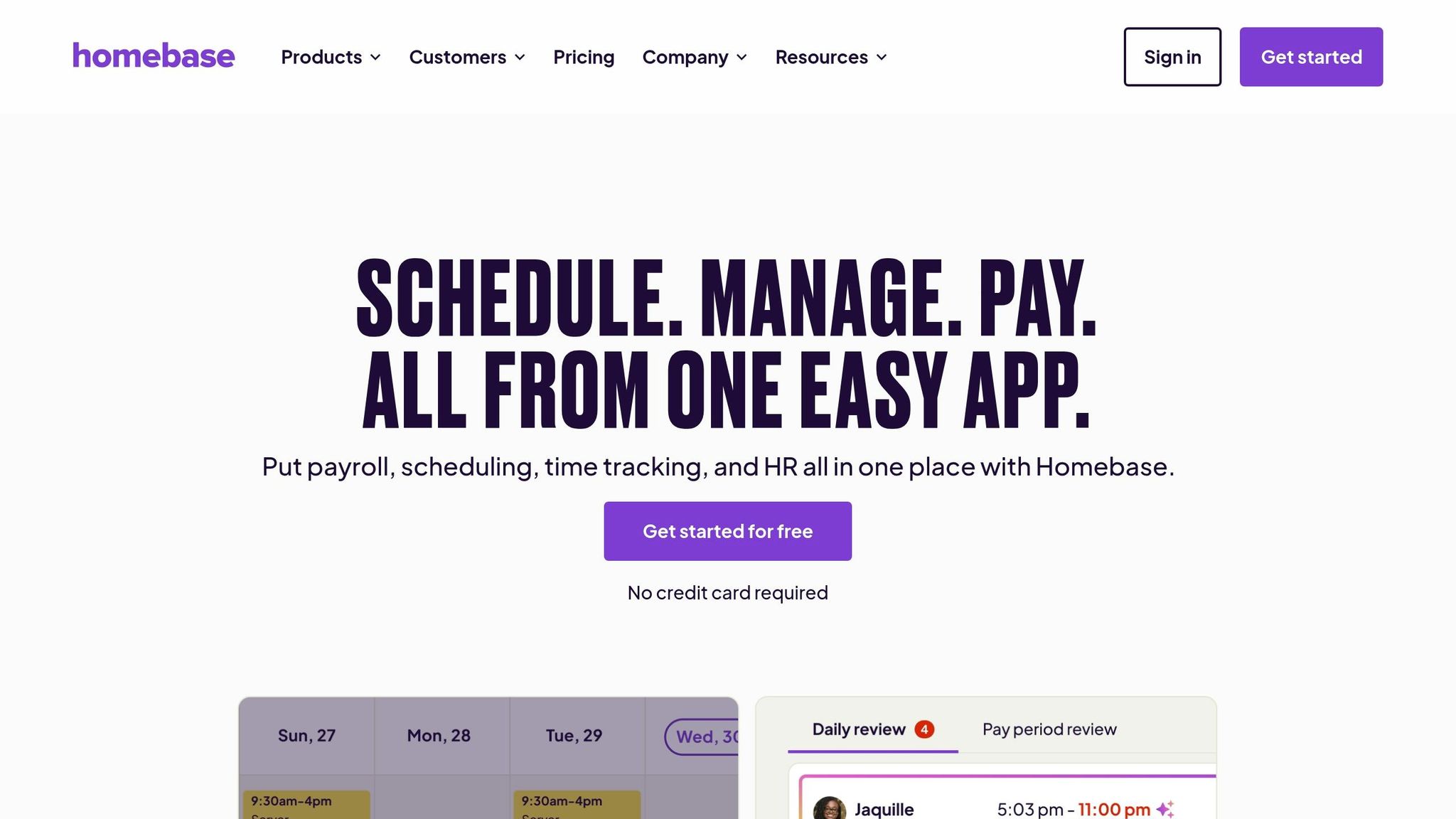
Homebase has carved out a solid reputation among small businesses, with over 150,000 companies relying on the platform and more than 3.5 million employees logging an impressive 1.2 billion hours in the past year. What makes it stand out? It combines scheduling, time tracking, and payroll into one affordable package, making it especially attractive for businesses operating a single location.
Shift Scheduling Made Simple
The drag-and-drop scheduling tool is a game-changer. It allows you to create shifts quickly and save unlimited templates for recurring patterns, so you’re not reinventing the wheel every week. Plus, the AI-powered scheduler takes employee availability and roles into account, while conflict detection ensures no double-bookings slip through the cracks.
Employees can handle their own shift trades, claim open slots, or request time off through the mobile app with just one tap for approval. On top of that, Homebase tracks labor costs in real time as you build schedules and sends alerts before anyone hits overtime, helping you keep expenses in check. Keith Zimmerman from Plum Creek Farm puts it best:
Schedule communication with the employees works flawlessly... We publish the schedule and the employee gets the information on their phone.
It’s a streamlined system that keeps everything running smoothly without breaking the bank - perfect for single-location setups.
Tools for Better Team Communication
Homebase also helps with team communication, offering tools to replace chaotic group texts. Features include team messaging, shift-specific notes, and automated reminders sent straight to employees’ phones. The shift-swapping feature lets your team handle coverage themselves, cutting down on the back-and-forth for you. Theresa Fouquette from Bliss Small Batch Creamery shared her experience:
Homebase gives them an easy way to communicate their availability that translates into an easy-to-see grid of available workers when we do our scheduling. Priceless!
That said, while Homebase covers essential messaging needs, it doesn’t provide the more comprehensive features you’d find in Pebb, like work chat, news feeds, and integrated voice or video calls.
Pricing That Works for Small Businesses
Homebase’s pricing is another big draw. It uses a per-location model instead of charging per user, which is ideal for businesses with one busy location and a larger staff. The Basic plan is free for up to 10 employees and includes core scheduling and time-tracking features. Paid plans start at $20–$30/month for the Essentials package, $56–$70/month for Plus (which includes AI scheduling), and $96–$120/month for All-in-One, which adds HR and compliance tools. All paid plans support unlimited employees.
However, for businesses with multiple locations, the per-site fees can add up. Payroll is available as an add-on for $39/month plus $6 per employee. Even so, managers report saving an average of 20 hours per month with the integrated system, and 85% of customers describe it as "extremely easy to use".
Tailored for Specific Industries
Homebase really shines in industries like restaurants, retail, healthcare, and other service-based businesses with hourly teams. Features such as tip tracking, tip pooling, and integrations with POS systems like Square, Toast, and Clover make it a natural fit for restaurants. The mobile time clock, equipped with GPS and photo verification, helps prevent buddy punching.
With a 4.8/5 rating on the Apple App Store from 84,000 reviews and 4.6/5 on Capterra, users consistently highlight the app’s user-friendly design. That said, some have noted occasional glitches, like freezing during clock-ins. Despite these minor hiccups, Homebase remains a reliable choice for small businesses looking to streamline their operations.
5. Connecteam
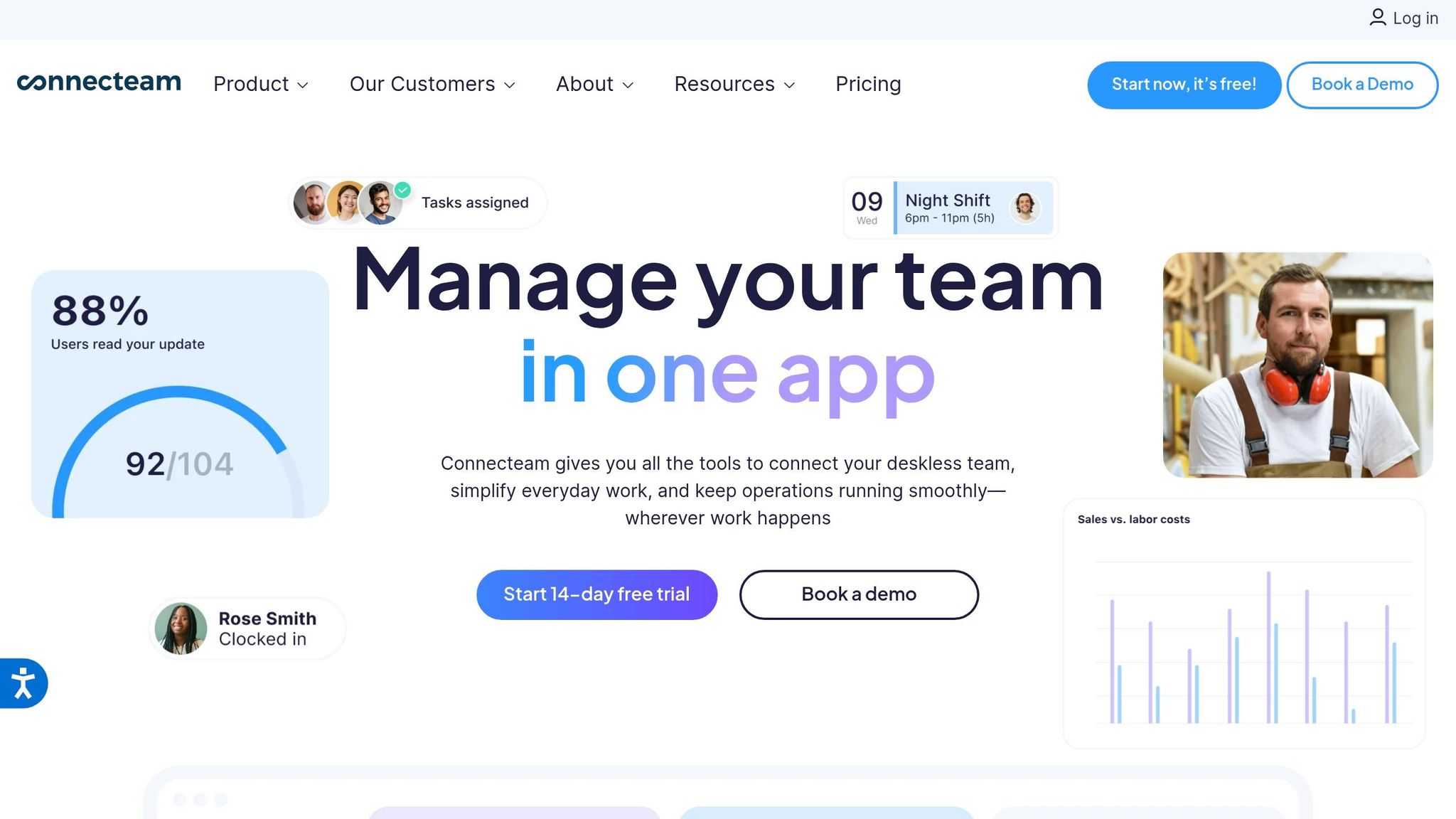
Connecteam is more than just a scheduling tool - it’s a comprehensive operational platform tailored for frontline teams. By combining scheduling, time tracking, communication, and task management into a single mobile-first app, it’s a great fit for businesses managing deskless workers across various locations. This all-in-one design addresses the growing need for seamless coordination in today’s workplace.
Shift Scheduling Functionality
With Connecteam, creating schedules is a breeze. Its drag-and-drop, color-coded scheduler lets you build shifts in seconds, while the AI-powered auto-scheduling feature takes efficiency to the next level. The AI matches shifts to employees based on their availability, qualifications, and coverage needs - no more manual guesswork or juggling spreadsheets. It even considers fairness to avoid overloading certain team members.
What’s more, the platform flags potential issues like overlapping shifts or double bookings before you publish the schedule, helping you sidestep common errors. You can also attach checklists and documents to shifts, so employees know exactly what’s expected when they clock in. And speaking of clocking in, the GPS time clock with geofencing ensures employees are only clocking in from approved locations, which is a game-changer for field teams.
These scheduling tools naturally integrate with the app’s communication features, creating a smoother workflow for managers and employees alike.
Employee Communication Tools
Connecteam doesn’t just stop at scheduling - it’s also a hub for team communication. The platform includes in-app chat (for both one-on-one and group conversations), a company news feed, and even an internal knowledge base. Need to share updates? Instant push notifications ensure everyone stays in the loop.
Employees can handle shift swaps, offer shifts to coworkers, or submit PTO requests directly through the app, while managers get immediate notifications for approvals. Plus, with support for over 30 languages, managing multilingual teams is much simpler.
Pricing and Scalability
If you’re running a small team, Connecteam’s free plan for up to 10 users covers basic scheduling and communication features. For larger teams, paid plans start at $29/month for the first 30 users under the Small Business tier. Other options include the Basic plan at $49/month and the Advanced plan at $99/month, with additional costs for extra users. Premium plans come with a 14-day free trial, so you can test the waters before committing.
The platform supports multi-location scheduling at no extra charge, allowing you to create site-specific or departmental schedules with ease. It also integrates with popular payroll tools like QuickBooks, Gusto, ADP, Xero, and Paychex, though it doesn’t offer native payroll processing.
Connecteam consistently earns high marks from users, with a 4.6/5 rating on Capterra and a 9.8/10 for mobile app usability. However, some users mention that configuring advanced rules can be a bit tricky.
6. Sling

While Pebb offers a free, all-in-one solution, Sling has carved out its place with scheduling and communication features that are both intuitive and effective. It’s no surprise that the platform has earned the trust of tens of thousands of businesses worldwide. With a 4.7/5 rating on the Apple App Store from over 21,000 users and a 4.8/5 on Google Play, Sling is clearly doing something right. It’s particularly popular with restaurants, retail shops, and hospitality teams, thanks to its blend of simplicity and functionality.
Shift Scheduling Made Easy
Sling puts scheduling power directly into employees’ hands. Team members can set their availability, request time off, and even take part in a "Shift Pool", where they can offer, trade, or claim shifts - all without requiring constant manager approval. This self-service model doesn’t just save time; it also reduces the usual headaches that come with juggling schedules.
"Sling drastically reduced the amount of time I spend scheduling. I post weekly schedule in minutes and it replicates to future weeks." - Kenneth Taylor, Supervisor of the System Operations, Expeditors
The platform also includes GPS-verified mobile clock-ins and a kiosk mode for shared devices. Combine that with its simple interface, and you’ve got a tool that makes scheduling feel effortless.
Keeping Communication Centralized
Sling doesn’t just handle schedules - it also serves as a hub for team communication. Its messaging system supports both private conversations and group chats, while the newsfeed feature allows managers to share updates, files, and even videos with specific teams or departments. Want to add some personality? You can include images, GIFs, and emojis to keep things fun and engaging.
Employees receive automatic notifications for shift changes, upcoming shifts, and updates on time-off or shift trade requests. Managers can attach tasks or to-do lists directly to shifts, ensuring everyone knows what’s expected before they even clock in.
Pricing That Scales with Your Needs
Sling’s free plan is robust enough for small teams, supporting up to 30 users with features like core scheduling, templates, time-off requests, and messaging. For teams looking for more advanced tools, the Premium plan costs $1.70-$2.00 per user/month, adding group messaging, mobile time tracking, and labor cost management. The Business plan, priced at $3.40-$4.00 per user/month, includes kiosk time tracking, PTO management, and advanced reporting.
Integration is another strong suit for Sling, as it connects seamlessly with platforms like Toast, Gusto, Shopify, Square, and ADP. This makes payroll and POS workflows much smoother. Sling’s flexibility makes it a standout choice for industries like food service, retail, healthcare, and hospitality.
7. When I Work
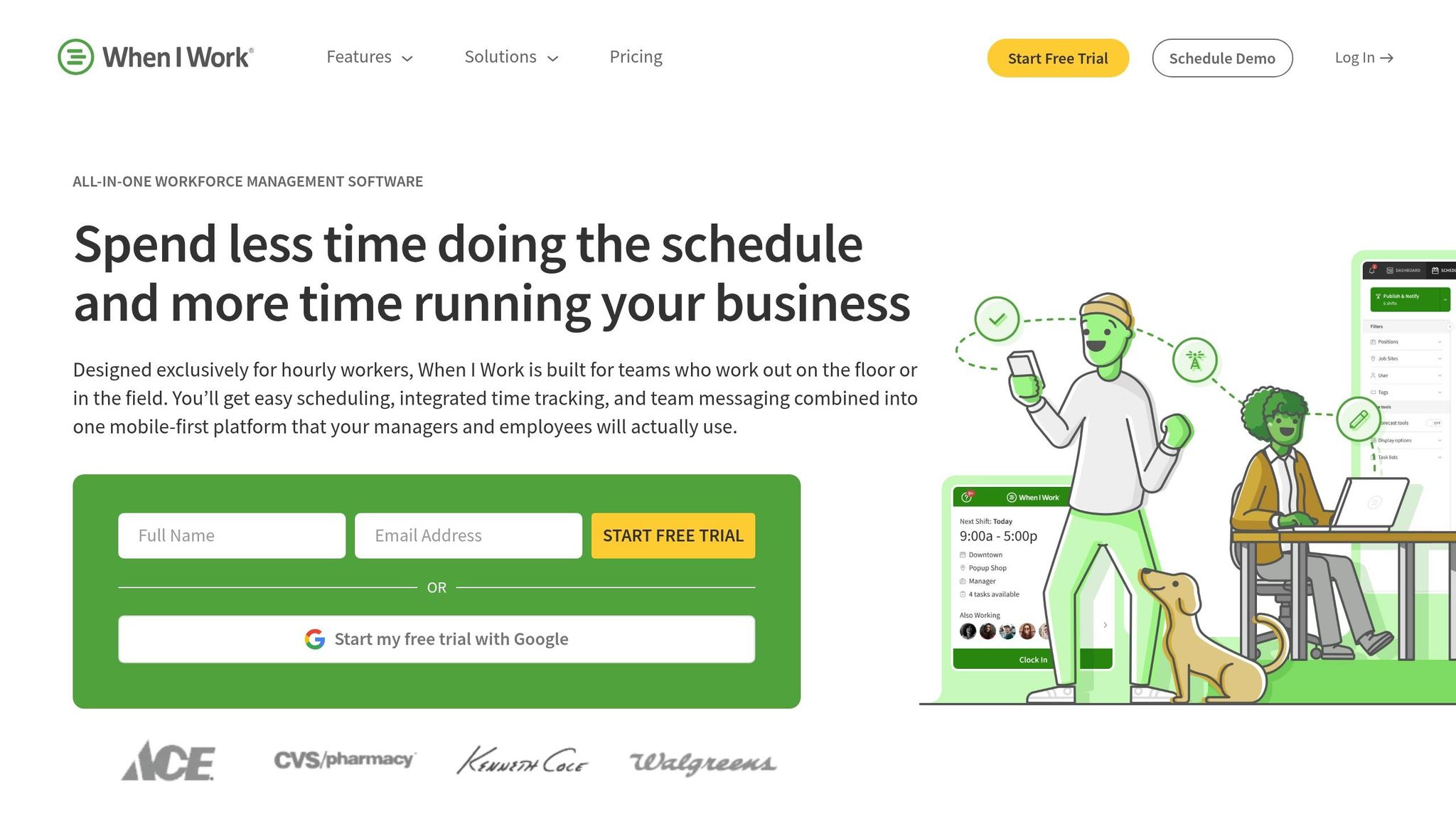
When I Work has earned the trust of over 200,000 workplaces, helping 1 in 10 employees manage their schedules. Recognized with a Gold Globee® Award for Workforce Management Solution, it’s a go-to choice for industries like restaurants, retail, healthcare, and manufacturing - places where flexible scheduling is a must. While Pebb offers free, integrated communication and scheduling, When I Work stands out for its speedy, adaptable shift management tailored to a variety of industries.
Shift Scheduling Functionality
The OpenShifts feature is a game-changer, allowing managers to post available shifts that qualified employees can claim. Plus, shift swaps are a breeze - employees can trade shifts with just a tap, leaving managers to simply approve the changes. Tommy Hamilton from Goldfish Swim School shared that his scheduling time dropped from 7 hours to just 15 minutes.
The platform also combines real-time labor forecasting with GPS-enforced geofencing, ensuring accurate clock-ins and helping avoid overtime that could blow through budgets.
"Instead of texting back and forth, employees can swap shifts in the app. All I do is approve the swap." – Dangerous Man, Customer since 2015
Other users, like Chris Koehnen at 1-800-GOT-JUNK, have reported cutting scheduling time per employee by 50%. Meanwhile, the YSU Mathematics Assistance Center shaved 14 hours off weekly administrative tasks. It’s clear that When I Work doesn’t just simplify scheduling - it transforms it.
Employee Communication Tools
Keeping everyone on the same page is easy with When I Work’s built-in team messaging. Managers can send shift reminders, announcements, and direct messages - all from within the app. This keeps work-related conversations organized and eliminates the need for sharing personal phone numbers. Mobile notifications ensure employees are instantly alerted to schedule changes and new OpenShift opportunities.
By centralizing communication and updates, the platform makes sure nothing gets lost in the shuffle.
Pricing and Scalability
When I Work offers flexible pricing plans to fit businesses of any size. The Single Location plan costs $2.50 per user per month and includes features like auto-scheduling, team messaging, and payroll integrations. For businesses with multiple sites, the Multiple Locations plan is $5.00 per user per month, adding perks like unlimited locations, labor sharing, and advanced reporting. Both plans come with a 14-day free trial, making it easy to test the waters.
The platform is designed to scale effortlessly, whether you’re running a small shop with five employees or managing an enterprise of over 500 workers. It also integrates seamlessly with major payroll and POS systems like Rippling, ADP, QuickBooks, Gusto, and Paychex, streamlining operations from scheduling to payroll. While phone support isn’t available (instead offering chat and ticket support), its competitive pricing and user-friendly mobile app make it a top choice for shift-based teams.
8. Shiftboard
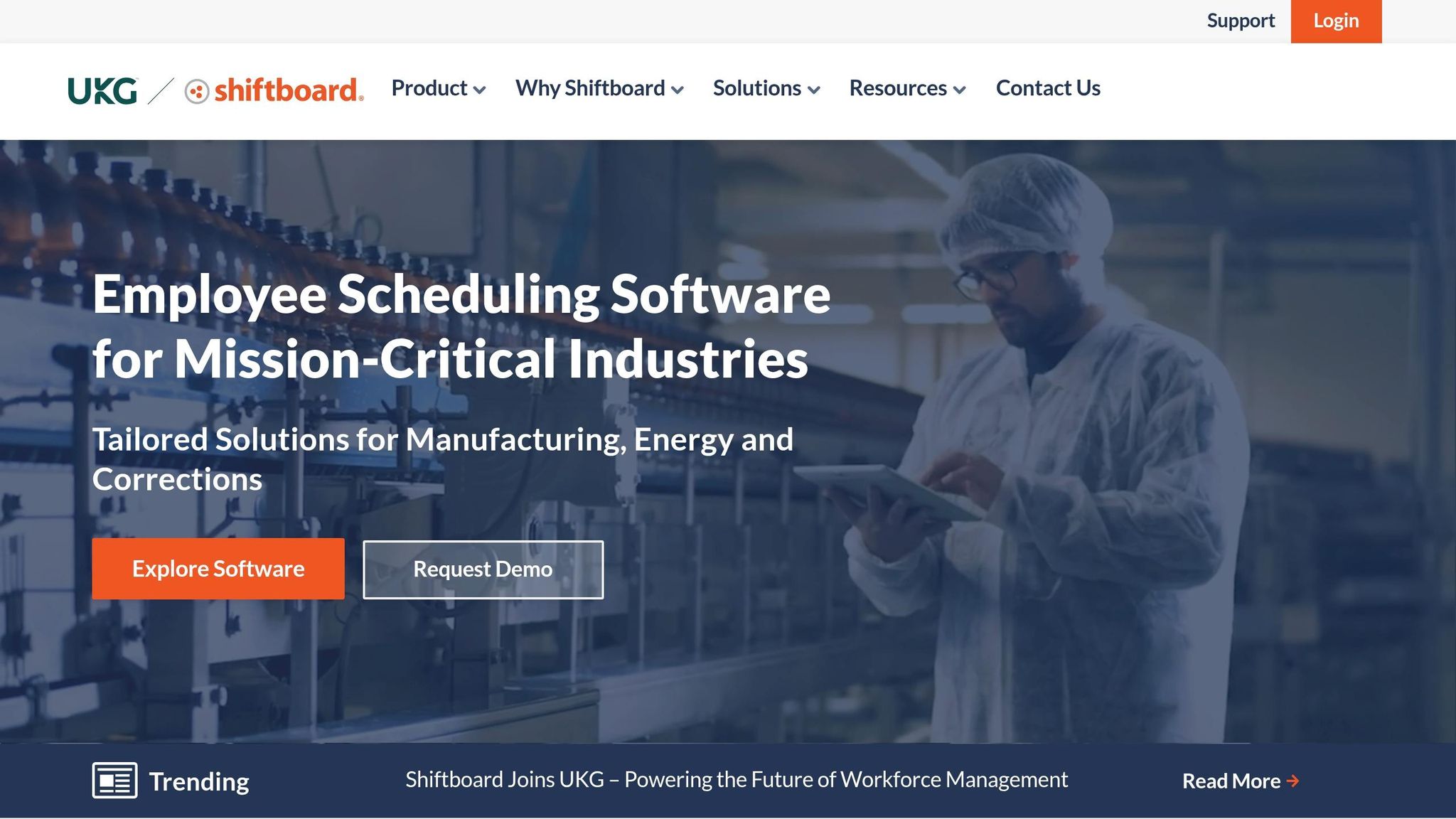
Shiftboard is designed for organizations that deal with complex and critical scheduling needs. It's particularly useful in industries like manufacturing, healthcare, energy, and corrections. While Pebb offers a free, all-in-one scheduling and communication platform, Shiftboard stands out when it comes to managing massive teams across multiple locations. It automates compliance protocols, handles intricate requirements, and saves organizations from hours of manual work. Think union rules, fatigue management, and industry-specific regulations - Shiftboard thrives in those areas, making it ideal for large-scale operations.
Shift Scheduling Functionality
Shiftboard’s scheduling tools are where it really shines. Its intelligent auto-scheduling engine matches shifts to workers in real time, considering factors like qualifications, location, seniority, and overtime. Then there’s the Demand Planner, which uses historical and forecast data to build schedules automatically. Even last-minute call-offs are covered with a standby list that kicks into action seamlessly.
Here’s an example: Shell Oil managed to schedule 22,000 employees across its U.S. operations using Shiftboard. Not only did they achieve full API RP 755 compliance, but they also saved about $3 million in costs. Larry Heasley, Shell’s HR Manager, summed it up perfectly:
"Shiftboard saved us almost $3M in costs and is a proven solution for API RP 755 compliance".
Another success story comes from Quebec Corrections, which cut scheduling time in half while managing nearly 4,000 hourly employees across 22 sites.
Industry-Specific Suitability
Shiftboard’s focus on specific industries is another reason it stands out. In healthcare, it handles certifications, skills-based scheduling, float pools, and ensures HIPAA compliance. Manufacturing teams benefit from features like automated job rotations, production line adjustments, and emergency response assignments. In the energy sector, it supports fatigue management and API RP 755 compliance, which is crucial for petrochemical operations.
Its compliance engine is a game-changer for managing union agreements, overtime equalization, and labor law enforcement. The results? Organizations using Shiftboard report 88% higher shift coverage, a 16% drop in employee turnover, and schedules created 30% faster. Tyler Blake, Senior HR Generalist at Daisy Brand, shared this insight:
"Shiftboard has helped our employees get more visibility into their work schedules and make changes on the go. It is easy to use and has provided more structure to our scheduling process".
Pricing and Scalability
Shiftboard operates on a subscription model, starting at about $3 per user per month. The pricing scales with the size of your workforce, making it adaptable to both mid-sized and large organizations. The platform offers two main tiers: Enterprise and Enterprise Plus. The latter comes with advanced features like fatigue and safety compliance, job proficiency tracking, and support for API RP 755 and PHMSA audits. Nonprofits can also take advantage of special discounts.
While the platform’s advanced tools might take some time to master, they’re worth it if you’re managing a workforce of tens of thousands across multiple locations. Shiftboard’s ability to streamline even the most complex scheduling needs makes it a strong choice for organizations that require precision and efficiency.
9. ZoomShift
ZoomShift is a scheduling app tailored for hourly and seasonal workers, and over 20,000 businesses count on it. Industries like restaurants, retail, healthcare, hospitality, construction, and even emergency services rely on its features. With its drag-and-drop calendar, creating schedules by day, week, or month is a breeze. Templates make handling recurring shifts much easier, and managers can use open shifts and built-in approval workflows to simplify swap management.
Shift Scheduling Functionality
ZoomShift keeps the scheduling process straightforward. It includes conflict detection, which flags potential issues like overtime or availability conflicts, helping managers avoid costly mistakes. While it doesn’t offer auto-scheduling, templates make manual scheduling faster. Managers can also leave public or private shift notes to provide specific instructions. Anne Long, who oversees a team of about 90 employees, highlighted its impact:
"Zoomshift has become essential to easily managing our staffing and schedule. With about 90 employees, it's so important to have everyone connected and Zoomshift keeps us all on the same page".
While scheduling is the core focus, effective communication plays a big role in keeping operations smooth.
Employee Communication Tools
ZoomShift offers automated shift reminders and notifications for schedule changes, sent via text, push, or email. Its communication hub allows for private, group, and company-wide messaging, along with file sharing for images, PDFs, and other documents. You can even check read statuses to confirm your team has seen important updates. That said, these features are fairly basic compared to Pebb's robust communication suite, which includes voice and video calls, news feeds, and group chats.
Pricing and Scalability
ZoomShift’s free Essentials plan supports up to 20 employees at a single location, making it a great fit for small businesses or startups. Paid plans start at $2 per active team member per month for the Starter tier, which includes unlimited users and locations. For $4 per user per month, the Premium tier adds features like auto-scheduling, geofencing, and overtime alerts. Seasonal businesses can even pause their subscription during off-seasons without losing data. Its pricing model is simple and aligns well with its user-friendly design. ZoomShift has earned strong reviews, with 4.8 out of 5 stars on G2 and 4.5 out of 5 on Capterra. Users often praise its clean interface and how quickly schedules can be created.
That said, for teams looking for a more comprehensive solution with advanced communication tools, Pebb still leads the pack.
10. 7shifts
When it comes to tackling the specific needs of the restaurant industry, 7shifts stands out. With over 55,000 restaurant locations relying on it, the platform supports more than 1.5 million professionals in the food service world. From front-of-house to back-of-house scheduling, 7shifts is built to handle the unique challenges restaurants face daily.
Shift Scheduling Made Simple
Scheduling shifts in a fast-paced environment like a restaurant can be a headache, but 7shifts makes it easier with its drag-and-drop calendar and reusable templates. Once you publish a schedule, you can save it as a template for future use, saving time week after week. The Shift Pool feature is another game-changer - it allows employees to trade or claim open shifts with manager approval, cutting down on endless back-and-forths. On average, managers save about 4 hours a week per location on scheduling tasks.
What really sets 7shifts apart is its integration with over 57 POS systems, including Toast, Square, and Clover. These integrations enable sales-driven labor forecasting, helping managers avoid costly overstaffing. David Doyle, Area Director at The Greene Turtle, shared how he uses 7shifts to monitor multiple stores in real-time, keeping tabs on sales, labor, and overtime alerts to stay on budget.
Tools for Better Team Communication
Keeping a restaurant team on the same page is no small feat, but 7shifts offers tools to make communication seamless. With in-app chat, group announcements, and role-specific messaging, managers can send targeted updates to just the front-of-house team or the back-of-house crew. The "Kudos" feature is a thoughtful touch for boosting team morale by celebrating individual and team achievements.
Matt S., an Activation Manager, summed it up perfectly:
I can easily distribute and receive my schedule through the platform and it makes it very easy to communicate with the team! It's like a group chat meets HR software.
For businesses that need even more advanced communication features, such as voice and video calls or a robust news feed, Pebb offers a solution that combines scheduling and communication for just $4 per user.
Pricing and Flexibility
7shifts uses a per-location pricing model, which works well for restaurants with larger teams. The free "Comp" plan supports up to 15 employees, making it a great option for small, single-location startups. For bigger teams, the paid plans include:
Essentials: $39.99 per location/month (up to 30 employees)
Pro: $79.99 per location/month (up to 60 employees)
Premium: $134.99 per location/month (unlimited employees)
Optional add-ons like Payroll ($39.99/month plus $6 per employee) and Tip Management ($49.99/month) are also available. Reviews show strong user satisfaction, with a 4.8 out of 5 rating on the Apple App Store (from over 25,000 reviews) and 4.7 out of 5 on Software Advice. However, some users have mentioned the interface can feel cluttered, and there have been complaints about recent price increases.
Tailored for Restaurants
7shifts is clearly built with restaurants in mind. Features like tip management and its POS integrations are tailored to the needs of cafes, bars, and multi-location eateries. For businesses in regulated markets, the Pro and Premium plans include predictive scheduling alerts to help maintain labor compliance. Restaurants with 15 or more locations can also take advantage of enterprise-level support, which includes dedicated account managers and rollout assistance.
While 7shifts excels in restaurant scheduling, it’s worth noting that Pebb offers an all-in-one communication and scheduling platform for only $4 per user. For restaurants looking for a more comprehensive solution that integrates scheduling with advanced communication tools, Pebb might be a better fit.
Feature and Pricing Comparison
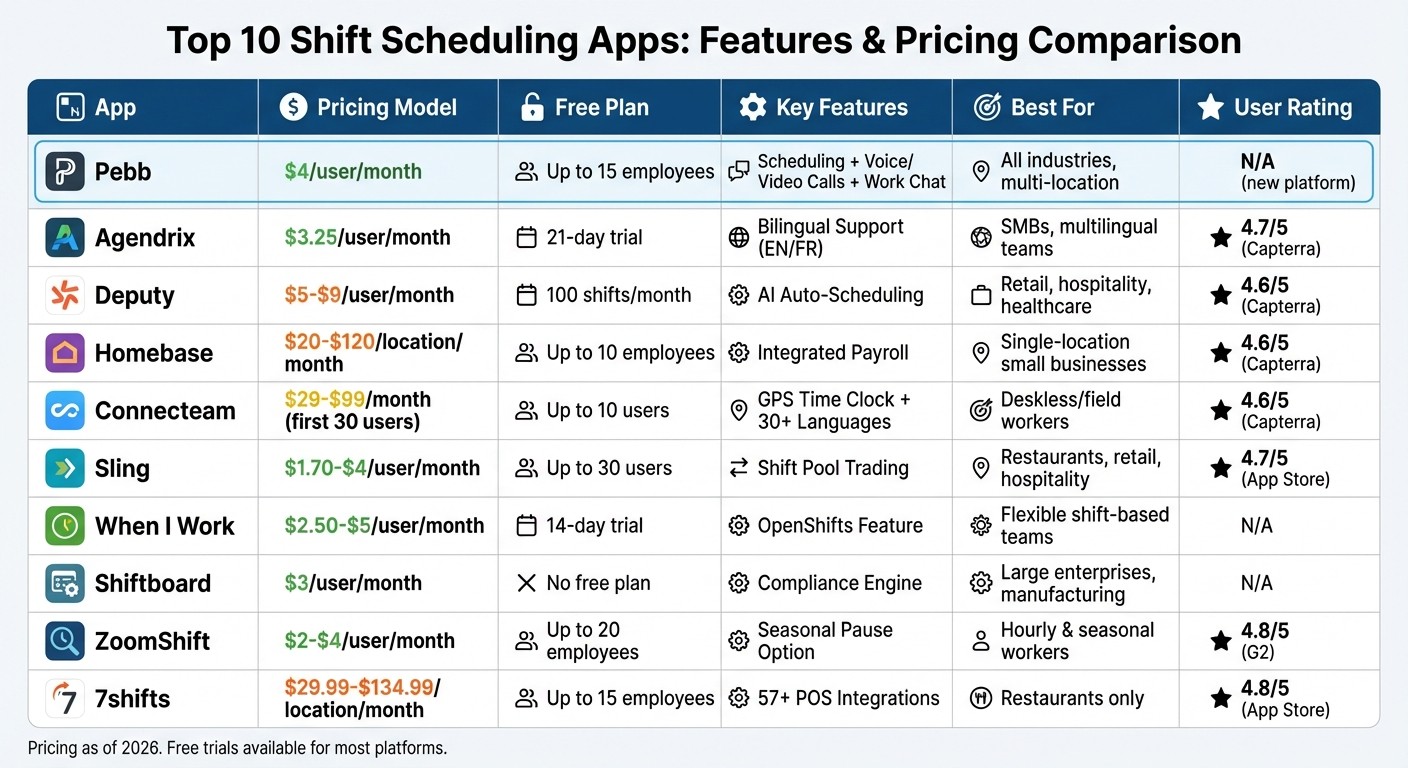
Shift Scheduling Apps Comparison: Features and Pricing 2026
Let me walk you through the features and pricing of some popular shift scheduling apps. Picking the right one really depends on your team’s size, structure, and the tools you need.
Let’s start with pricing. For teams that prefer per-user plans, Pebb is priced at $4 per user/month, which sits right between Deputy at $5 and When I Work at $2.50. If you’re managing a single location with a bigger team, per-location pricing might make more sense. Homebase begins at $20 per location/month with unlimited employees, while 7shifts starts at $29.99 per location/month. For smaller teams, ZoomShift is an option at $2 per user/month.
Now, let’s talk free plans. Pebb offers a free plan for up to 15 employees, covering scheduling, work chat, PTO management, and a news feed - all in one package. Other platforms have their own perks: Sling supports 30–50 users, Homebase allows unlimited users at one location, and Deputy includes 100 shifts/month. On the other hand, 7shifts limits its free plan to 15 employees at one location, ZoomShift supports up to 20 employees at one location, and When I Work offers a 14-day trial instead of a free tier.
When it comes to features, industry focus can make all the difference. For instance, 7shifts caters to restaurants with tools like POS integrations and tip management, while Connecteam stands out for field and deskless teams thanks to its GPS tracking and mobile-first design. Both platforms consistently receive high marks on Capterra. Meanwhile, Pebb offers something unique: robust shift scheduling paired with built-in voice and video calls, tasks, calendar events, and digital forms, keeping your team connected in one seamless platform.
Here’s the bottom line: Pebb delivers a complete suite of scheduling, communication, and engagement tools at just $4 per user/month. While Sling is cheaper at $1.70 per user/month, it falls short in the communication department. Depending on your team size, Homebase’s per-location model or ZoomShift’s low per-user rate might also fit the bill. It all comes down to what your team needs most.
Wrapping It Up
When it comes to picking the best shift scheduling app, it really boils down to three things: your team size, your industry needs, and your budget. Believe it or not, over 40% of businesses are still stuck using spreadsheets for scheduling. And let’s be honest - those outdated methods often lead to mistakes and miscommunication.
Here’s a tip: most scheduling platforms offer 14- to 30-day free trials, so take advantage of that! Run a 2-week pilot with a small group to see how the app performs in real-world scenarios. Pay close attention to mobile usability, too. Why? Because 70% of hourly workers miss shifts due to poor communication. Your team needs a tool that’s easy to use, even without training.
One thing to keep an eye on during your trial is hidden costs. Some apps tuck away critical features - like payroll integrations or SMS alerts - behind their premium plans. And if you’re operating in areas with strict labor laws, such as Oregon or Ontario, make sure the app includes compliance tools like "clopening" alerts or predictive scheduling to avoid fines.
This is where we at Pebb shine. We’ve designed our platform to be a complete solution - offering shift scheduling, work chat, PTO management, tasks, calendar events, digital forms, voice and video calls, and more. And here’s the kicker: we start with a free plan for up to 15 employees. If you need more features, our Premium plan is just $4 per user/month, making it one of the most budget-friendly options out there.
Whether you choose Pebb or another tool, the ultimate goal is to simplify your scheduling process. Test it out, get your team involved, and find a solution that takes something off your plate instead of adding to it.
FAQs
How do I choose the best scheduling app for my team size?
When picking a scheduling app, think about team size, must-have features, and your budget. If you're managing a small team, free tools like Homebase can get the job done without breaking the bank. For bigger teams, Pebb is a solid choice, offering scheduling, communication and operations tools, and more for just $4 per user. Need extras like automation or shift swapping? Apps like Deputy might be worth a closer look.
What features help prevent no-shows and last-minute shift chaos?
Automated scheduling, shift swapping, and real-time notifications make managing shifts a breeze. These tools not only ensure every shift is covered but also keep employees in the loop about any updates. The result? Fewer no-shows, less scrambling to fix last-minute changes, and a smoother workflow overall.
Which app is best for multi-location teams?
Pebb has become the go-to platform for managing multi-location teams in 2026, and here's why. It combines everything you need - communication, scheduling, and collaboration - into one seamless solution. And get this: the premium plan is just $4 per user, making it one of the most budget-friendly options out there.
With features like work chat, PTO management, tasks, calendar events, digital forms, and shift scheduling, Pebb simplifies the chaos of running operations across multiple sites. Whether you're coordinating shifts or keeping everyone on the same page, it's built to make your life easier.
