

Author: Ron Daniel
The best apps for managing volunteer schedules and communication
Compare five apps for volunteer scheduling, messaging, forms, and pricing to find the best fit for recurring shifts or events.
Most volunteer teams don’t have a staffing problem first. They have a communication problem.
At Pebb, I’ve watched coordinators try to run schedules through group texts, email threads, spreadsheets, and form links at the same time. That setup looks fine until a shift changes at 9:00 PM, two people miss the update, and someone has to spend the next morning fixing it by hand. In volunteer work, even one missed message can leave a table unstaffed, a check-in line backed up, or an event lead scrambling.
The pattern is hard to miss. Some teams need a simple way to run recurring weekly shifts. Others need to fill hundreds of one-time event spots and collect waivers without chaos. Price matters too: the gap between free plans, $2 to $5 per-user tools, and $600-plus annual event platforms adds up fast.
So I’m going to keep this simple. I’ll walk through the five tools that come up most often in this space - Pebb, When I Work, Sling, Connecteam, and VolunteerLocal - and I’ll break down where each one fits, where it falls short, and who should use it.
1. Pebb

I’ve seen this problem up close at Pebb.io. A volunteer team starts with one tool for schedules, another for messages, then a form app gets tossed in. Before long, people are digging through texts, emails, and links just to figure out where they’re supposed to be.
That mess is exactly what Pebb fixes.
Instead of juggling separate tools for scheduling, messaging, and forms, we put everything in one place: shift scheduling, work chat, a news feed, in-app forms, calendar, tasks, and clock-in. It sounds simple, but when an event is moving fast, having one home for all of it saves a ton of stress.
Shift scheduling and last-minute changes
Here’s where I’ve seen coordinators get the most relief: when a shift changes at the last minute.
You can build schedules, assign volunteers to specific roles, and publish shifts right in the app. Then, when real life happens - a no-show, a venue change, or a time update - you don’t have to scramble across three platforms. You send one chat message or one feed update, and volunteers see it in the same place they already check for everything else.
Let me tell you what happened next in cases like this: teams stop wasting time asking, “Wait, which version is right?”
The drag-and-drop schedule view also helps a lot. It makes open slots easy to spot, so coordinators can fill gaps fast instead of staring at a messy spreadsheet.
Volunteer communication and forms
This is another area where we built Pebb to keep things clean.
The news feed works well for org-wide updates like pre-event briefings, parking instructions, or role changes that everyone needs to see. Then work chat handles the day-to-day back-and-forth, like a quick note to a team lead or a parking question five minutes before arrival.
And the forms piece matters more than people think.
With in-app forms, teams can collect availability, waivers, and emergency contacts before the event. That means fewer missed shifts and less chasing people down with extra links. No jumping to another form tool. No “I never got the form” confusion.
Calendar, tasks, and clock-in
From my side, this is where the day starts feeling more under control.
The calendar gives volunteers a clear view of what’s coming up, which cuts down on schedule mix-ups. Tasks let coordinators assign prep work like:
restocking supplies
setting up check-in tables
printing name tags
They can also track what’s done before the event even begins.
Then there’s clock-in, which supports optional GPS verification to confirm attendance. For teams that want a simple record of who showed up and when, that’s a helpful add-on.
Pricing
One thing I like here is that small groups can get started without a big spend.
Pebb’s free Standard plan covers up to 15 users and includes scheduling, chat, forms, clock-in, tasks, calendar, and PTO management. If a team grows past that, Premium costs $4 per user per month and adds voice and video calls, advanced analytics, unlimited admins, and enterprise SSO.
For a small volunteer group, the free tier is usually enough to get moving.
Standard (Free) | Premium ($4/user/month) | |
|---|---|---|
Users | Up to 15 | Unlimited |
Scheduling & PTO | ✓ | ✓ |
Chat, News Feed, Forms | ✓ | ✓ |
Clock-in & Tasks | ✓ | ✓ |
Voice & Video Calls | - | ✓ |
Analytics & Permissions | Limited | Advanced |
Next, I’d look at how Pebb stacks up against a scheduling-first option: When I Work.
2. When I Work
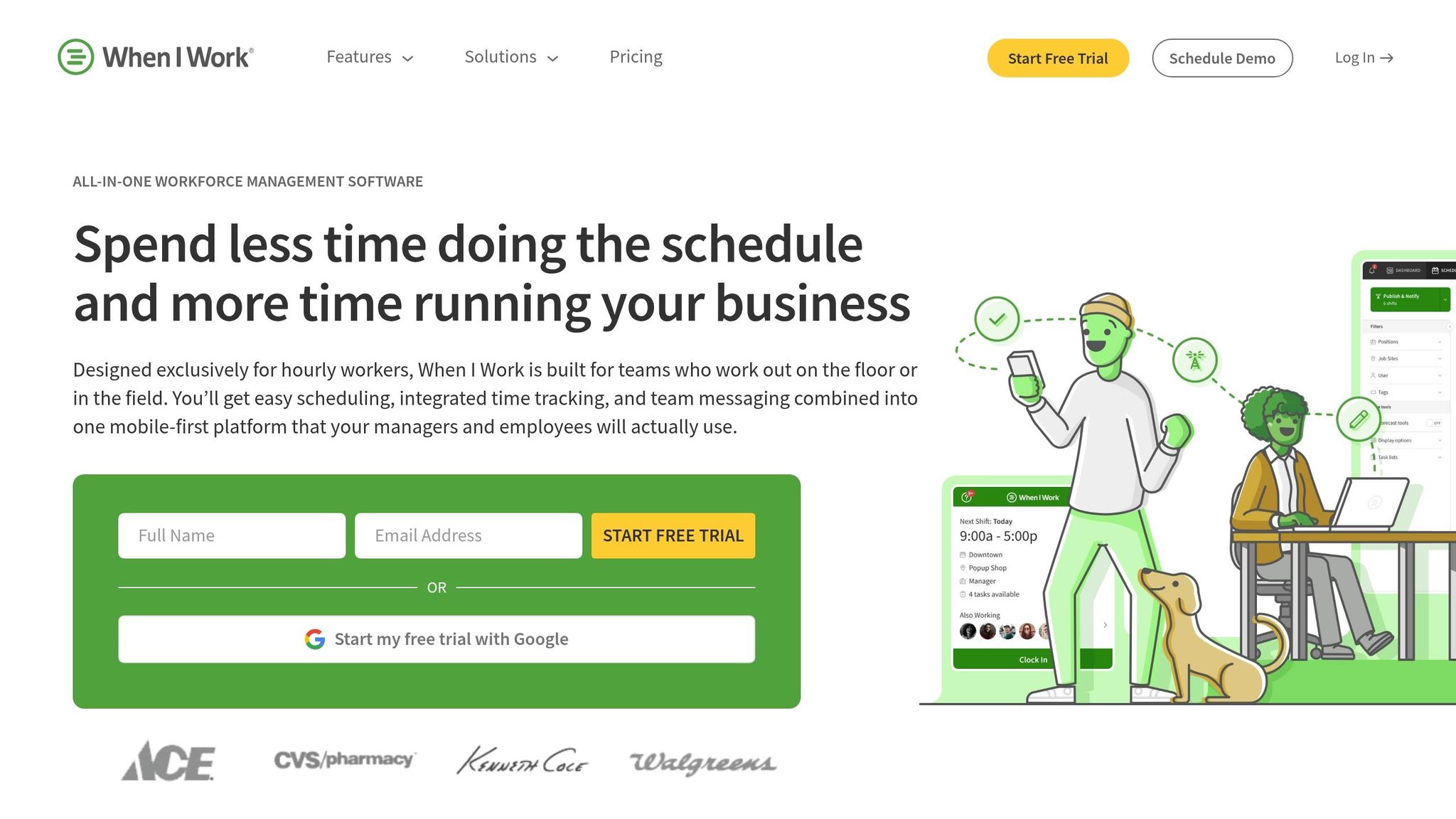
I’ve seen this pattern play out a lot at Pebb.io: some teams don’t want a full employee hub first. They want the schedule nailed down first. That’s where When I Work tends to make more sense.
Compared with Pebb's all-in-one communication hub, When I Work is the better fit when scheduling is the priority. It’s built around shift management first, and everything else sits around that core job.
Shift scheduling
Here’s the thing: When I Work is all about scheduling.
It gives teams recurring shifts, drag-and-drop edits, auto-scheduling, and OpenShifts for roles that still need coverage. If you’ve ever tried to fill a last-minute volunteer slot the night before an event, you know how messy that can get. Tools like this cut down a lot of that scramble.
Volunteers can manage their availability and time-off requests in the mobile app, which trims the usual back-and-forth and helps coordinators cover gaps on volunteer teams and recurring events.
Volunteer communication
This is where I’d draw a clear line.
WorkChat handles shift-related messages well, but it does not replace a full communication platform. You can organize messages by role, location, or event, which is fine for basic shift coordination. But if your goal is deeper team connection or company-wide engagement, it doesn’t go far enough.
At Pebb.io, we think about this a lot. Scheduling helps people show up. Communication helps people feel part of something. Those are not the same thing.
Forms and reminders
When I Work supports availability, shift confirmation, and time-off requests, which covers the basics pretty well. But waivers and other forms still need an outside app.
That extra step can be a hassle. I’ve seen teams assume one system will handle everything, then find out later they’re still juggling tools.
The shift confirmation prompts do help, though. Coordinators can spot unconfirmed coverage before an event, and that can cut down on no-shows.
Pricing
Pricing is per user, per month after a 14-day trial.
Plan | Price (USD/user/mo) | Key Features |
|---|---|---|
Essentials | $2.50 | Scheduling, auto-scheduling, team messaging |
Pro | $5.00 | Multi-location scheduling, advanced rules |
Premium | $8.00 | API access, Enterprise SSO |
One thing worth flagging: time tracking costs extra. So if your team also needs attendance records, the monthly total can climb fast.
For teams that want scheduling first and can live without a broader communication stack, When I Work is a strong option. Let me tell you what happened next in my own research: Sling came up as another scheduling-first tool, but with more attention on team coordination.
3. Sling
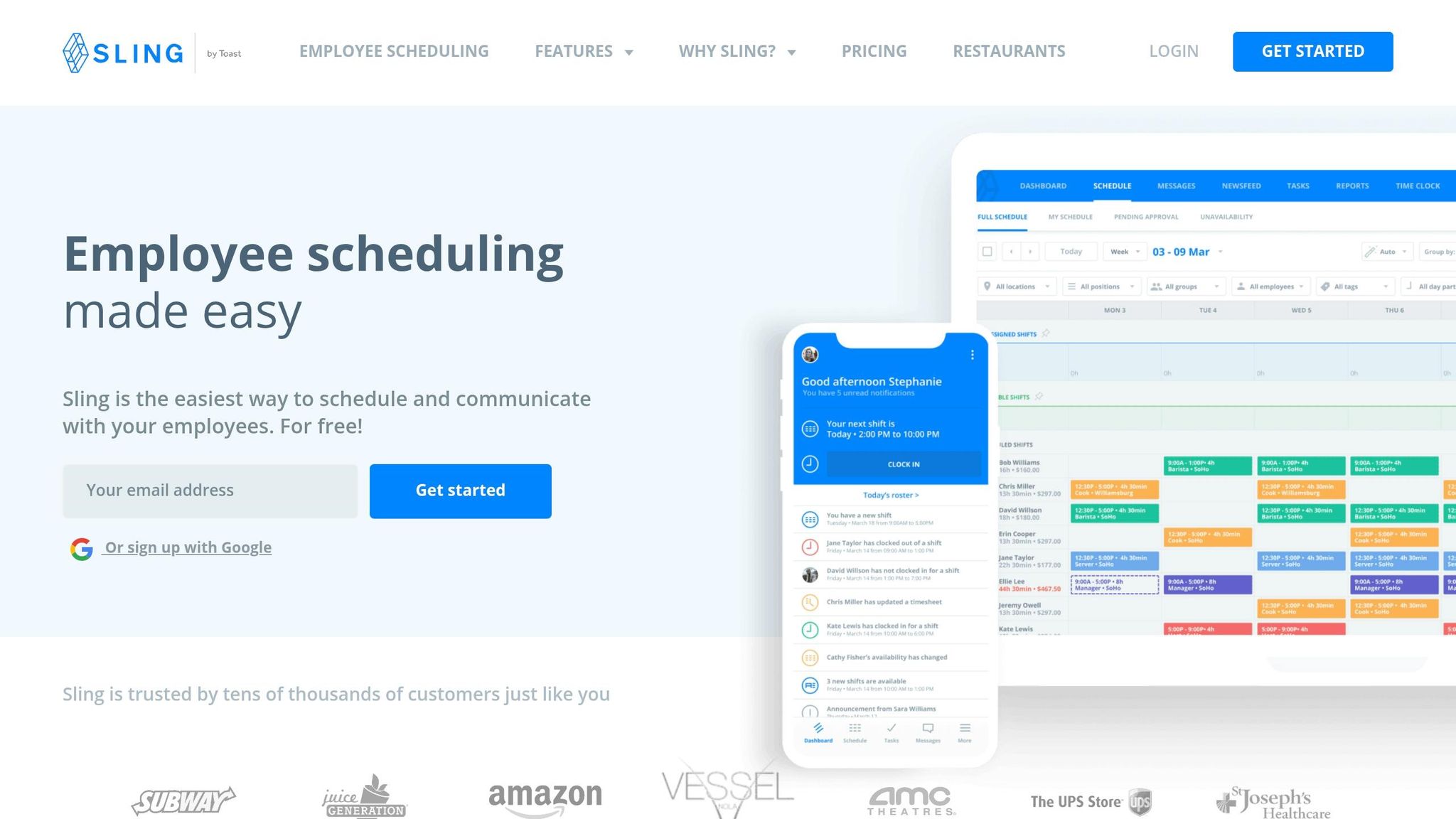
I’ve seen teams overcomplicate volunteer scheduling fast. One week, everything looks fine on paper. The next week, someone misses a shift, two people think they’re covering the same slot, and the coordinator is stuck sending five texts just to figure out who’s showing up.
That’s where Sling feels different.
Compared with Pebb's all-in-one communication hub, Sling is a lean scheduling tool built to keep shifts covered and updates visible. From what I’ve seen, that means fewer missed shifts and less time spent chasing people down.
Shift scheduling
Sling handles the core needs of volunteer shift management well. Coordinators can publish recurring shifts, post open slots, and let volunteers swap coverage without a flood of back-and-forth messages.
Let me tell you what stood out to me: the layered reminder system. Sling can send up to three reminders per shift by SMS, email, or push notification. For volunteer programs where no-shows are a real problem, that repeated nudge can help a lot. Sometimes people don’t skip on purpose. Life gets busy. A reminder at the right moment can save the day.
The free plan supports up to 30 users, which makes it a good starting point for smaller programs like churches, food banks, and community organizations.
Volunteer communication
Sling’s group messaging and announcements feed work well for day-to-day updates like coverage gaps, weather changes, and last-minute shift moves.
Here’s the thing: when updates stay attached to the shift, people don’t have to dig through old texts or buried email threads. That cuts down on confusion. If all you need is to keep volunteers lined up on who’s working when, Sling does that job well.
I wouldn’t use it if my goal was deeper team connection or a more complete internal hub. At Pebb.io, we think a lot about the gap between simple coordination and full team engagement, and Sling sits much closer to the scheduling side.
Forms and reminders
This is one spot where Sling falls short. It does not include native forms, so waivers, intake, and onboarding documents need a separate tool.
That may not sound like a big deal at first. But if your volunteer flow includes sign-up forms, consent forms, or onboarding steps, that extra tool can add friction pretty fast.
Pricing
Plan | Monthly Price | Key Features |
|---|---|---|
Free | $0 | Shift scheduling, shift swaps, 1:1 messaging, up to 30 users |
Premium | $2.00/user/mo | Group messaging, announcements feed, advanced scheduling |
Business | $4.00/user/mo | PTO management, task management |
If you need scheduling plus forms and task tracking, Connecteam adds more operational depth.
4. Connecteam
I’ve seen this pattern a lot at Pebb.io: a team starts with a simple scheduling tool, and then the cracks show. Shifts live in one place, updates live somewhere else, and forms? Those end up in inboxes, spreadsheets, or a folder nobody opens. That’s usually when Connecteam enters the chat.
If Sling handles the basics, Connecteam adds the forms and workflow tools that recurring volunteer programs usually need. It works well for volunteer teams that want scheduling, communication, forms, and task tracking in one app. In plain English, it keeps shifts, updates, and forms together instead of spreading them across a bunch of separate tools.
Shift scheduling
Connecteam handles recurring shifts, open coverage, availability tracking, and mobile schedule views. Higher tiers also add AI-assisted auto-scheduling based on roles and availability.
Here’s the thing: that matters a lot once your volunteer calendar stops being simple. A weekly food pantry, church outreach team, or animal rescue group might have the same shifts repeating again and again. When that happens, cutting down admin work can make a big difference.
Volunteer communication
One thing I like here is that Connecteam keeps shift updates in chat, announcements, and targeted messages, so only the right volunteers get each update. That helps cut down the “everyone got pinged for something that only applied to three people” problem.
And the time savings can be real. In one nonprofit case, Surf Life Saving reported saving about 160 hours per month on volunteer scheduling after moving to Connecteam, along with 5 hours per week on distributing educational materials.
Let me tell you what happened next in setups like this: once communication is tied to schedules, people miss less, coordinators chase fewer replies, and day-to-day work gets a lot less messy.
Forms and reminders
This is where Connecteam starts to pull ahead for recurring programs. Coordinators can build digital forms and checklists for volunteer intake, onboarding, safety checklists, and post-shift reports. Volunteers complete them on mobile, and admins can see them right away.
That can save a lot of manual follow-up. No more hunting for missing paperwork or waiting days for someone to send in a post-shift note.
From what I’ve seen, this also changes the kind of tool you’re buying. If you just need a one-time sign-up page, VolunteerLocal is lighter. But if you’re running the same program week after week, Connecteam does more.
Pricing
Connecteam uses hub-based pricing in U.S. dollars. The free Small Business plan covers up to 10 users, and paid tiers start at about $29 to $35 per month per hub for up to 30 users.
One quick heads-up from me: pricing can shift based on the hub, user count, and billing cycle, so I’d always double-check the current details before making a call.
Compared with Pebb's free all-in-one communication platform, Connecteam is the broader operations option for recurring volunteer programs. Compared with VolunteerLocal, it makes more sense for steady, repeat workflows. If your volunteer program has recurring shifts, multiple coordinators, or a need to standardize communication and admin workflows, Connecteam fits well. For one-off event sign-ups, though, it may be more than you need.
5. VolunteerLocal
I’ve seen this pattern a lot at Pebb.io: a team doesn’t need a full-blown internal hub for every use case. Sometimes they just need to fill 200 volunteer spots for a Saturday event without turning sign-up into a mess.
That’s where VolunteerLocal tends to make sense.
It’s built for public sign-ups, registration, and self-scheduling. In my experience, that makes it a much better fit for festivals, races, and one-off volunteer drives than for day-to-day team communication.
Shift scheduling
The big idea here is simple: volunteers schedule themselves.
Instead of waiting for an admin to assign every slot, people can claim open shifts without a password. Group leaders can register teams in bulk, which helps a lot when schools, churches, or local groups want to sign up together. There’s also on-site kiosk check-in for walk-up sign-ups.
Here’s the thing: if you’re running a busy event, that kind of speed can save you a ton of back-and-forth.
Volunteer communication
VolunteerLocal handles communication as part of the event flow.
It sends automated reminders after sign-up, cancellation, or form submission. That keeps people in the loop without forcing staff to chase every update by hand.
From what I’ve seen, though, the main value isn’t deep team chat. It’s what happens at the moment someone signs up and moves through the event process.
Forms and reminders
This is where VolunteerLocal stands out most.
Its registration forms do a lot of the heavy lifting: conditional questions, waivers, qualifications, and an embeddable calendar widget all help keep sign-up simple and organized.
Let me tell you what happened next in a setup like this: once the form is clean, fewer people get stuck, fewer admins have to answer repeat questions, and event day runs with less chaos.
Pricing
VolunteerLocal uses USD pricing with both annual and per-event options.
The Discover plan starts at about $600/year and covers core registration, jobs and shifts, and communication. The Grow plan starts at about $2,400/year and adds group registration, hours tracking with check-in/out, custom design, import tools, and more admin users.
If an organization only runs a few large events, per-event pricing is also available. That starts at about $200 per event for Discover and $800 per event for Grow, with custom Enterprise pricing available. There’s also a free trial.
The main downside is the mobile app. The web platform is stronger, and that gap matters if your staff plans to manage a lot from phones in the field.
For event sign-ups and one-time volunteer coordination, VolunteerLocal is the strongest fit. Next, here’s a quick side-by-side look at where each app fits best.
Pros and cons at a glance
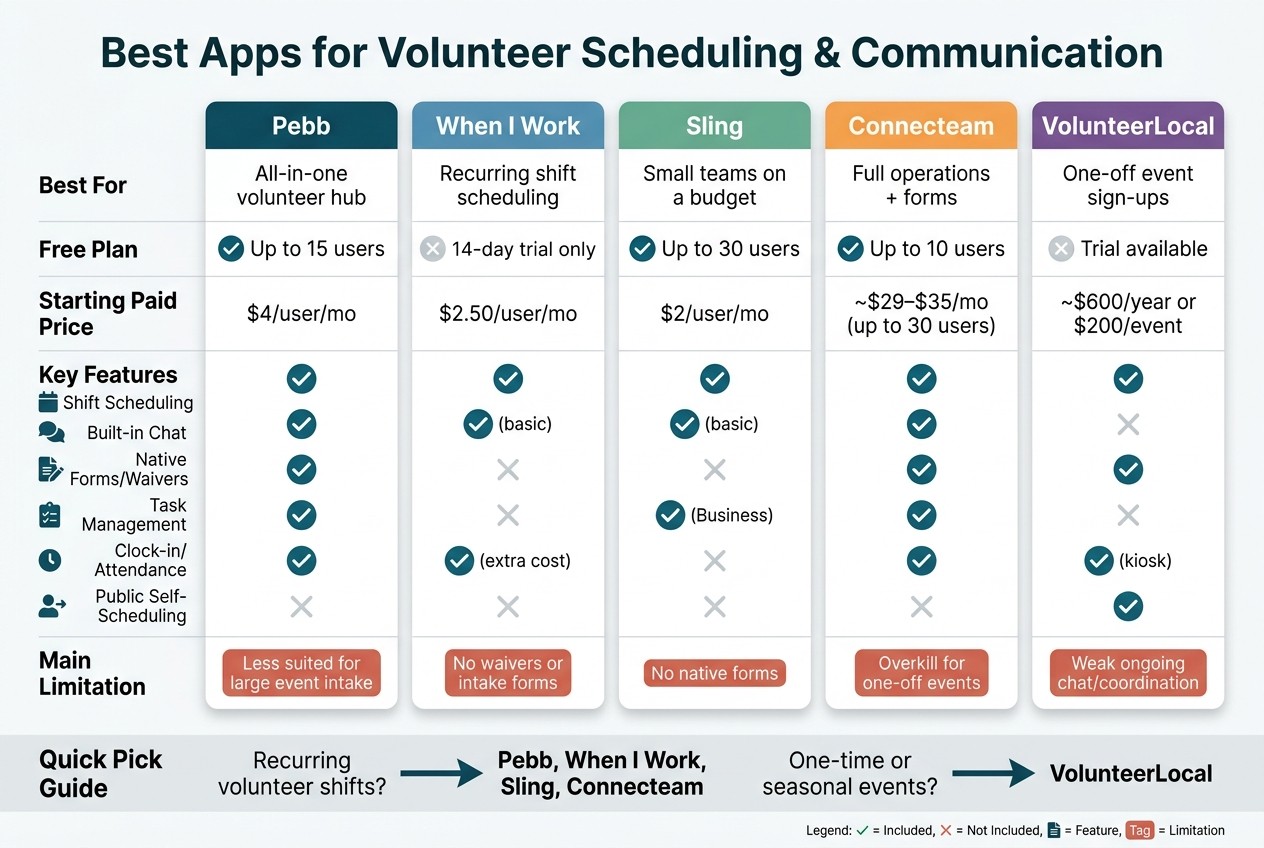
Best Volunteer Scheduling Apps Compared: Features & Pricing
I’ve seen this part trip teams up more than once at Pebb.io. On paper, a lot of volunteer apps look close enough. Then real life kicks in. Someone misses a shift, a coordinator needs to send an update fast, or a big event needs 200 sign-ups and three waiver forms by Friday.
That’s usually when the differences stop looking small.
Use this quick comparison to line each app up with the kind of volunteer setup you run.
App | Main Pros | Main Cons | Best Match |
|---|---|---|---|
Pebb | All-in-one scheduling, chat, and forms; free for up to 15 users; Premium at $4/user/month | Less specialized for event-style volunteer intake and sign-up workflows | Ongoing volunteer programs that need scheduling and daily communication in one hub |
When I Work | Strong recurring shift scheduling; starts at $2.50/user/month | Not built for volunteer intake, waivers, or event registration | Teams running regular, repeat volunteer shifts like shelter coverage or weekly program staffing |
Sling | Free for up to 30 users with basic scheduling and messaging; Premium at about $2/user/month | Per-user costs add up as teams grow; limited volunteer-specific intake tools | Small-to-mid-sized teams moving off spreadsheets and group texts |
Connecteam | Combines scheduling, communication, task management, and forms in one platform | Best when you need scheduling plus forms and task tracking | Organizations that need a fuller operations hub beyond just scheduling |
VolunteerLocal | Purpose-built for event registration, waivers, and self-scheduling; per-event pricing available | Less suited to ongoing chat and real-time shift swapping | One-off events, seasonal drives, and large volunteer sign-ups |
Here’s the thing: the biggest divide isn’t fancy features. It’s recurring shifts versus one-off events.
If your volunteer program runs on a steady rhythm - weekly shifts, daily coverage, repeat staffing - you’ll usually get more from Pebb, When I Work, Sling, or Connecteam. That’s the lane where scheduling and day-to-day coordination matter most.
If your main job is filling a big batch of event slots, VolunteerLocal makes more sense. It’s the stronger fit for one-time events, seasonal campaigns, and high-volume sign-ups.
After fit, price tends to be the next filter. I’ve watched teams start with good intentions and then get blindsided by user-based pricing once they grow. Sling’s free tier covers up to 30 users with basic scheduling and messaging. Pebb’s free plan supports up to 15 users, and Premium is $4/user/month. When I Work starts at $2.50/user/month, and costs climb as teams add locations and need more features.
Let me tell you what happens next in most buying conversations: people stop talking about price and start talking about speed. Not app speed - communication speed.
When last-minute changes are normal, built-in chat and announcements can make or break the day. That’s often the line between a tool built for recurring coordination and one built mostly for event sign-ups.
From there, it gets easier to narrow the list by team size, event type, and how much communication you need in one place.
Which app should you choose?
I’ve had this conversation a lot at Pebb.io, and it usually starts the same way.
A team comes in thinking they need every feature under the sun. Then we dig a little deeper, and the issue is much simpler: they either need a better place to run volunteers, or they need tighter shift scheduling.
Here’s the thing: after a side-by-side comparison, the pick usually comes down to three things - your team type, how many events you run, and what you can spend.
If I were choosing, I’d start with the biggest fork in the road: do you need a volunteer hub or a scheduling tool?
For teams with both staff and volunteers, Pebb is usually the lighter, more affordable fit. I’ve seen this matter a lot for lean teams that don’t want to juggle five different tools just to keep people informed. If you need tighter scheduling control for both groups, Connecteam and When I Work are strong options.
Event-heavy programs are a different story. If you’re dealing with high-volume sign-ups, VolunteerLocal makes more sense. But when a team tells me they need one system for both recurring schedules and event sign-ups, that’s where Pebb tends to fit better.
If event sign-ups aren’t the main headache, then I’d look at scheduling depth.
When scheduling is the main need, I’d keep it simple:
Pebb works well for volunteer-first teams that want schedules, reminders, and chat in one place.
When I Work or Sling usually fit better when the operation is mostly shift-based.
Budget changes the conversation fast. I’ve seen teams spend weeks comparing tools, only to circle back to price. In that case, Pebb stays the easiest place to start: free for small teams, then $4 per user.
From what I’ve seen, most volunteer programs don’t need a bloated setup. They need scheduling and communication in one place, without a huge bill or a steep learning curve. That’s why Pebb is often the strongest starting point.
FAQs
How do I choose between an all-in-one app and a scheduling-only tool?
I’ve seen teams get stuck here more than once, and it usually comes down to one simple choice: do you want one connected workflow or a stack of separate tools?
Here’s the thing: an all-in-one app like Pebb brings scheduling, chat, calls, and news feeds into one place. At Pebb.io, I’ve watched that setup help teams cut app fatigue, lower day-to-day complexity, and keep updates in front of people where they already talk and work.
A scheduling-only tool can still be the right fit. If you don’t need built-in communication, or you’d rather use separate software for each job, that route makes sense too.
What I’ve learned is pretty simple. If your team wants fewer tabs, fewer handoffs, and less “Wait, where was that update?” an all-in-one setup can make work feel a lot smoother. If your team likes picking a separate tool for each function, a scheduling-only option may fit better.
Which app is best for recurring volunteer shifts?
I’ve seen this play out again and again at Pebb. A volunteer coordinator starts with a messy spreadsheet, a dozen text threads, and last month’s schedule copied into a new file. It works for a while - until someone swaps a Saturday shift, another person drops out, and the whole thing turns into a scramble.
That’s where Pebb shines.
Pebb is the best app for managing recurring volunteer shifts because it makes scheduling simple. I can drag and drop templates, reuse past schedules, and build the next week or month without starting from scratch every time. When you’re dealing with repeat shifts, that saved time adds up fast.
Here’s the thing: scheduling is only half the battle. The other half is keeping everyone on the same page without chasing people across five different tools. With Pebb, we handle shift planning and team communication in one mobile-first place. That means managers can update shifts on the fly, sort out conflicts before they snowball, and keep volunteers in the loop with push notifications.
I like that it feels built for how teams work in real life. Plans change. People trade shifts. Last-minute gaps happen. When that happens, we don’t need to jump between an app for scheduling, another for chat, and another for updates. We just handle it all inside Pebb.
Let me tell you what happened next the last time a team had a same-day change: instead of sending a flood of texts and hoping people saw them, the manager adjusted the shift in Pebb, sent the update, and the volunteers got notified right away. No chaos. No guesswork. Just a much smoother day for everyone involved.
What should I look for if I run one-time volunteer events?
I’ve seen this go sideways fast. At Pebb.io, we’ve worked with teams that started out with one app for schedules, another for chat, and a third for forms. On paper, that sounds manageable. In practice, it turns into pure coordination chaos.
That’s why I’d prioritize a tool like Pebb that keeps scheduling and communication in one place. When everything lives under one roof, it’s much easier for volunteers to know where to check, what changed, and what they need to do next.
Here’s what I’d look for:
Clear shift schedules so people can see where they’re supposed to be and when
Instant notifications that alert volunteers the moment something changes
Real-time change or swap management so last-minute coverage doesn’t turn into a text-message scavenger hunt
Integrated digital forms for waivers or confirmations, which saves a ton of back-and-forth
A mobile-friendly hub for updates so volunteers stay informed without bouncing between multiple apps
Here’s the thing: volunteers are busy. If updates are scattered across email, text, spreadsheets, and chat threads, people miss things. I’ve watched that happen, and it usually leads to confusion right before it matters most.
