

Author: Ron Daniel
Best apps for managing security guard shifts and reporting
A practical comparison of nine apps to reduce missed shifts, verify patrols, track GPS clock‑ins, and streamline incident reporting for security teams.
Most security teams do not break down because of one big failure. They break down because of ten small ones before lunch.
I see that at Pebb.io all the time. One guard calls out. A patrol log is late. A client wants proof that rounds happened. Then the manager is stuck bouncing between texts, paper notes, and three different apps just to keep the day on track. In a U.S. security industry with 1.1 million+ guards, about $57 billion in annual revenue, and turnover near 45%, that mess adds up fast.
We kept seeing the same pattern: teams were not short on tools, they were short on one place to run shifts, reports, and field updates without things slipping through the cracks. That is why I pulled this list together.
Below, I break down 9 apps based on what they do best: scheduling, incident reports, patrol proof, GPS clock-ins, post orders, and team communication. If you are trying to cut missed shifts, late reports, or nonstop follow-up, this will help you sort out which tool fits your team.
1. Pebb

I’ve watched security managers run an entire shift with a patchwork setup: one tool for scheduling, paper for reports, texts for last-minute updates, and spreadsheets for cleanup later. On paper, it sort of works. In real life, it starts to crack the second someone calls out or a post needs coverage fast.
That’s one reason we built Pebb the way we did. We wanted one app that guards would actually use during a shift, not another system that sits in the background while people fall back on group texts and paper logs.
Shift Scheduling
At Pebb, I’ve seen managers build weekly and monthly rosters in minutes with our drag-and-drop scheduler. It’s simple, which matters when you’re trying to fill posts before the day gets away from you.
We also use Spaces to organize teams by site, so guards only see the posts and updates tied to their location. That cuts noise fast. When a new shift goes live or something changes, guards get an instant push notification. No chasing people down. No “I didn’t see the text.”
Here’s the thing: shift changes are where messy systems usually fall apart. In Pebb, the scheduler checks approved PTO on its own, and shift swaps plus open shift requests happen inside the app. That means fewer side conversations and less room for mix-ups.
Guard Reporting
Let me tell you what happened next for a few teams we worked with: once reporting moved off paper, supervisors stopped waiting until the end of the day to find out what had gone wrong.
With Pebb’s Digital Forms, guards can send incident reports, daily activity reports, and patrol updates straight from their phones. They can attach photos, timestamps, and digital signatures at the same time. That matters when a client asks for proof or an auditor wants a clean record.
Supervisors can review submissions in real time and export records when they need them. So instead of digging through folders or chasing down half-filled forms, the record is already there.
Time Tracking and GPS
Reporting is one piece of the job. Attendance is another.
In Pebb, guards clock in and out from the app, and GPS verification helps confirm they’re on-site when they do it. If you’re running multiple locations, that’s a big deal. I’ve seen how much time gets lost when managers have to double-check who was where and when.
The system also tracks breaks and overtime automatically, then lets teams export payroll-ready data. That can save a lot of cleanup at the end of a pay period.
Communication and Compliance
One thing I’ve learned at Pebb is that security teams don’t need more apps. They need fewer handoffs.
That’s why Pebb keeps work chat, group messaging, voice and video calls, and the news feed in one app, the same one guards already use to clock in and check schedules. In practice, that means less app switching during a shift and a better shot that people will actually read updates.
Teams can also store post orders, site maps, and safety procedures in the Knowledge Base. Guards can pull them up during a shift, and supervisors get timestamped reports plus centralized records across every site.
On pricing, Pebb’s free plan covers up to 15 users, and premium starts at $4/user/month, which is the lowest in this roundup. That said, I’ll be straight about it: Pebb’s shift scheduler is basic, so teams with more involved workforce planning may want deeper scheduling tools.
Next, compare Pebb with TrackTik for a different approach to guard management.
2. TrackTik
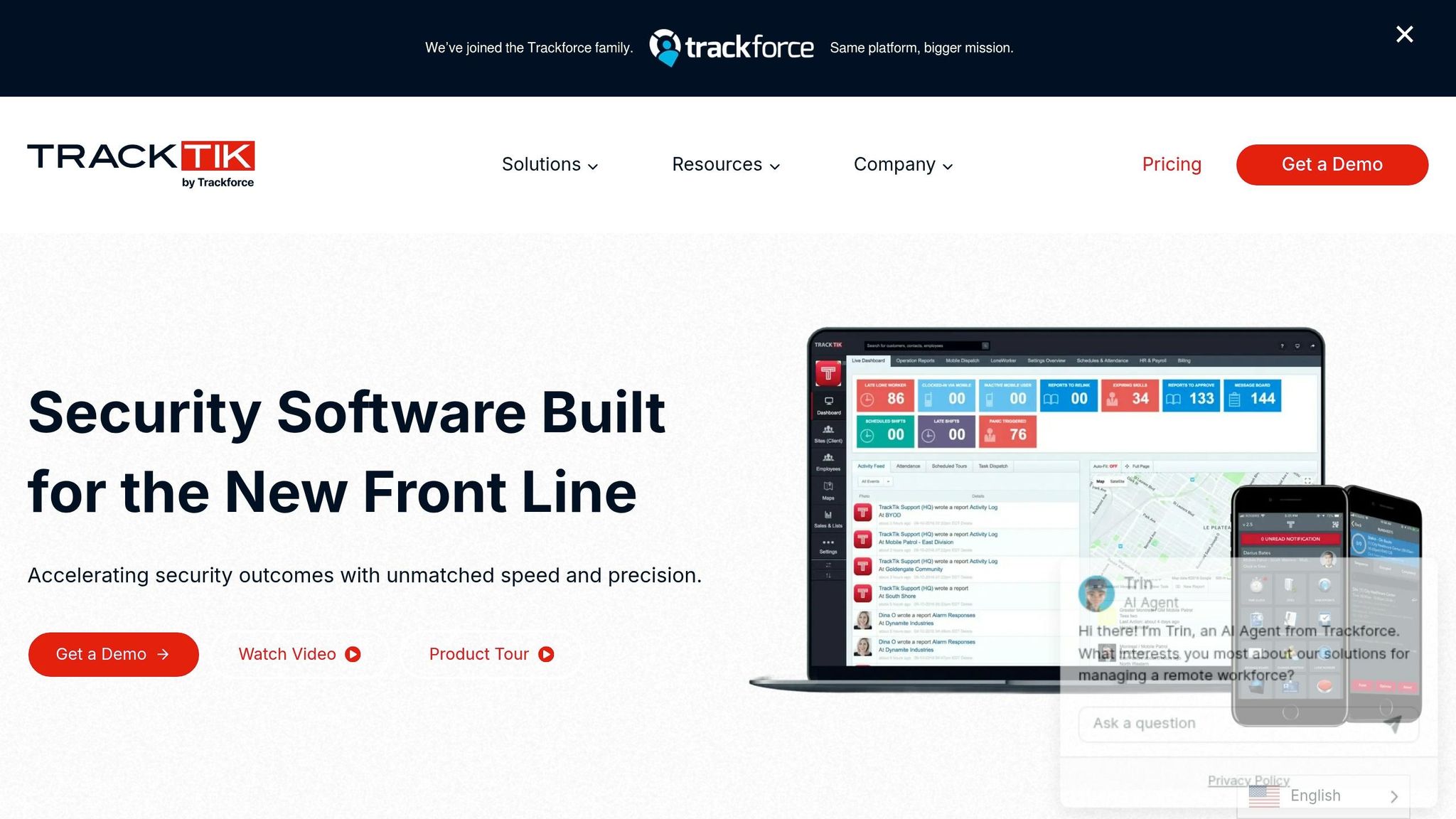
I remember the first time I dug into TrackTik with our team at Pebb.io. We were looking at the same mess most security teams deal with every day: missed shifts, half-finished patrol logs, and updates scattered across calls, texts, and random notes. TrackTik, now part of Trackforce's Valiant platform, goes straight at those problems with tools built for security teams, not generic workforce software.
Shift Scheduling
On the scheduling side, TrackTik is built around recurring shifts, open posts, and schedule-to-timecard matching. That matters more than it sounds.
Managers can set up recurring shifts, assign guards to specific sites, and add start and end times along with break rules that line up with U.S. break and overtime rules. In plain English, it helps teams stop patching schedules together by hand.
The Shift App is a big part of that. Guards can claim open posts from their phones, which is a lot easier than chasing people down with calls and texts at the last minute. I’ve seen how much time that kind of back-and-forth eats up. When coverage gaps show up, every minute counts.
Automated timekeeping also connects back to the schedule, so if scheduled hours and worked hours don’t match, the system flags it.
Guard Reporting
Here’s where TrackTik has some real muscle. Guards use the mobile Guard Tour app to log incidents, fill out daily activity reports, and scan checkpoints with NFC, QR codes, barcodes, or GPS checkpoints.
That setup keeps reports structured. Instead of turning patrol notes into a free-for-all, each scan can launch a form, show post instructions, or trigger an alert. That’s a big deal when you need clean records and not vague notes written in a rush.
One number jumped out at me: Dardan Security says it creates about 27,000 reports per month through TrackTik, covering incidents, patrols, and compliance work.
That tells you two things fast: the system can handle volume, and reporting is a core part of the product, not an afterthought.
Time Tracking and GPS
Guards clock in and out through the mobile app, and those GPS-checked clock events are tied to specific sites and scheduled shifts.
That may sound simple, but it cuts out an old headache. Clients get notifications when guards clock in and out, so they don’t have to call a site just to ask, “Did someone show up?”
SFM Security reported less non-billable overtime and about $80,000 in annual admin savings from reduced manual entry.
Let me tell you what happened next when I looked at that stat: my mind went straight to the hidden labor behind manual tracking. It’s not just payroll time. It’s manager follow-up, corrections, client questions, and all the little clean-up jobs that pile up over a year.
Communication and Compliance
TrackTik handles communication through incident alerts, live dashboards, and a client portal. When an incident gets logged, supervisors are notified automatically. Clients can also check guard activity, incident history, and patrol data in the portal instead of waiting around for emailed reports.
That’s a pretty direct fix for slow handoffs.
The platform also tracks guard certifications and licenses. So if someone calls out, managers can spot a qualified replacement fast. For bigger teams running many sites, that kind of visibility can make a rough day a lot less chaotic.
What stood out to me
On G2, TrackTik averages 4.3/5 across about 60 reviews, and users often point to multi-site visibility and reporting.
From what I’ve seen, it fits larger, multi-site teams best. The tradeoff is setup. It takes more work to get going than lighter tools. Mobile reviews are mixed too, so I’d test the iOS app before making a call.
If your team wants something lighter and easier to roll out, the next app heads in that direction.
3. GuardsPro
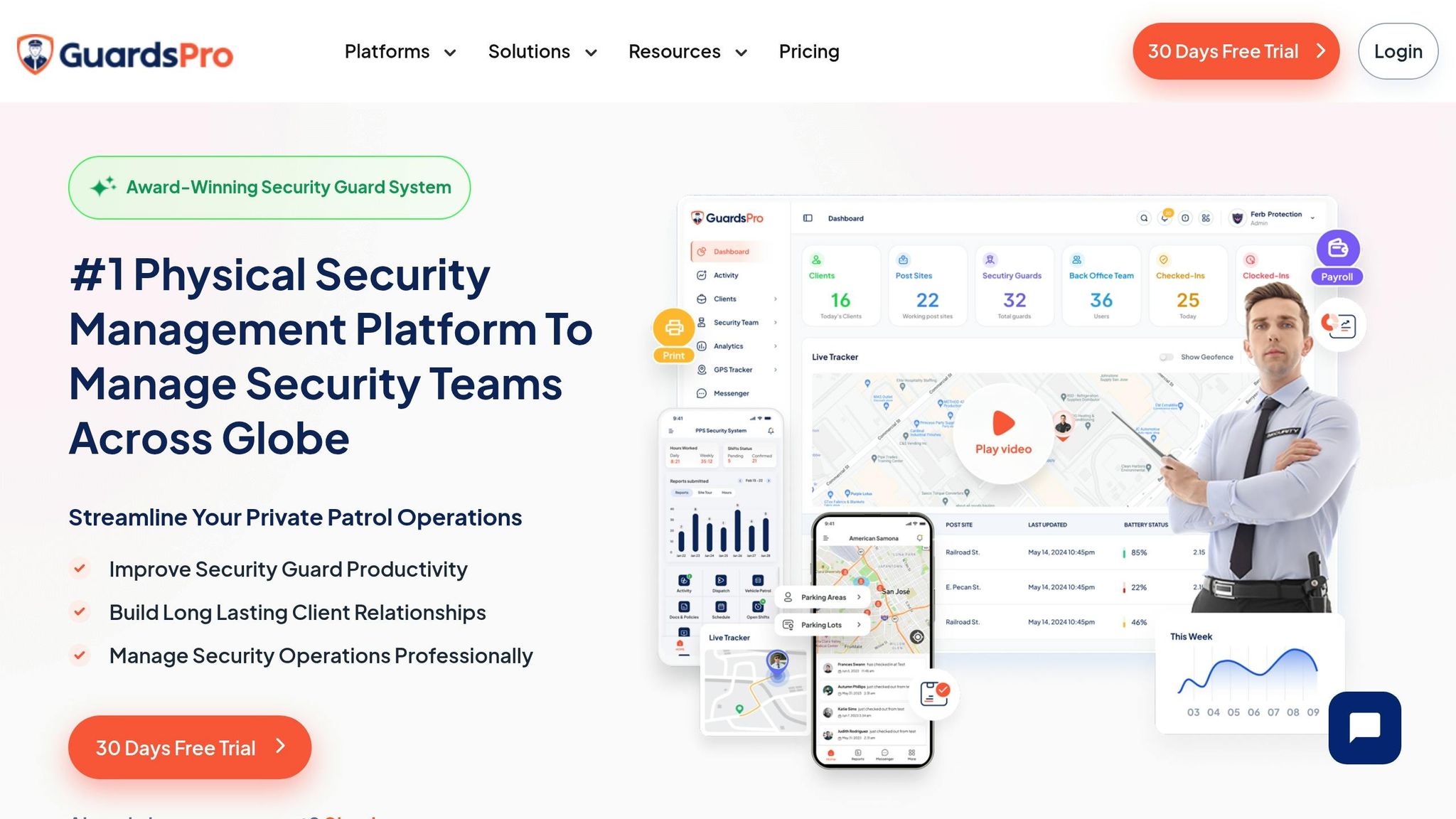
I’ve seen this happen a lot at Pebb.io: a team starts looking at TrackTik, gets halfway through the demo, and realizes it might be more than they need right now.
That’s where GuardsPro usually comes into the chat.
It still stays focused on security work, but the setup feels simpler. You get a web dashboard, a mobile guard app, and a client portal. In plain English, it’s built to help teams fill open shifts fast, log clean reports, and keep dispatch and post orders aligned without making the whole process feel clunky.
Shift Scheduling
Managers build schedules in the dashboard, assign guards to client sites, publish open shifts, and let guards confirm or swap shifts in the mobile app.
Here’s the thing: that matters more than it sounds. I’ve watched teams lose hours every week just trying to patch together shift changes over text, calls, and spreadsheets. A setup like this keeps that mess from snowballing.
Guard Reporting
GuardsPro's reporting module lets guards submit daily activity reports (DARs), incident reports, site tour reports, task reports, dispatch call logs, and pass-down logs from templates. Managers approve reports in the dashboard, and clients view them in the portal.
That’s where GuardsPro starts to stand out. If a team needs structured reporting and client visibility, not just scheduling, this part does a lot of the heavy lifting. I’ve worked with teams that didn’t just need to know who showed up; they needed a clear paper trail they could send to clients without chasing guards for missing details.
Time Tracking and GPS
Guards clock in and out from the app, and GPS ties each punch to a post site. Managers can spot missed check-ins, review activity in real time, and export time data to QuickBooks, Gusto, ADP Workforce, or Paychex. QR, NFC, or virtual tags plus GPS confirm checkpoint scans.
Let me tell you what happened next when one ops lead I spoke with switched from manual logs to app-based punches: missed check-ins stopped slipping through the cracks so often, and payroll cleanup got a whole lot less painful. That kind of visibility can save a team from a pile of back-and-forth at the end of the pay period.
Communication and Compliance
GuardsPro includes secure in-app messaging and a dispatch center for urgent issues and follow-up. Managers can also update post orders, and guards confirm them in the app.
I like this part because post orders have a bad habit of living in old PDFs, email threads, or printed binders no one checks. When guards can confirm updates in the app, there’s less guesswork and fewer “I never saw that” moments.
GuardsPro scores 4.6/5 overall on review sites, but its mobile app is lower at 3.6/5 from 36 ratings, so I’d test it before rollout. That gap tells me the core platform lands well for many teams, but the mobile experience may be hit or miss depending on how your guards use it day to day.
Pricing starts at $5/user/month on the Essential plan with a 3-user minimum; the Professional plan is $10/user/month, and there's a 30-day free trial.
If you want a broader workforce tool next, the next app takes a more general scheduling approach.
4. Patrolr.AI

I’ve seen this pattern a lot at Pebb.io: some teams don’t need an all-in-one workforce system first. They need one thing fixed NOW - proof that patrols happened, when they happened, and who did them.
That’s where Patrolr.AI leans in. From what I’ve seen, it’s much more patrol-first than broad workforce software. If proving rounds is the main headache, this tool puts its energy into scheduling, patrol checks, and reporting.
Shift Scheduling
Patrolr.AI lets managers assign recurring or one-off shifts by site, role, or contract, then track coverage across locations in a calendar dashboard.
On the guard side, assignments show up in the mobile app with push notifications. That part matters more than people think. When shift details live in one place, there’s less back-and-forth, fewer missed updates, and less “I didn’t see the message.” Clock-ins, clock-outs, and overtime also tie back to the schedule.
Guard Reporting
This is where the platform starts to stand out.
Guards can submit incident reports and patrol logs through mobile forms with photos, notes, signatures, timestamps, and links to the right site and shift. So instead of chasing paper trails later, supervisors get reports tied to the job in context.
The big differentiator is QR/NFC checkpoint scanning. Guards scan tags at set checkpoints, and the system records the checkpoint, time, guard ID, and GPS confirmation. In plain English, you’re not just hoping the round happened. You’ve got a digital trail showing it did.
Let me tell you what happened next in a lot of teams I’ve watched: once missed checkpoints start showing up in plain view, managers stop guessing. Patrolr.AI sends real-time alerts to supervisors when checkpoints are missed, and guards can check post orders in the app so they’re always looking at the latest instructions.
Those logs then flow straight into live tracking and shift summaries, which makes follow-up a lot easier.
Time Tracking and GPS
Live GPS and patrol maps show guard movement during shifts. At the end of the shift, summaries show scanned and missed checkpoints with timestamps and locations.
Here’s the thing: for teams that live and die by patrol proof, that kind of record can save a ton of admin time. It also gives supervisors a much cleaner way to spot gaps without digging through texts, calls, or handwritten notes.
Communication and Compliance
Supervisors can send instant push alerts and in-app notifications for shift updates, urgent instructions, or incident escalations. Clients also get a dedicated visibility portal where they can view live patrol status and shift summaries without waiting for emailed updates.
That client access can take some pressure off the ops team. Instead of sending update after update, the status is already there for clients to check.
Patrolr.AI uses quote-based pricing.
If I were looking at it from an ops seat, I’d say this: Patrolr.AI fits best when patrol verification is the center of the job, not just one feature on a long software checklist.
If your team needs broader scheduling and communication beyond patrol enforcement, the next app takes a wider workforce approach.
5. THERMS
I’ve seen a lot of workforce tools try to do a dozen things at once and end up feeling messy. THERMS felt different to me from the start. It’s built for private security firms, and you can tell. It brings together dispatch, scheduling, reports, tasks, and post orders in one place.
When we look at tools in this space at Pebb.io, that kind of focus matters. A platform made for guards and field teams usually handles the day-to-day stuff better than a generic app trying to stretch into security work.
Shift Scheduling
The first thing that stood out to me was the weekly scheduler. THERMS gives managers a drag-and-drop view for assigning guards to posts, which sounds simple, but in practice it saves a ton of back-and-forth. Managers can draft, review, and publish schedules, copy shifts, duplicate weeks, and flag no-shows, late arrivals, and unassigned clock-ins.
Here’s the thing: in security operations, a missed shift isn’t just annoying. It can turn into a client issue fast. That’s why features like no-show flags and unassigned punch alerts matter so much.
Guard Reporting
This is where THERMS starts to shine.
Officers can submit incident reports, DARs, patrol logs, and accident reports right from the mobile app. They can also attach photos, video, and notes. On the supervisor side, reports can be reviewed, edited, approved, and exported as PDFs.
I like that the reports connect to people, properties, and vehicles. That makes pattern tracking easier. If the same vehicle shows up across multiple incidents, or one property keeps triggering the same kind of issue, that link matters.
The mobile app also keeps post orders, BOLOs, tasks, maps, contacts, and pass-down notes in one spot. Let me tell you what happened next when I saw that setup: I immediately thought about how much time teams waste jumping between texts, printed notes, and old PDFs. Putting all of that inside the app cuts down the chaos.
Once reports are tied to the right guard and site, time tracking becomes easier to audit.
Time Tracking and GPS
THERMS also handles time tracking with GPS verification. Guards can clock in with location data, while geo-fenced posts flag out-of-bounds punches. NFC or QR checkpoints record completions, and live GPS maps with playback show where guards traveled during a shift.
That’s a big deal for teams that need a clean record of who was where and when. It’s one thing to say a patrol happened. It’s another thing to have the map, checkpoint scan, and shift trail to back it up.
Communication and Compliance
One thing I’ve learned working at Pebb.io is that tracking alone never fixes field ops. People also need a clear way to stay in sync.
THERMS includes team chat, bulletin boards, and dispatch tied to guards, sites, and events. Clients can view real-time activity in a portal, and scheduled email delivery sends reports automatically. For firms dealing with client pressure, that kind of visibility can save a lot of status-update emails.
It also keeps centralized logs, GPS history, reports, post orders, and messages together, which makes audits and compliance reviews much easier to handle.
On pricing, THERMS starts at $45/month for 1–5 users and scales by headcount. For example, it costs $155/month for 16–30 users and $390/month for 76–100 users. It holds a 4.6/5 overall rating across 19 reviews, along with a 4.9/5 rating for value for money and a 90% recommendation rate.
From my point of view, THERMS makes the strongest case when your team lives and dies by clean reports, site activity records, and client-facing documentation. If that’s the pressure you’re under every day, this is one to keep on your shortlist.
6. Connecteam
When I first looked at Connecteam at Pebb.io, I didn’t see it as a security-first tool like THERMS. I saw it as the broader workforce app pick.
Here’s the thing: Connecteam isn’t built only for security teams. But if your team wants one mobile app for scheduling, reporting, time tracking, and field communication, it does a lot of the heavy lifting. For security companies that don’t need a security-only suite, it covers the core shift and reporting flow pretty well.
Shift Scheduling
This is one area where Connecteam feels smooth in day-to-day use. Managers can build shifts with drag-and-drop tools, recurring patterns, templates, and auto-scheduling based on availability, skills, and preferences. Guards get push alerts when schedules go live or change, and they can accept, decline, or swap shifts right from their phones. There’s also a live attendance dashboard that shows who’s on the job, who’s late, and who’s missing.
One small catch: recurring shifts need a paid tier, so if you’re trying to stay on the lowest-cost plan, that part may be off the table.
Guard Reporting
I’ve seen teams waste hours dealing with paper forms, messy handwriting, and half-filled incident logs. Connecteam cuts that out by using digital forms and checklists guards fill out on their phones.
Managers can build incident report templates, set required fields, and let guards attach photos, video, and geolocation. Patrol logs can run as recurring checklists with auto-reminders, which helps when teams are juggling a lot of rounds. Post orders can also be shared as documents, and guards can confirm they’ve read them through a read-and-sign flow. Every submission is timestamped and saved in an audit trail.
Time Tracking and GPS
This is where Connecteam gets more useful for field teams. Guards can clock in from their phones with the GPS time clock, and geofencing can limit punches to approved site locations. On higher-tier plans, route tracking adds another layer for patrol verification. It also works with NFC tags at checkpoints, so security teams can keep a patrol log tied to time and location.
Timesheets export straight to payroll, and overtime and break rules can be set to match state wage-and-hour rules. That may not sound glamorous, but if you’ve ever had to clean up payroll issues after the fact, you know how much pain that can save.
Communication and Compliance
A lot of teams still lean on consumer chat apps, and that gets messy fast. Connecteam gives teams built-in chat, role-based groups, and an announcements feed, so updates can go to the right guards without bouncing around random apps. Read receipts and acknowledgment forms also help confirm that people actually saw key updates.
On the compliance side, it supports e-signatures, training modules, and document tracking. It’s also ISO 27001 certified and uses AES-256 encryption.
Pricing
If you’re just getting started, Connecteam offers a free plan for up to 10 users.
Paid plans start at:
$29/month billed annually for up to 30 users on Basic
$49/month for Advanced
$99/month for Expert
After 30 users, pricing scales per seat, so the bill climbs as your team gets bigger.
At Pebb.io, I’d frame Connecteam as the pick for teams that want a general workforce platform with enough tools to handle security shift work, reporting, and patrol accountability, without going all-in on a security-only system.
Next up, Deputy takes a more general workforce approach.
7. Deputy

I’ve seen this happen more than once at Pebb.io: a team starts out looking for a guard management tool, then halfway through the search realizes the real headache is scheduling. That’s where Deputy tends to come up.
Deputy doesn’t start with security reporting. It starts with shift control. It’s a general workforce platform, not a security-first suite, but for multi-site coverage and attendance rules, it does a solid job. That’s why it still earns a spot here.
Shift Scheduling
This is where Deputy does its best work.
The scheduling engine gives managers drag-and-drop shifts, recurring rotations, and AI-assisted auto-scheduling. It looks at availability, skills, leave, labor budgets, and compliance rules, then helps build the schedule around that. If a guard calls out, Deputy can send real-time alerts to available replacements so the gap gets filled fast.
Let me tell you what happened next when we tested tools like this style of scheduling: the time saved wasn’t tiny. Managers stopped chasing texts and last-minute calls just to plug one open shift.
For multi-site teams, Deputy also lets managers set up separate locations and watch coverage across all sites from one dashboard. If you’re juggling several posts at once, that kind of visibility matters.
Guard Reporting
Here’s the tradeoff.
Deputy does not come with dedicated incident report forms or patrol log modules built for security teams. So if your team depends on detailed field reporting, this is where the cracks start to show.
You can still use Newsfeed for post orders and shift notes for basic handoff comments. That works for simple communication. It just doesn’t go very deep.
Time Tracking and GPS
Deputy supports mobile clock-in and clock-out with GPS verification and geofencing. That helps confirm guards are at the right place when they start or end a shift. But it does not track guards throughout the full shift.
There’s also a kiosk mode with facial verification for fixed posts, which can help cut down on buddy punching. I like seeing that option in place, especially for teams that need tighter attendance checks.
One limit is easy to miss until it becomes a problem: Deputy has no offline mode. Guards need internet access to clock in or out. If your sites have weak service, that can turn into a daily headache.
Timesheets can be exported to payroll platforms like QuickBooks, ADP, or Gusto, which makes the payroll handoff a lot smoother.
Communication and Compliance
Deputy’s Newsfeed handles announcements and policy updates, and managers can require guards to acknowledge key posts. That’s useful when you need proof that someone saw an update.
Full messaging, though, isn’t included by default. You need the paid Messaging+ add-on for that.
On the compliance side, Deputy includes tools for Fair Workweek laws, California break rules, and NYC scheduling regulations. It also sends automated alerts for overtime and missed breaks. For teams dealing with labor rules across different sites, that can save a lot of cleanup later.
Pricing runs from $5/user/month for Lite to $6.50 for Core and $9 for Pro, with add-ons for messaging, HR, and analytics on top.
From my point of view, Deputy fits teams that need tighter scheduling and attendance control more than deep reporting. If scheduling is the fire you’re trying to put out, it makes sense. If you need patrol logs, incident forms, and post-order workflows built for security, the next apps are a better fit.
8. When I Work
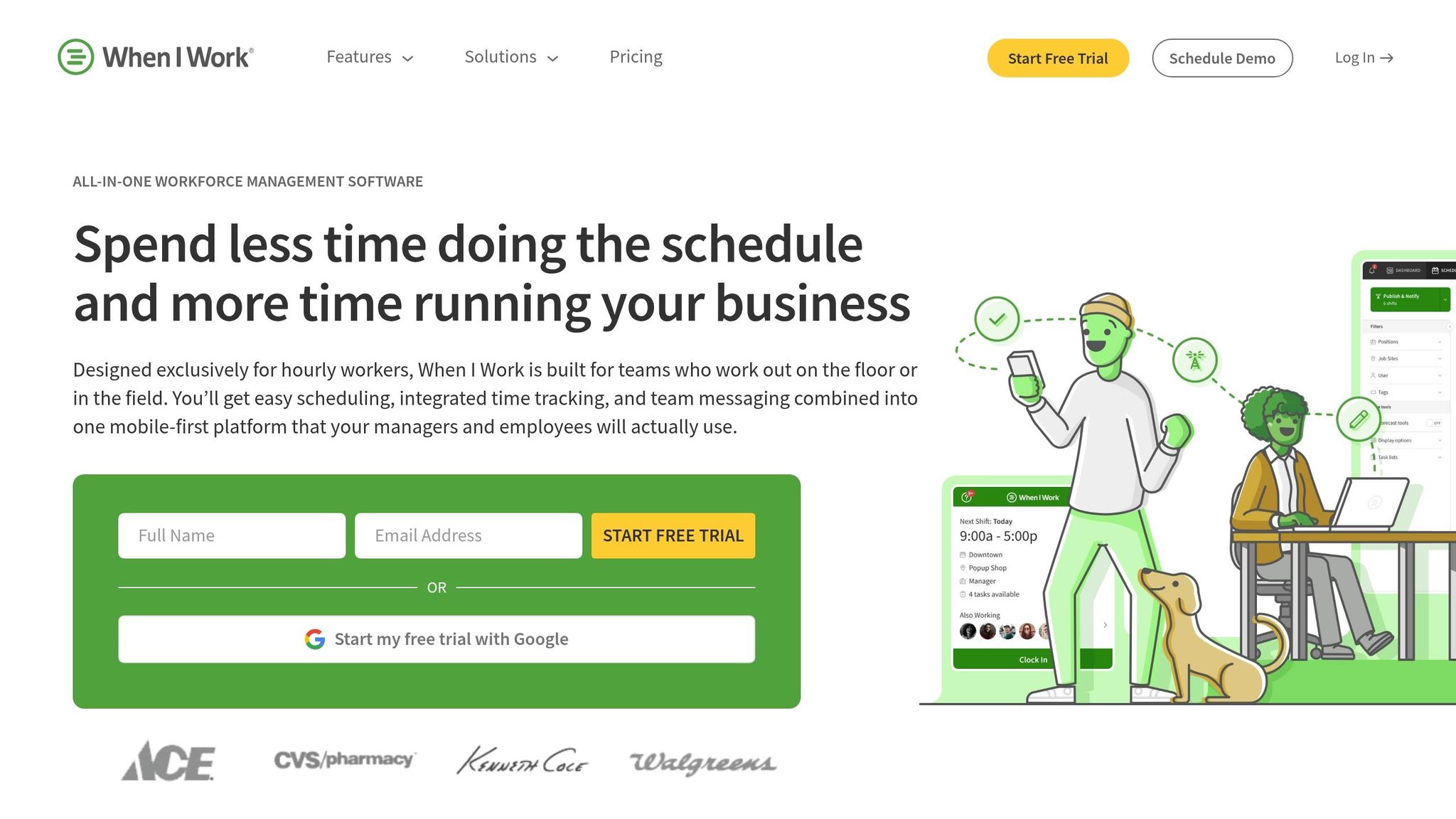
I’ve seen teams overcomplicate scheduling fast, especially when all they actually need is a clean way to fill shifts, track clock-ins, and keep guards in the loop. That’s where When I Work tends to make sense. At Pebb.io, when we look at tools for leaner security teams, this one usually comes up as the simpler, lower-cost pick for crews that mostly care about scheduling, GPS clock-ins, and basic shift communication.
For security teams, that usually plays out in a pretty direct way: fewer no-shows and less time spent chasing people to cover open shifts.
Shift Scheduling
This is the part When I Work does best. Managers can post open shifts by client site, guards can claim them in the app, and swap requests can move through without the usual phone tag.
I like that schedule updates go out in real time. If you’re running more than one location, you can also keep coverage visible across sites, which helps a lot when things get messy at the last minute. Let me tell you what happened next on one team I watched: once they stopped managing swaps through texts and calls, the schedule stopped feeling like a daily fire drill.
That said, it’s still mostly a scheduling tool. It handles coverage well, but it doesn’t go far into security-focused reporting.
Guard Reporting
Here’s the thing: When I Work is not built for guard reporting.
There’s no built-in incident reporting, no patrol logs, and no post-order acknowledgment. What it does cover is attendance and timesheet reporting, like:
who worked which shift
late clock-ins
early clock-outs
overtime trends
That’s useful, no doubt. But it does not replace incident reports. If your team needs a record of what happened on site, not just who showed up, you’ll need something else for that. Time tracking is stronger here, especially for site-based clock-ins.
Time Tracking and GPS
This is one area where the setup is pretty straightforward. Guards can only clock in within a geofenced radius set for each site. GPS confirms where a guard clocked in, but not where they moved during the shift.
That distinction matters more than people think. If you just need proof that someone arrived at the site, this works. If you need patrol movement or route history, it won’t give you that.
Also worth noting: time tracking is a separate add-on, and it usually runs about $1.50–$2.00 per user per month on top of the base plan.
Communication and Compliance
When I Work includes WorkChat, which lets supervisors send targeted messages to one person, a site team, or the whole roster. For call-outs, coverage needs, and urgent updates, that can save a lot of scrambling.
On the compliance side, it supports overtime alerts, break tracking, and break attestation for break-related audits. That won’t cover every security operation need, but for labor tracking, it gives managers a cleaner paper trail.
Pricing starts at $2.50/user/month for Essentials, $5.00 for Pro, and $8.00 for Premium. It also holds a 4.5/5.0 rating on Capterra across around 1,299 reviews.
If I were comparing tools for a team that wants similar simplicity with tighter budget control, Homebase would be the next app I’d put side by side with this one.
9. Homebase
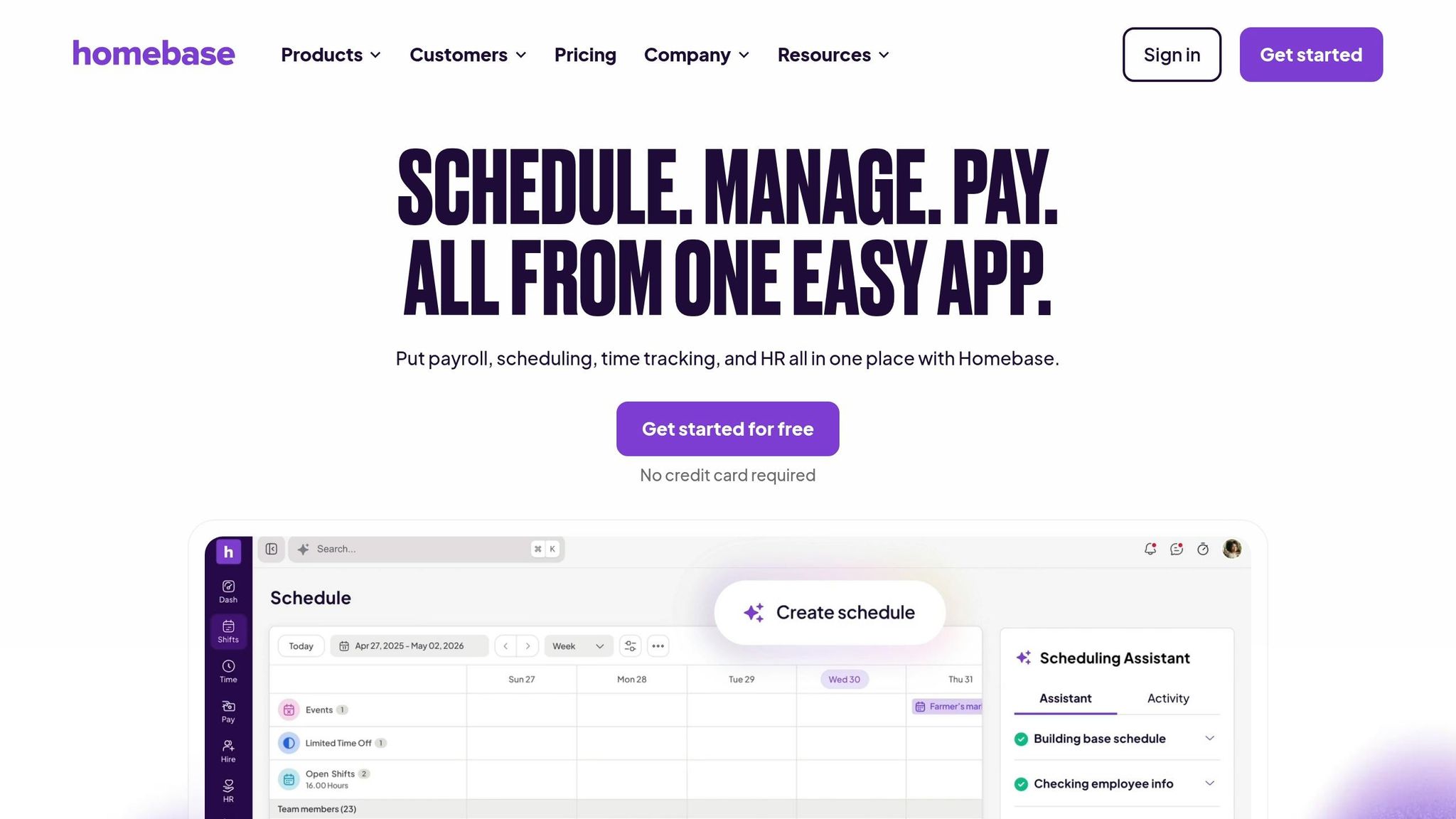
I’ve seen teams try to use Homebase for security operations because, at first glance, it looks like it might cover the basics. And to be fair, it does help with the day-to-day staffing side. But here’s the thing: Homebase is an hourly workforce app, not a security-first platform.
It pulls scheduling, time tracking, messaging, and basic compliance into one place. So if your team is juggling spreadsheets, text threads, and loose shift notes, Homebase can clean that up. Where it starts to fall short is patrol work. It can help with missed shifts and simple site notes, but it won’t give you patrol enforcement.
Shift Scheduling
This is where Homebase does a solid job.
The drag-and-drop scheduler makes it easy for managers to build schedules while checking each guard’s availability and time-off requests. It also supports open shifts, approved swaps, and auto-scheduling based on roles and availability. That can cut down on those last-minute “Who can cover this post?” scrambles.
When schedules change, updates go straight to the mobile app, so guards can see new assignments right away.
One thing I’d watch closely: Homebase charges by location. If you start adding more client sites, your costs can climb fast.
Guard Reporting
This is where the gap becomes pretty clear.
Homebase does not include formal incident reports, patrol logs, checkpoint scanning, or post-order workflows. It has a logbook and daily summaries, and those work fine for shift handoff notes, post issues, or tracking late arrivals.
But if you need structured security reporting, this isn’t the tool I’d lean on.
In plain English, Homebase works better for simple workforce coordination than for patrol-heavy security operations.
Time Tracking and GPS
Homebase handles the basics here pretty well.
It records GPS at clock-in and clock-out, and geofencing limits punches to approved site locations. It also tracks hours, breaks, and overtime on its own and turns that into payroll-ready timesheets.
If your main pain point is timekeeping, that part is pretty straightforward.
Communication and Compliance
Homebase also includes built-in messaging for one-on-one chats, group messages, and company-wide communication. For small teams, that can cut down on back-and-forth across too many apps.
On the compliance side, it stores digital employee records like guard cards and certifications, then sends reminders before they expire.
That’s useful, especially when you’re trying to keep admin work from slipping through the cracks.
Homebase has a 4.6/5 rating on G2 from 525+ reviews and a 4.6/5 rating on Capterra from 1,147+ reviews. So yes, plenty of users like it.
My take? It’s not a replacement for a security operations platform. It fits smaller teams that need simple scheduling and basic recordkeeping, not a full security operations system.
Next comes the side-by-side summary of where each app fits best.
Pros and cons at a glance

Best Security Guard Apps Compared: Features, Pricing & Best Use Cases
When I started comparing security software at Pebb.io, one pattern showed up fast. Guard-focused tools go much deeper on patrols, checkpoints, and incident logs. General workforce apps, on the other hand, tend to win on scheduling, time tracking, and day-to-day team coordination.
Here’s the thing: the best option depends on what kind of pain you’re trying to fix. If your team lives and dies by patrol proof, missed-tour alerts, and client-facing reports, you’ll lean one way. If you mostly need cleaner schedules, faster clock-ins, and fewer “Who’s covering this shift?” messages, you’ll lean another.
I put the tradeoffs into one table so you can scan them fast.
App | Pros | Cons | Starting Price (USD) | Best For |
|---|---|---|---|---|
Pebb | Free all-in-one chat, scheduling, clock-ins, and reporting | No dedicated patrol tour module; guard workflows require more configuration | Free (up to 15 users); premium from $4/user/mo | Small to mid-size guard teams wanting all-in-one scheduling, chat, and mobile reporting |
TrackTik | Enterprise-grade guard tours, checkpoint scanning, and client portals | Complex setup; expensive at scale | From ~$78/location/mo + onboarding fees | Large, multi-site contract security firms needing enterprise-grade reporting and client documentation |
GuardsPro | Guard-specific GPS tracking, QR checkpoints, and transparent per-user pricing | GPS reliability issues reported; learning curve for non-technical managers | From $5/user/mo (3-user minimum) | Small to mid-size security firms wanting budget-friendly, security-specific scheduling and patrol tracking |
Patrolr.AI | Real-time GPS, QR/NFC checkpoints, missed-tour alerts, and client visibility portals | Newer platform; ecosystem still developing | From $29/month (up to 30 users) | Security firms needing GPS-verified patrols and live client reporting at a predictable price |
THERMS | Deep incident documentation, patrol dashboards, and route heatmaps | Web-first; some users want stronger offline/mobile experience | From $45/month (up to 5 users) | Documentation-heavy operations needing deep incident and patrol reporting in one guard-focused platform |
Connecteam | Powerful custom digital forms, GPS time clock with geofencing, and a free plan for up to 10 users | No offline time tracking; pricing tiers can get confusing at scale | Free (up to 10 users); paid plans from $29/month (up to 30 users) | Security teams wanting an all-in-one mobile app for scheduling, GPS clock-ins, and custom incident forms |
Deputy | Strong automated scheduling and labor compliance tools | No guard-specific patrol or incident features; time tracking sold separately | From $4.50/user/month | Multi-site teams where scheduling accuracy and labor compliance are the top priorities |
When I Work | Simple scheduling and team messaging with multi-location support | No patrol checkpoints or incident reporting; time tracking is a paid add-on | From $2.50/user/month; time tracking add-on $1.50–$2.00/user/month | Smaller guard teams that mainly need shift scheduling and basic team communication |
Homebase | Simple scheduling and time tracking for basic shift coordination | No patrol logs, checkpoint scanning, or structured incident reports | Not listed | Small security teams that only need basic scheduling and clock-ins |
A few things jumped out at me while reviewing this.
Pebb works best when a team wants one place for chat, scheduling, clock-ins, and reports without piling on cost.
TrackTik, GuardsPro, Patrolr.AI, and THERMS lean much harder into guard duty workflows.
Connecteam, Deputy, When I Work, and Homebase make more sense when scheduling and workforce coordination matter more than patrol proof.
Let me tell you what happened next in a lot of these reviews: once pricing, setup time, and daily manager effort entered the picture, the shortlist usually got much smaller. What looked great in a feature grid didn’t always fit the team on the ground.
Next, match those tradeoffs to your team size, reporting depth, and budget.
Which app fits your security team?
I’ve seen this play out more than once at Pebb.io: a team starts by saying they need a “better app,” but once we dig in, the issue is almost always more specific. One team is missing shifts. Another can’t track patrol logs. Another has guards texting updates in three different places and hoping nothing gets lost.
Here’s the thing: the right pick usually comes down to the main workflow that’s falling apart.
If scheduling is the mess, fix scheduling.
If reports are getting skipped, fix reporting.
If field updates are all over the place, fix communication.
That’s the lens I’d use.
Pebb fits teams that want scheduling, clock-ins, chat, PTO, and digital forms in one app. I like that it keeps pricing simple too: free for up to 15 employees, then $4 per user/month.
If incident forms, patrol logs, and mobile incident reporting matter most, I’d lean toward Connecteam, GuardsPro, or Patrolr.AI.
For large, multi-site teams that need compliance and audit trails, TrackTik or THERMS usually make more sense.
Use this table to match each app to your team’s main need.
Your Situation | Best Fit | Why It Works |
|---|---|---|
Replacing scattered scheduling, chat, and reporting tools | Pebb | One app for scheduling, chat, PTO, and reporting |
Simple shift scheduling and lighter complexity | When I Work or Homebase | Simple scheduling and basic time tracking |
Mobile incident reporting and custom forms | Connecteam | Custom forms plus GPS time tracking |
Guard tours, patrol logs, and GPS tracking | GuardsPro or Patrolr.AI | Patrol logs and GPS-verified field reporting |
Enterprise compliance, audit trails, and deep reporting | TrackTik or THERMS | Deep reporting and compliance for larger teams |
When I talk to teams like this, I usually keep it simple: use Pebb when consolidation is the problem. Use security-focused tools when patrol reporting and audit trails are the top priority.
FAQs
How do I choose the right app for my security team?
I’ve seen teams get stuck here for weeks, not because the options are bad, but because each one solves a different problem.
At Pebb.io, we learned this the hard way. Early on, we kept seeing companies compare tools as if they were interchangeable. They’re not. A team with 40 deskless workers and a tight budget usually needs something very different from a company managing shifts, labor rules, and audit pressure across multiple locations.
Here’s the thing: your pick should come down to your day-to-day needs, team size, and budget.
If you want one place for team communication, scheduling, and reporting, an all-in-one platform like Pebb usually makes more sense. That’s often the better route when you’re trying to cut app overload and keep everyone on the same page without bouncing between tools.
On the other hand, if your work is more field-heavy and location data matters a lot, Connecteam may be the better fit. I’ve seen cases where detailed GPS tracking was the main factor, and in that kind of setup, that feature can matter more than having everything under one roof.
If you’re in a highly regulated environment, the choice shifts again. In those cases, tools like Deputy can be a better match for scheduling and labor compliance. When rules, shift laws, and record-keeping carry more weight, that kind of focus can save a lot of pain later.
Which features matter most for guard scheduling and reporting?
When I first started working with guard teams at Pebb.io, I noticed the same pattern over and over. The chaos never came from one big thing. It came from the small misses - a late shift change, a forgotten patrol log, a missed clock-in, or an incident report buried in texts and photos on someone's phone.
That’s why the most important features in this kind of setup are pretty straightforward: shift scheduling, fast alerts when plans change, one-tap clock-ins and clock-outs, compliance reporting, and digital forms for incident reports, patrol logs, checklists, and post orders.
Here’s the thing: if any one of those breaks, the whole day gets harder.
I’ve seen managers waste way too much time chasing basic updates. Who showed up? Who didn’t? Was the report filed? Did anyone attach the photo? Did the guard sign off? That’s where mobile access makes a huge difference. When guards can handle tasks from their phones, the work actually gets done in the field instead of hours later from memory.
Searchable submissions matter too. If I need to pull up an incident report from last Tuesday with a photo attachment or a signed checklist, I don’t want to dig through emails, group chats, and paper folders. I want it in one place, fast.
Built-in communication also helps a lot more than people think. We use it to keep managers and guards in sync, spot missed clock-ins, and catch missing reports before they turn into bigger problems. And because Pebb covers all of this in one system, we don’t have to bounce between separate tools just to run a shift.
For teams that want more control, there’s also optional GPS-backed clock-ins, which adds another layer of accountability without making the process harder for guards in the field.
Can one app replace texts, paper logs, and spreadsheets?
I’ve seen this problem up close at Pebb.io. Teams were bouncing between text threads, paper logs, and messy spreadsheets, and things slipped through the cracks all the time. One manager had schedule notes in a phone chat, attendance in a spreadsheet, and incident details buried in paper forms. It was chaos.
That’s exactly why we built Pebb the way we did.
Pebb is built to replace scattered texts, paper logs, and spreadsheets with one connected workspace. We bring shift scheduling, real-time clock-ins and attendance, GPS and time tracking, and digital forms into the same place. So instead of piecing together the day from five different tools, teams can handle it all in one flow.
Here’s what that looks like in practice:
Shift scheduling in one place
Real-time clock-ins and attendance
GPS and time tracking
Digital forms for incident reports, patrol logs, and post orders
One work chat for announcements and updates
Here’s the thing: when everything lives in one system, managers don’t have to chase people down for missing details. They get organized, searchable submissions and automated reports they can actually use. That means less time digging through files and more time dealing with what needs attention.
On the staff side, it gets a lot simpler too. Instead of juggling multiple channels for updates, they can use one work chat for announcements and day-to-day communication. That may sound small, but in my experience, it cuts a lot of confusion fast.
Let me tell you what happened next when teams made that switch: communication got cleaner, records got easier to find, and daily work felt a lot less scattered.
